Calculator & Percentage Calculator
Calculator extension with live results, a paper tape you can reuse, and a percentage calculator for discounts and percent change.
A calculator extension that stays open beside whatever you're working on, instead of hiding behind a window switch.
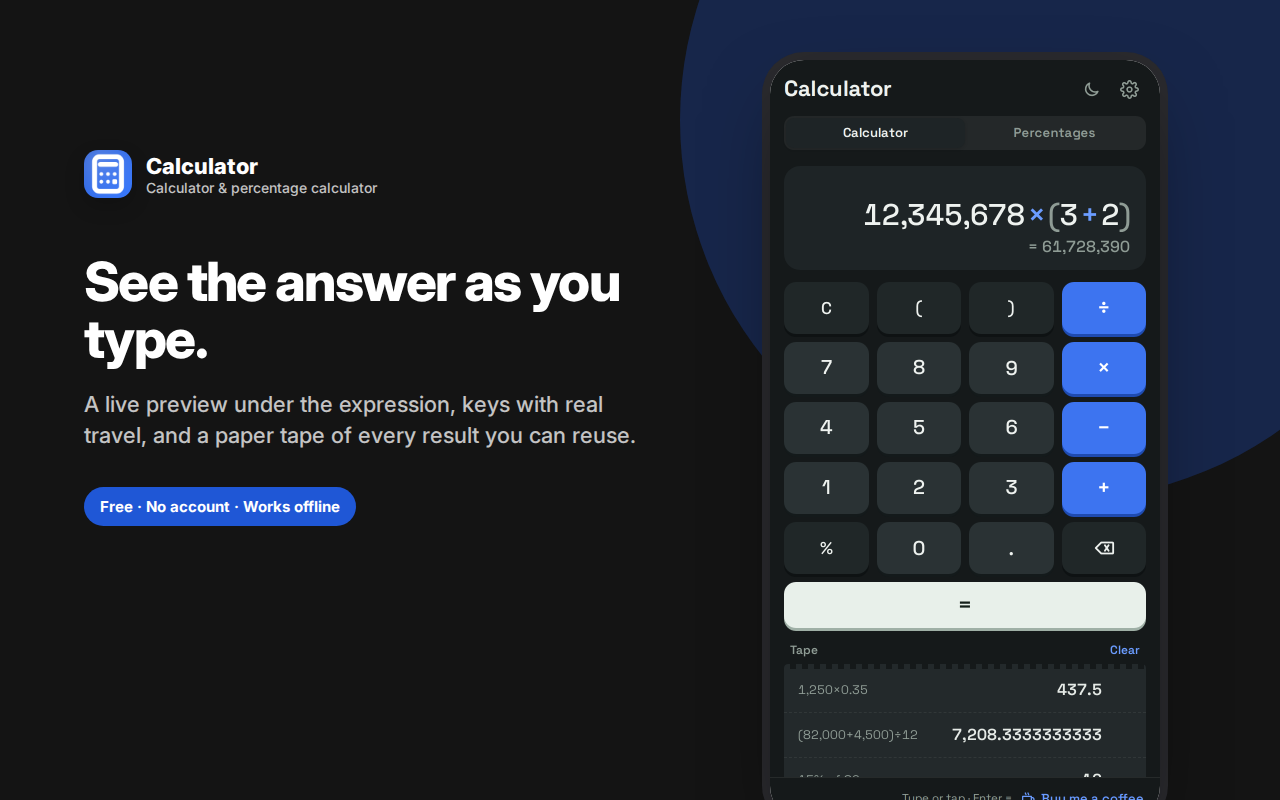
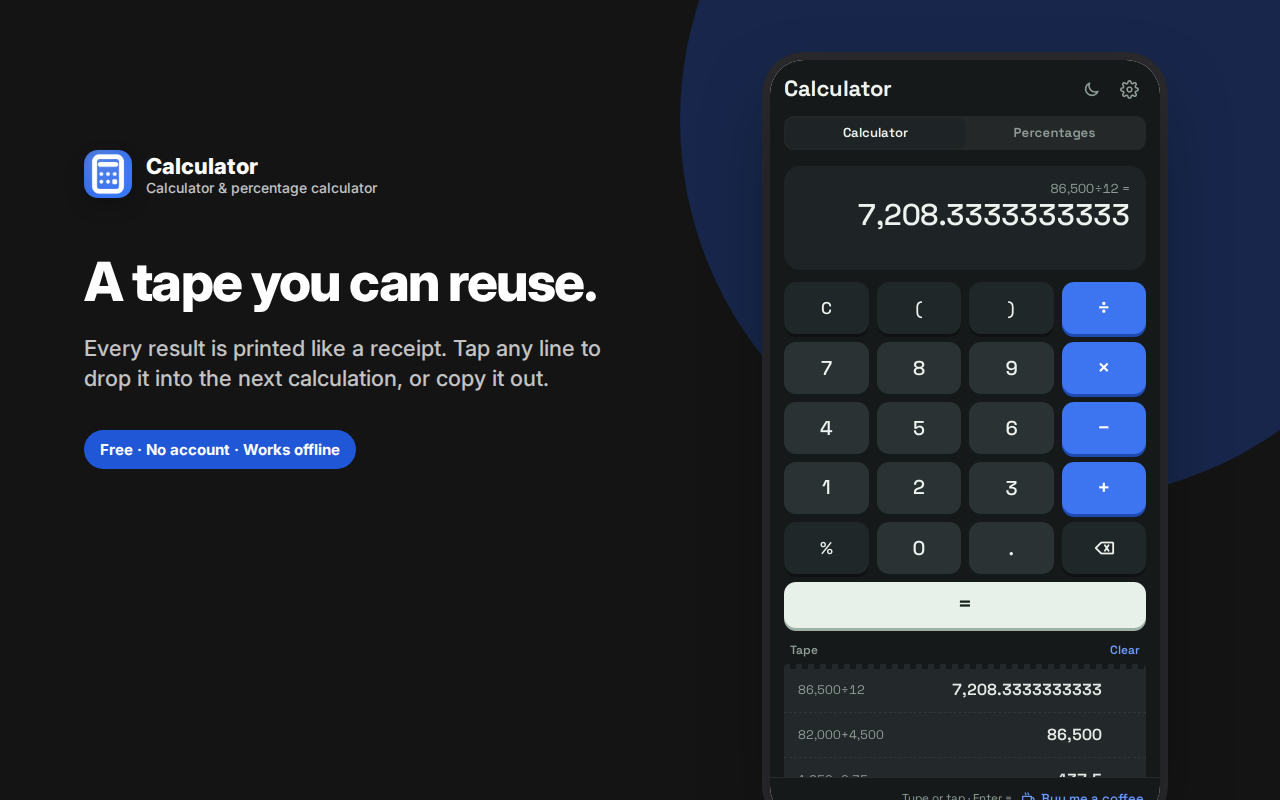
Type an expression and the result appears before you press equals — full order of operations, parentheses and a percent key included. Every result prints to a paper tape you can tap to reuse in the next calculation, so you're never re-typing a long number.
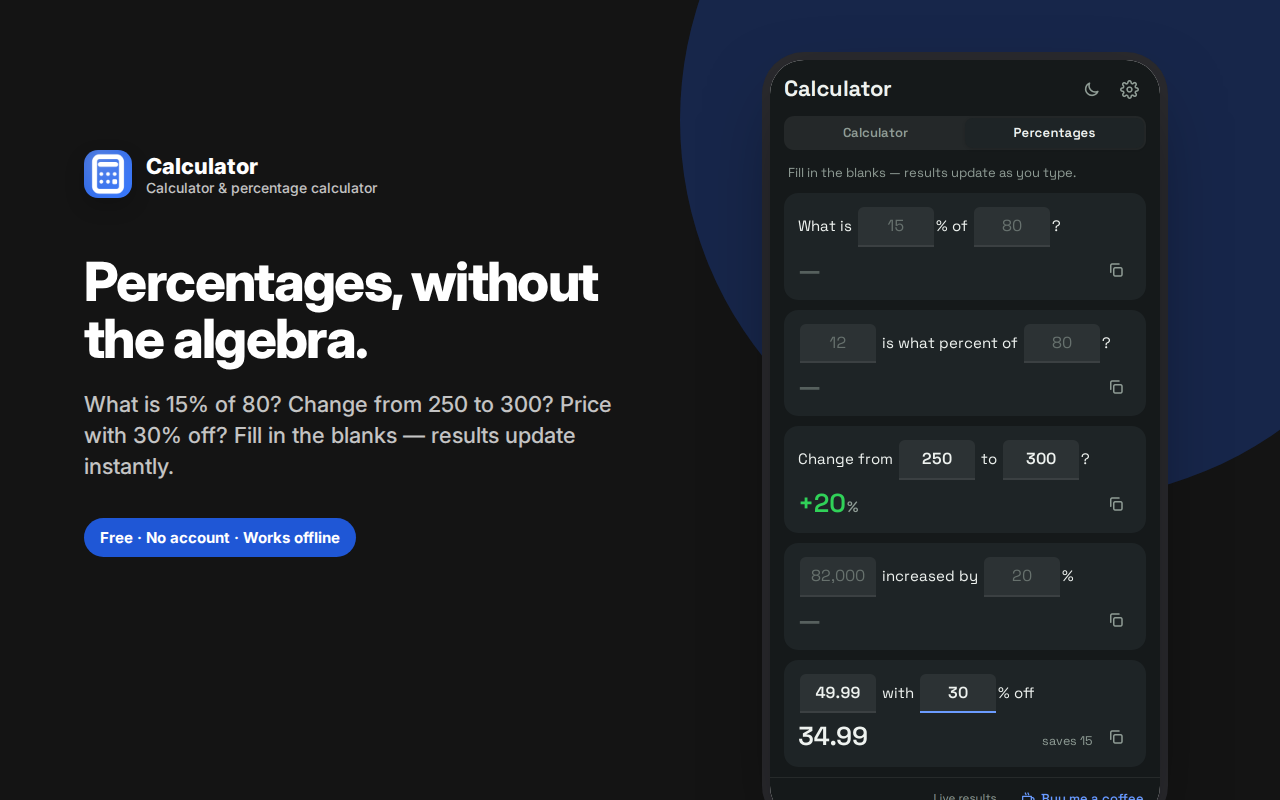
The built-in percentage calculator handles the cases people actually search for: what is 15% of 80, what percent 12 is of 80, percent change from 250 to 300, a number increased by 20%, and a discount calculator showing both the sale price and the amount saved. Everything updates as you type.
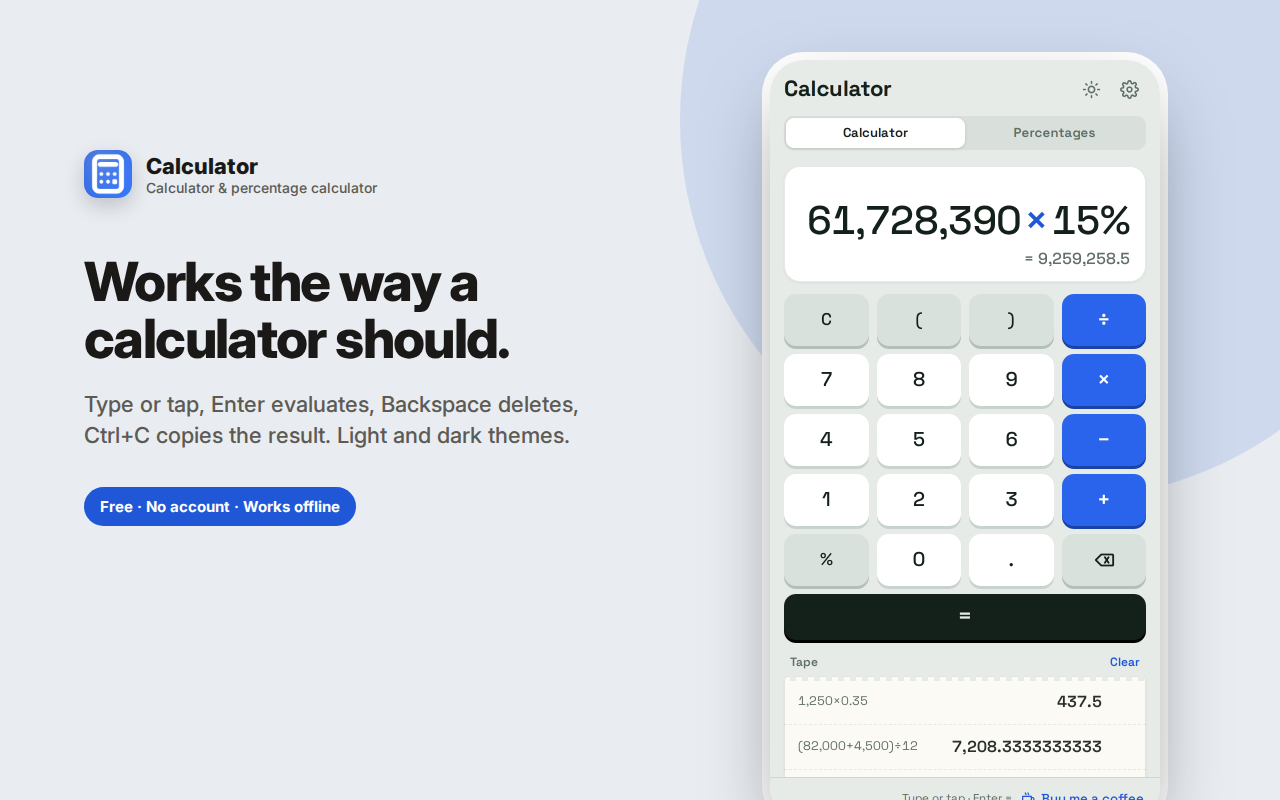
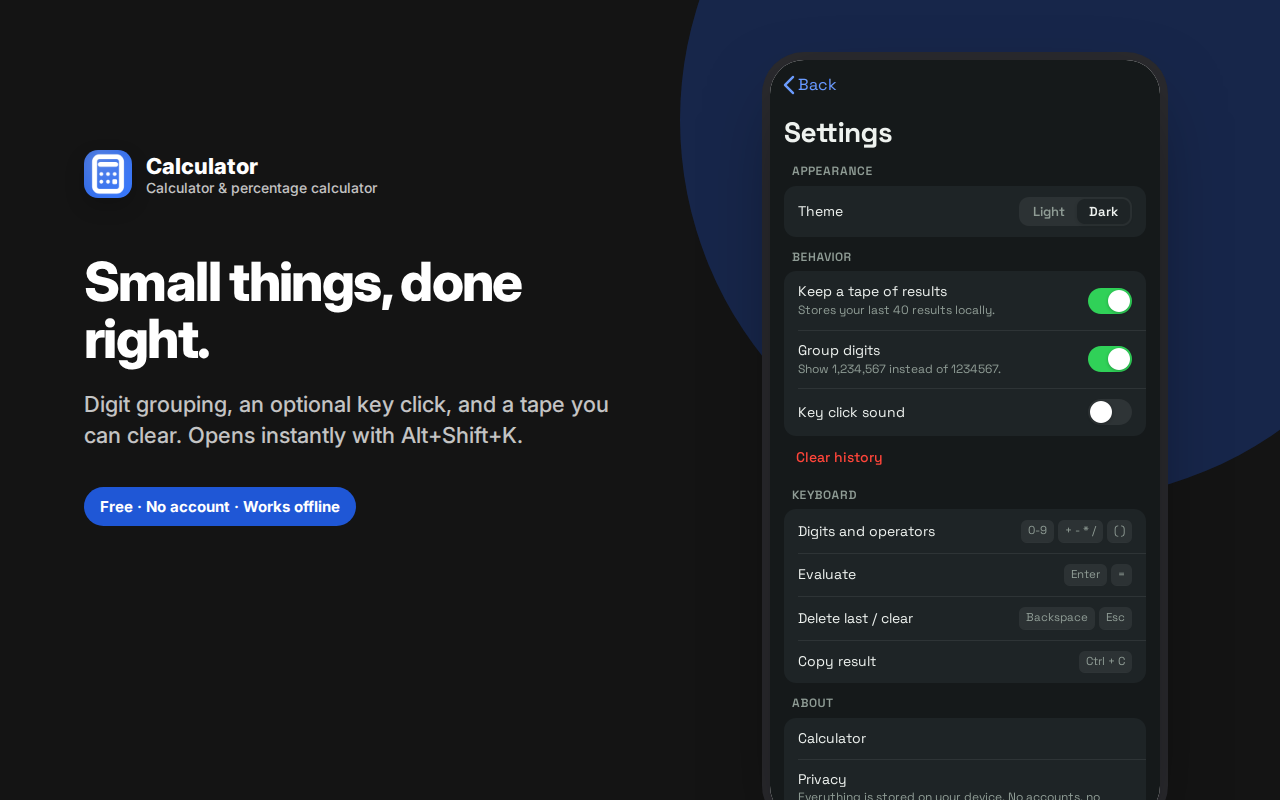
Tactile keys with optional click sound, digit grouping, full keyboard support (Enter to evaluate, Ctrl+C to copy), and light and dark themes.
No ads, no tracking, no network requests — unlike the calculator websites you'd otherwise search for.
A calculator that stays open beside whatever you're working on, instead of hiding behind a window switch — with a live result preview, a paper tape you can reuse, and percentage tools that don't make you do algebra.
Why a calculator in your browser sidebar?
The calculator you actually use is the one that's already open. Your operating system's calculator lives behind Alt-Tab or Spotlight; a calculator website means opening a tab, waiting for ads to load, and losing the thing you were reading. A side panel calculator sits next to the invoice, spreadsheet, product page or ticket you're looking at, and stays there.
See the answer before you press equals
Type an expression and the result appears underneath it as you go. This sounds small until you use it — you catch a mistyped digit immediately instead of after committing to the calculation. Full order of operations, parentheses, and a percent key are all supported, so 12500 × 1.08 and (4200 + 380) ÷ 12 behave the way you'd expect.
A paper tape that remembers
Every result is printed to a running tape below the keypad, the way a desk calculator prints to a roll. You get:
- Your last 40 calculations, each with the full expression that produced it
- Tap a line to reuse that result in your next calculation — no re-typing a long number
- A copy button on each result
- A clear-tape button when you want a fresh start
This is the feature that separates a real calculator from a toy. Most work involves chains of related calculations, and re-typing intermediate values is where errors creep in.
Percentages, without the algebra
Percentages are the single most common calculation people get wrong, because the arithmetic is easy but the setup isn't. Switch to the Percentages tab and fill in the blanks:
- What is 15% of 80? — tips, commission, tax, discounts
- 12 is what percent of 80? — completion rates, scores, proportions
- Change from 250 to 300? — percent increase or decrease, with the direction colour-coded
- 82,000 increased by 20% — raises, markups, projections
- 49.99 with 30% off — sale prices, with the amount saved shown alongside
Everything updates as you type — there's no Calculate button to press. Each result has its own copy button.
Details that make it feel right
- Tactile keys with real press travel and an optional click sound
- Digit grouping — 1,234,567 rather than 1234567, and you can turn it off
- Keyboard support — type numbers and operators directly, Enter to evaluate, Backspace to delete, Escape to clear, Ctrl+C to copy the result
- Light and dark themes, with dark as the default
- Opens with Alt+Shift+K from anywhere
Who this is for
- Freelancers and small businesses working out invoices, VAT, markups and margins
- Shoppers checking whether a discount is actually a discount
- Students doing homework alongside course material in another tab
- Anyone splitting a bill, calculating a tip, or converting a percentage
- Analysts and bookkeepers who need a scratchpad that keeps a record
- People doing mortgage, loan or budget arithmetic while reading rates
Frequently asked questions
Does it handle order of operations correctly?
Yes. 2 + 3 × 4 gives 14, not 20. Parentheses work as expected, and the expression is shown in full so you can verify what's being calculated rather than trusting a single number.
What does the percent key actually do?
It converts the preceding number to a fraction of 100, so 200 × 15% gives 30. For the more complicated cases — percent change, discounts, reverse percentages — use the Percentages tab, which is built specifically for those.
Is the tape saved between sessions?
Yes, your tape persists until you clear it or turn off history in settings. It's stored locally in your browser.
Can I use it with the keyboard only?
Entirely. Type the expression, press Enter, press Ctrl+C to copy the answer. You never need to touch the mouse.
Does it work offline?
Completely. There's no network dependency of any kind.
Why a calculator extension rather than a website?
Search "calculator" and you'll get pages wrapped in ads, cookie banners and trackers, all loading before you can type a number. A calculator extension loads instantly, works offline, has no ads, and doesn't record what you calculate.
It also stays where you're working. A calculator website means a tab; a tab means losing sight of the invoice, product page or spreadsheet you're calculating from.
Is there a percentage calculator built in?
Yes — a dedicated percentage calculator tab handles the five cases people actually search for: X% of Y, what percent one number is of another, percent increase and decrease, adding a percentage, and taking a percentage off a price.
Can it work out percent change between two numbers?
Yes. Enter the old and new values and it gives the percent change with the direction marked, so you don't have to remember which number goes on the bottom.
Does it do reverse percentages?
The discount tool covers the common case — showing a final price and the amount saved. For a true reverse calculation (finding the original price before a discount), use the main calculator: divide the sale price by the remaining percentage as a decimal.
Can I keep a running total?
That's what the tape is for. Each result is saved with the expression that produced it, and tapping any line drops that value into your current calculation.
Private by design
No account, no sign-in, no cloud, no analytics, no ads, no network requests. Your calculation history is stored in your own browser and goes nowhere else. There's no server involved, which also means no ad-laden calculator website tracking what you're computing.
Common calculations it handles well
Working out a tip and splitting a bill — 84.50 × 18% gives the tip, then tap the result on the tape and divide by the number of people. Two calculations, no re-typing.
Checking a sale price — the Percentages tab's discount tool shows both the final price and the amount saved, which is the number that tells you whether "40% off" is actually good.
Invoice and tax arithmetic — add line items, then apply VAT or sales tax as a percentage. The tape keeps every subtotal visible so you can check your work rather than trusting a single figure.
Margins and markup — "what percent is 12 of 80" answers margin questions directly, without having to remember which number divides which.
Unit pricing while shopping — divide price by quantity for two products and compare. The tape holds both results side by side.
Budget maths — annual salary divided by 12, rent as a percentage of income, how much a 20% raise actually adds.