Clipboard History – Copy & Paste Manager
Clipboard history and clipboard manager. Saves your copy paste history — links, text, code, images — searchable, pinnable, local.
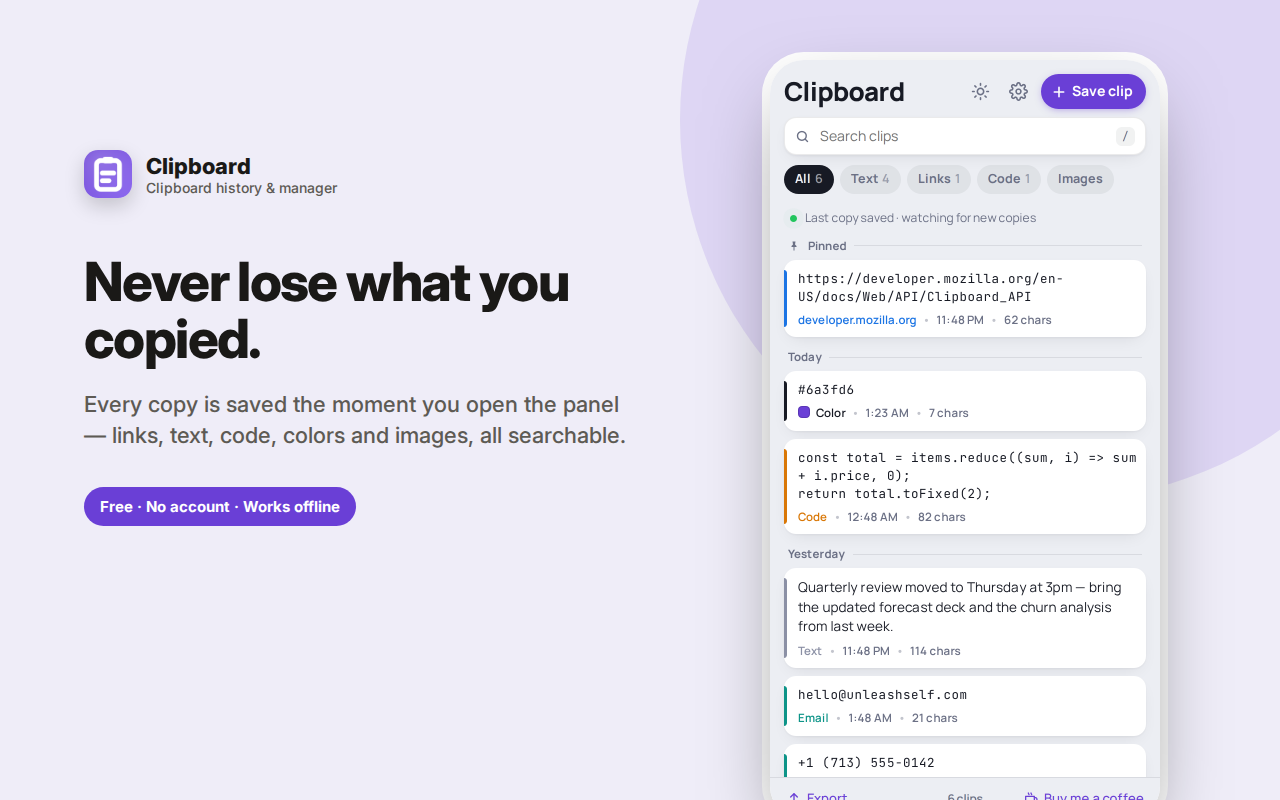
Clipboard History is a clipboard manager that keeps a running record of everything you copy, so the thing you copied ten minutes ago is never gone.
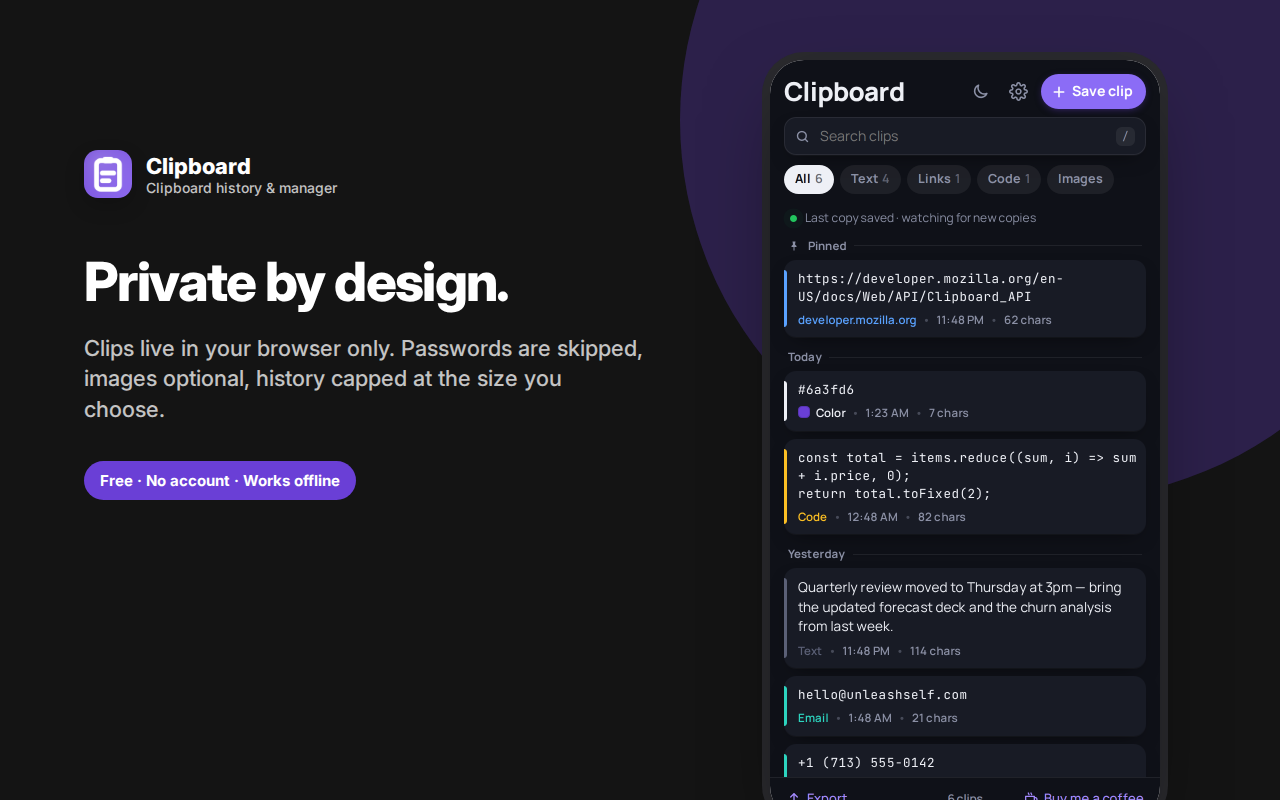
Open the side panel and your copy paste history is there, grouped by day. Every clip is recognised for what it is — a link, an email address, a code snippet, a colour value with a live swatch, a phone number, or an image — and filterable by type.
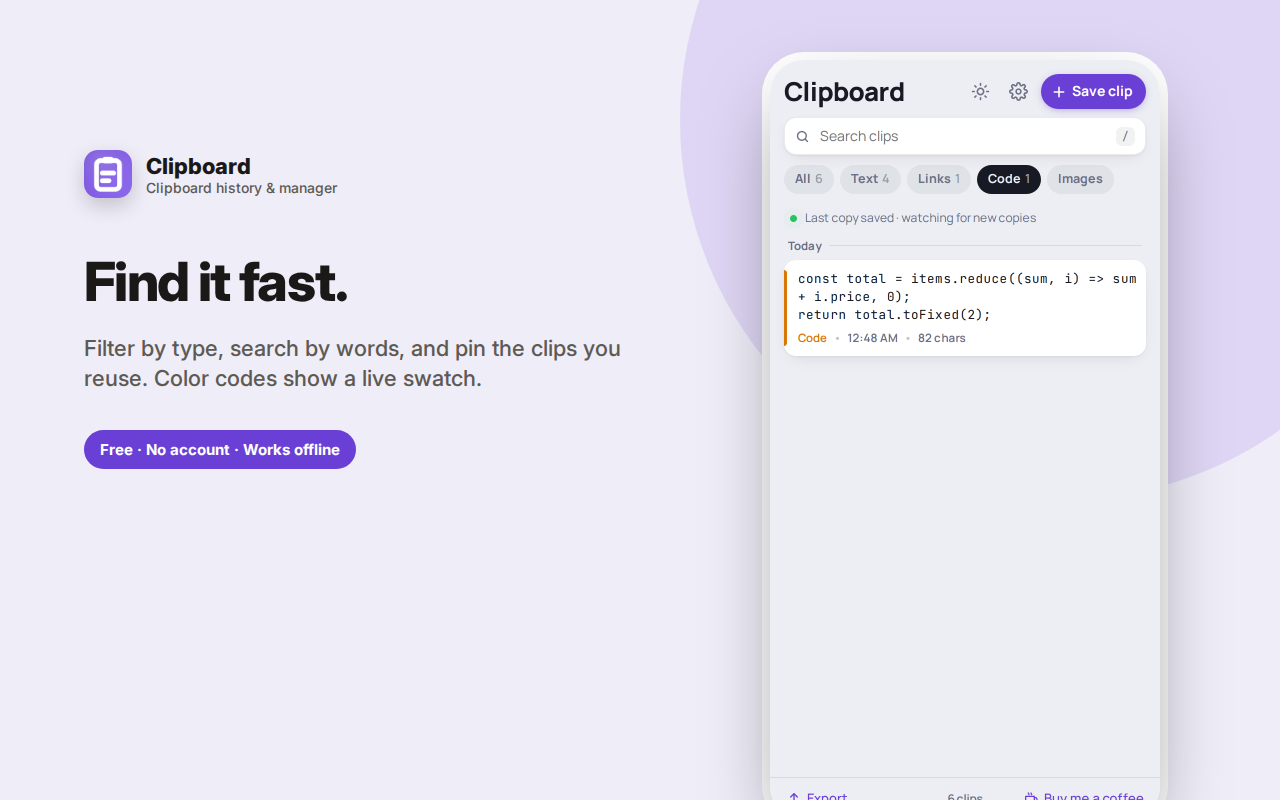
Search across every clip, pin the ones you reuse, and copy any of them back with a single click. Copying something again moves it to the top instead of creating a duplicate.
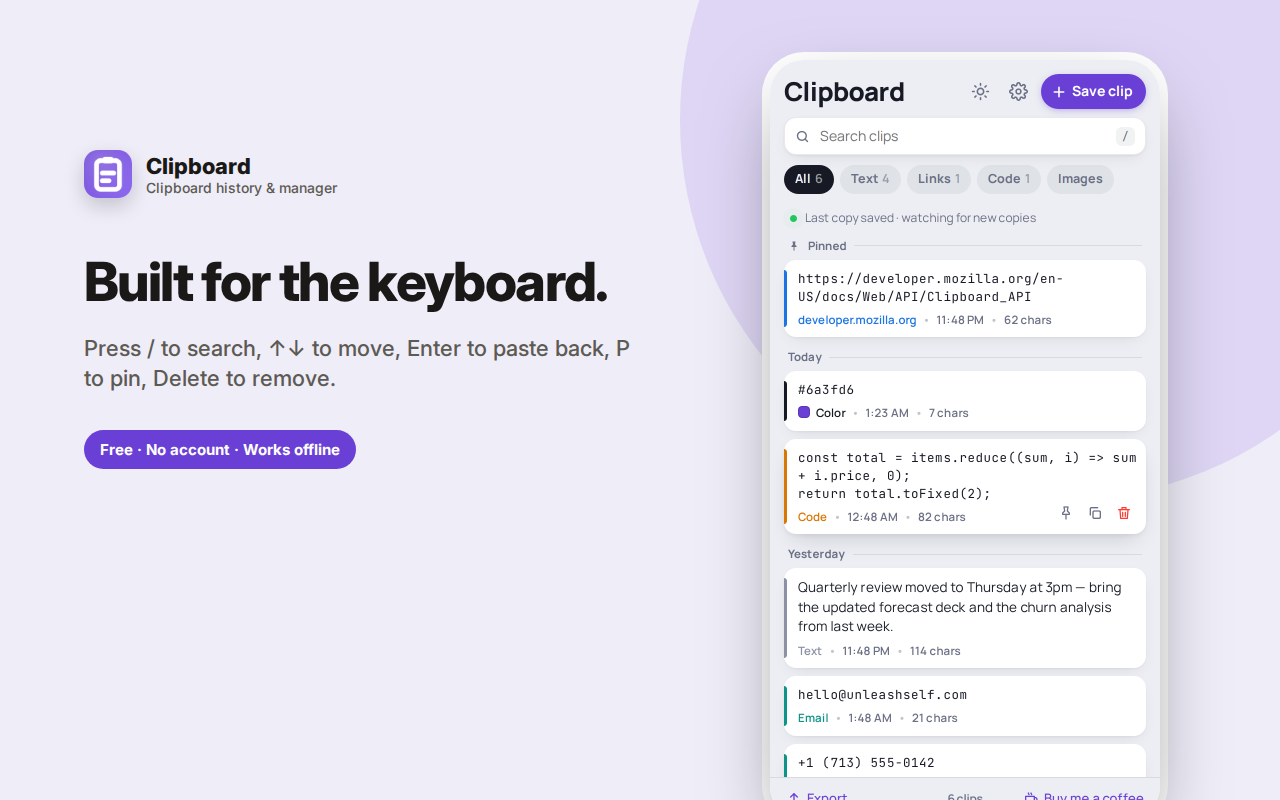
Fast on the keyboard: / to search, arrows to move, Enter to copy, P to pin, Delete to remove.
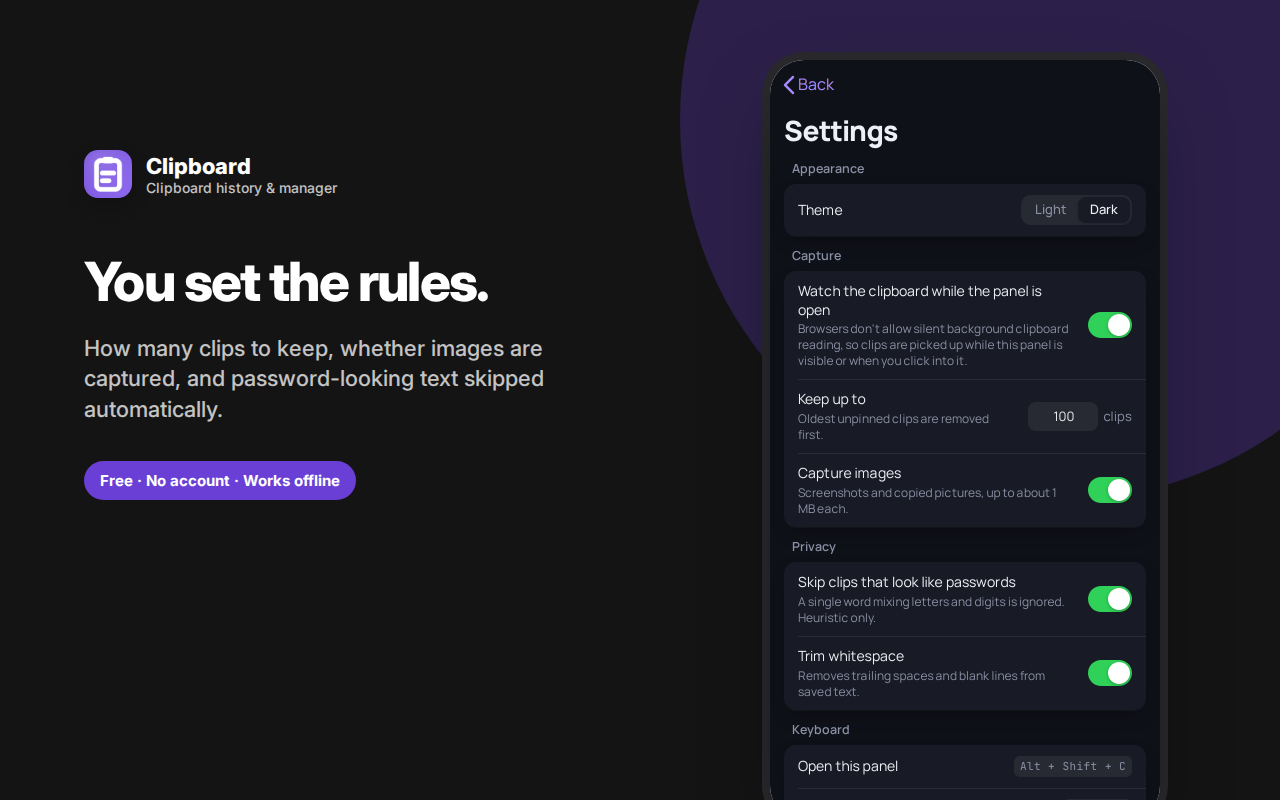
Anything that looks like a password is skipped by default, images can be turned off, and you choose how many clips to keep. Everything is stored locally in your browser — no account, no sync, no server.
Clipboard History keeps a running record of everything you copy in your browser, so the thing you copied ten minutes ago is never gone. If you've ever copied something, pasted it, then needed the item you copied *before* that — this clipboard manager solves exactly that problem.
The problem with one clipboard
Your system clipboard holds exactly one thing. Copy something new and the old one is gone forever. That's fine until you're comparing two prices, moving five paragraphs between documents, collecting links for a report, or pulling code snippets from three different sources. Then a single clipboard becomes a genuine bottleneck, and you find yourself tabbing back and forth re-copying things you already had.
A clipboard history extension fixes this by remembering everything, so you can paste anything you copied — not just the last thing.
How it works
Open the side panel and the last item on your clipboard is saved automatically. Keep the panel open and every new copy is captured as you go. Each clip is recognised for what it is and labelled accordingly:
- Links — shown with their domain, and openable in a new tab straight from the list
- Email addresses and phone numbers — detected and tagged
- Code — JSON, JavaScript, SQL, HTML and similar are detected and shown in a monospace font so indentation survives
- Colors — hex and rgb values get a live color swatch beside them
- Images — screenshots and copied pictures are saved as thumbnails (optional, and off-limits above 1 MB)
- Plain text — with a word count for longer passages
Clips are grouped by day (Today, Yesterday, then by date), so finding "that thing from Tuesday" is genuinely quick.
Find anything, fast
- Search across every clip you've saved
- Filter chips for All, Text, Links, Code and Images, each showing a live count
- Pin the clips you paste constantly — email signatures, addresses, boilerplate replies, tracking numbers — so they stay at the top
- Expand long clips in place to read the whole thing without copying it first
Built for the keyboard
If you copy and paste for a living, reaching for the mouse is the slow part:
/jumps straight to search↑↓move through the listEntercopies the highlighted clip back to your clipboardPpins or unpinsDeleteremoves a clipCtrl+Nsaves whatever is on your clipboard right now
Sensible about duplicates and mistakes
Copy something you already have and it moves back to the top rather than creating a duplicate — your history stays clean. Delete something by accident and an Undo appears immediately. Clear your whole history and that's undoable too, for a moment at least.
Private by design, with a password guard
This is a local clipboard manager. Everything you copy stays in your own browser's storage. Nothing is transmitted anywhere — there's no server, no account, no sign-in, and no analytics of any kind.
On top of that, Clipboard History deliberately skips text that looks like a password — a single word mixing letters and numbers with no spaces — so credentials you copy from a password manager don't quietly end up in a history list. It's a heuristic, not a guarantee, but it covers the common case. You can also turn image capture off entirely and cap how many clips are kept.
Worth being straightforward about how the capture works, since it's a fair question: browsers don't allow extensions to silently read your clipboard in the background — and you wouldn't want one that could. Clips are captured while the panel is open or when you click into it, and you can always press "Save clip" to grab the current clipboard on demand.
Export when you need it
- Export everything as a plain text file, clips separated for easy reading
- Export as JSON, including images, for a complete backup
- Copy all text at once
Who this is for
- Developers juggling snippets, error messages, tokens and URLs
- Writers and editors moving text between drafts, docs and CMS fields
- Researchers and students collecting quotes and links from many sources
- Customer support and sales teams reusing the same replies dozens of times a day
- Designers copying hex codes back and forth
- Anyone who does data entry, or fills the same forms repeatedly
Small details that add up
Light and dark themes. A clean, fast interface that opens instantly with a keyboard shortcut. A count of everything you've saved. Sensible limits so history never bloats your browser. And the ability to set exactly how many clips to keep, from 10 to 500.
Frequently asked questions
What exactly is a clipboard manager?
Your system clipboard holds one item — copy something new and the previous item is gone forever. A clipboard manager keeps a running record instead, so everything you've copied stays available. This one saves your copy paste history automatically as you work.
Does it capture everything I copy?
It saves the current clipboard whenever you open the panel, and keeps capturing while the panel stays open. Browsers deliberately don't allow silent background clipboard reading, so an extension that claimed to catch every copy invisibly would be misleading you.
Can I see my clipboard history from earlier today?
Yes — that's the point. Clips are grouped by day, with the most recent first, and search works across all of them.
Does it store passwords?
It actively tries not to. Anything matching a password-like pattern — a single word mixing letters and digits — is skipped by default. It's a heuristic, not a guarantee, so use a password manager for credentials rather than relying on this.
How many clips does it keep?
You choose, from 10 up to 500. Pinned clips are never removed automatically, and older unpinned ones drop off as new ones arrive.
Does it sync between computers?
No. Everything stays in the browser it was copied in. Clipboard contents are among the most sensitive things on a machine, and syncing them would mean sending them somewhere.
Can I copy images too?
Yes, screenshots and copied pictures are supported up to about 1 MB each, and you can turn image capture off entirely if you'd rather keep it text-only.