Desk Fit – Office Exercise & Eye Break Reminders
Desk exercise reminder and office workout timer. Short bodyweight exercise breaks plus 20-20-20 eye break reminders.
Desk Fit is a desk exercise reminder and office workout timer that breaks a sedentary workday into bursts of movement you'll actually do.
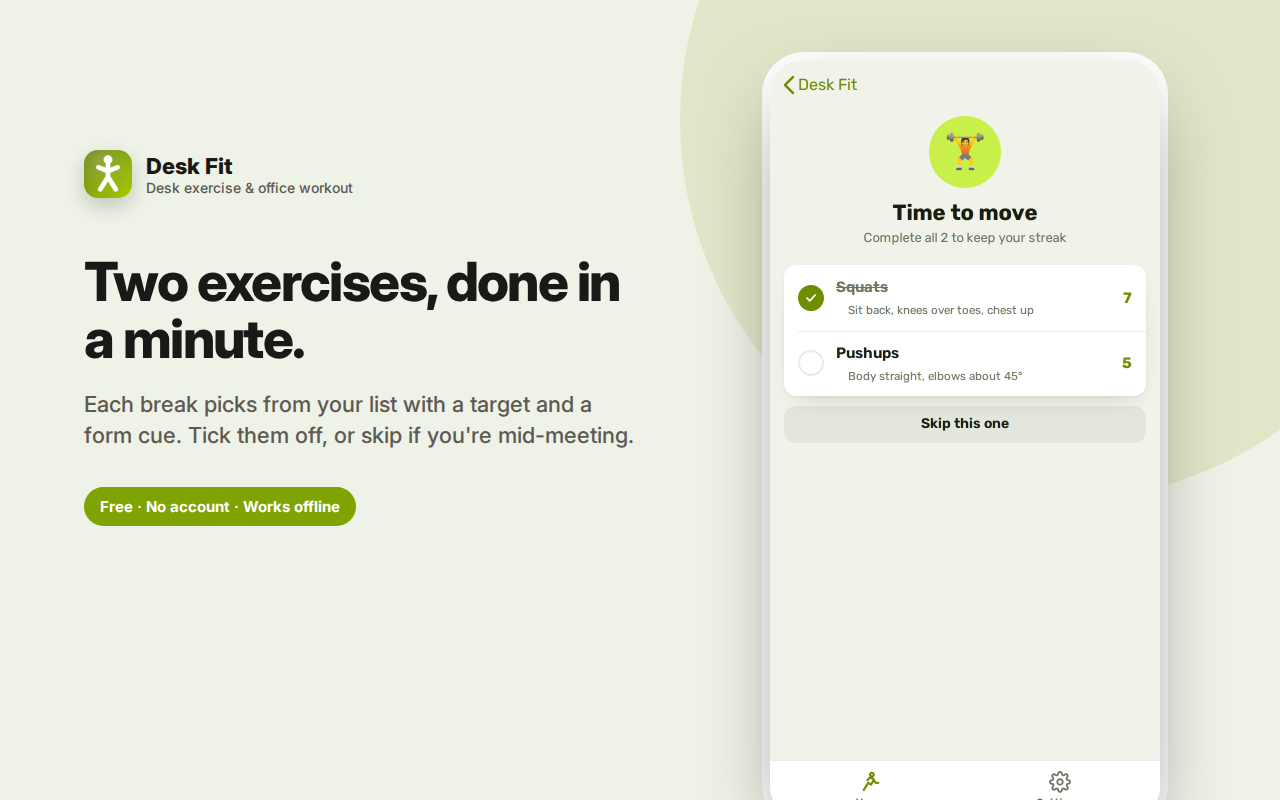
Every hour — or whatever interval you set — a prompt suggests two exercises with specific targets and a one-line form cue. Squats, pushups, lunges, chair dips, plank, wall sit and more, from a rotation you choose yourself. Tick them off and get back to work; it takes about a minute.
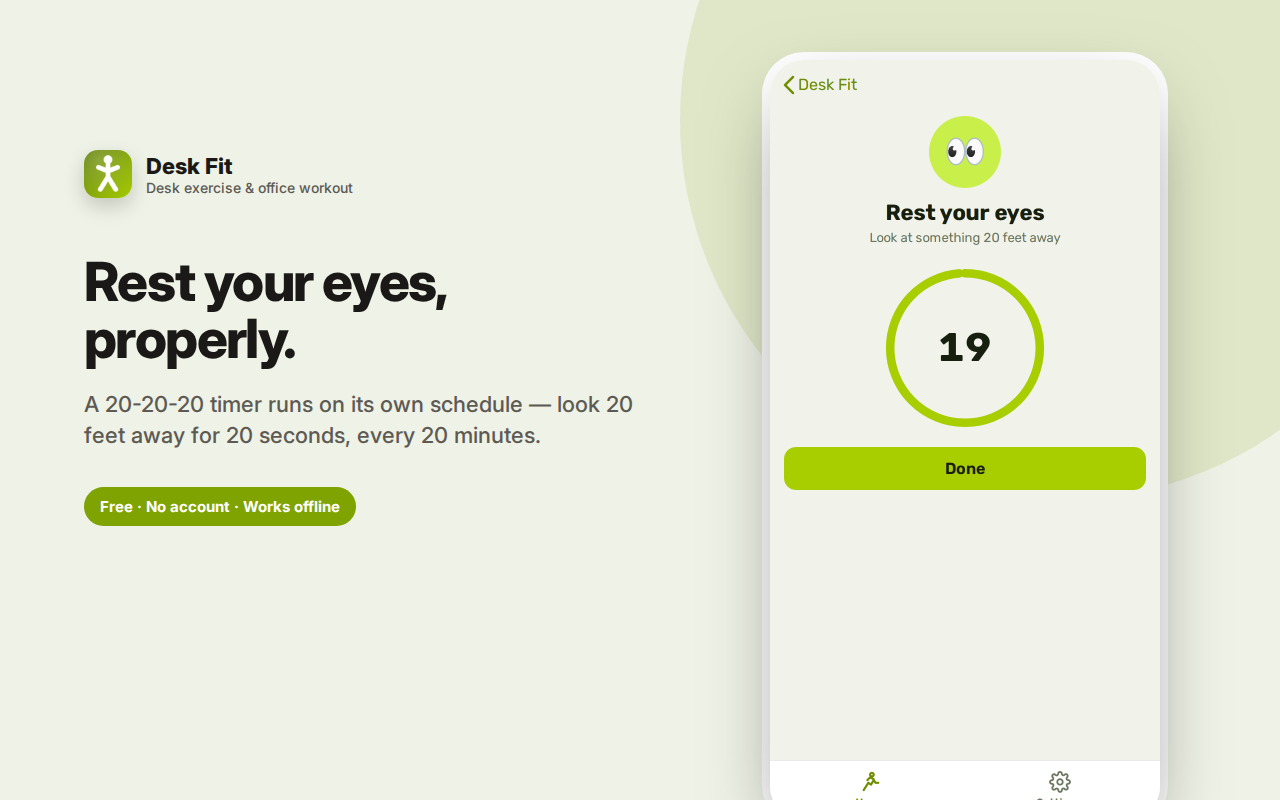
Eye breaks run on their own schedule following the 20-20-20 rule, with a timer so you hold the full 20 seconds.
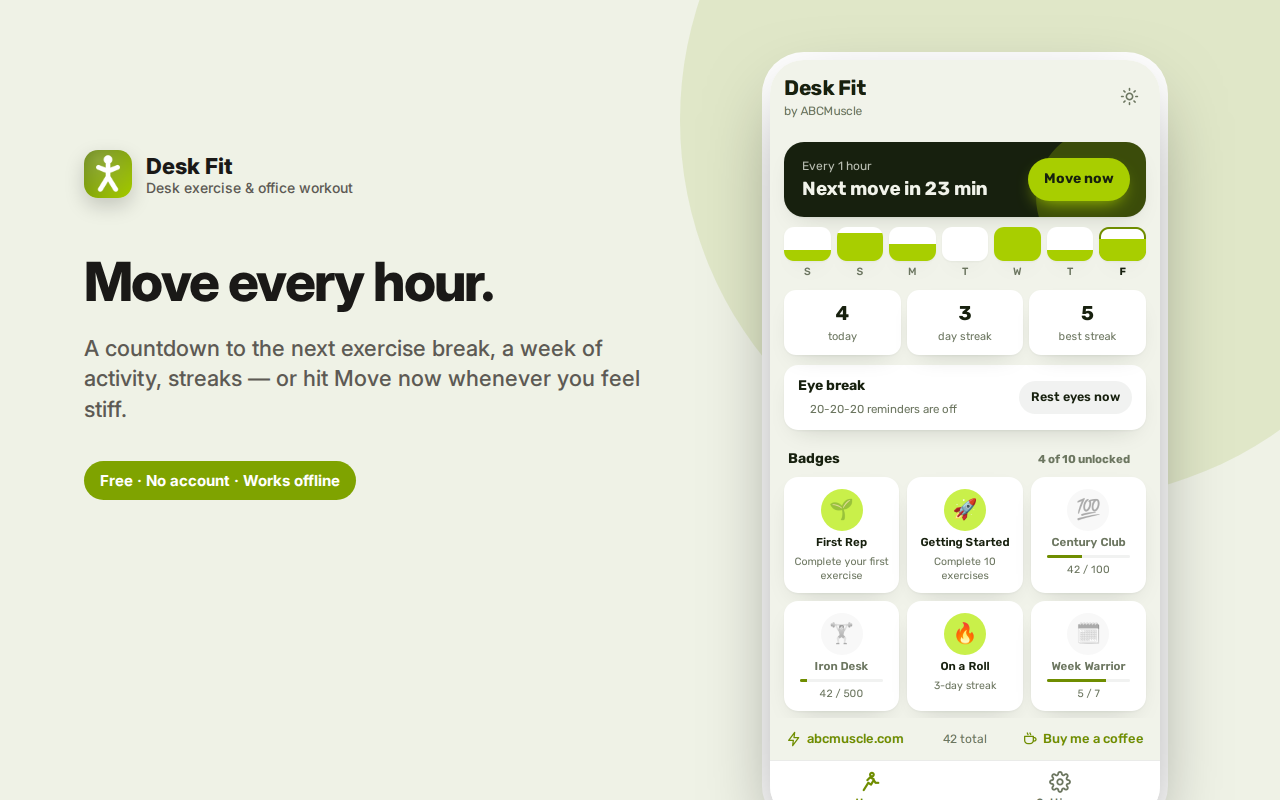
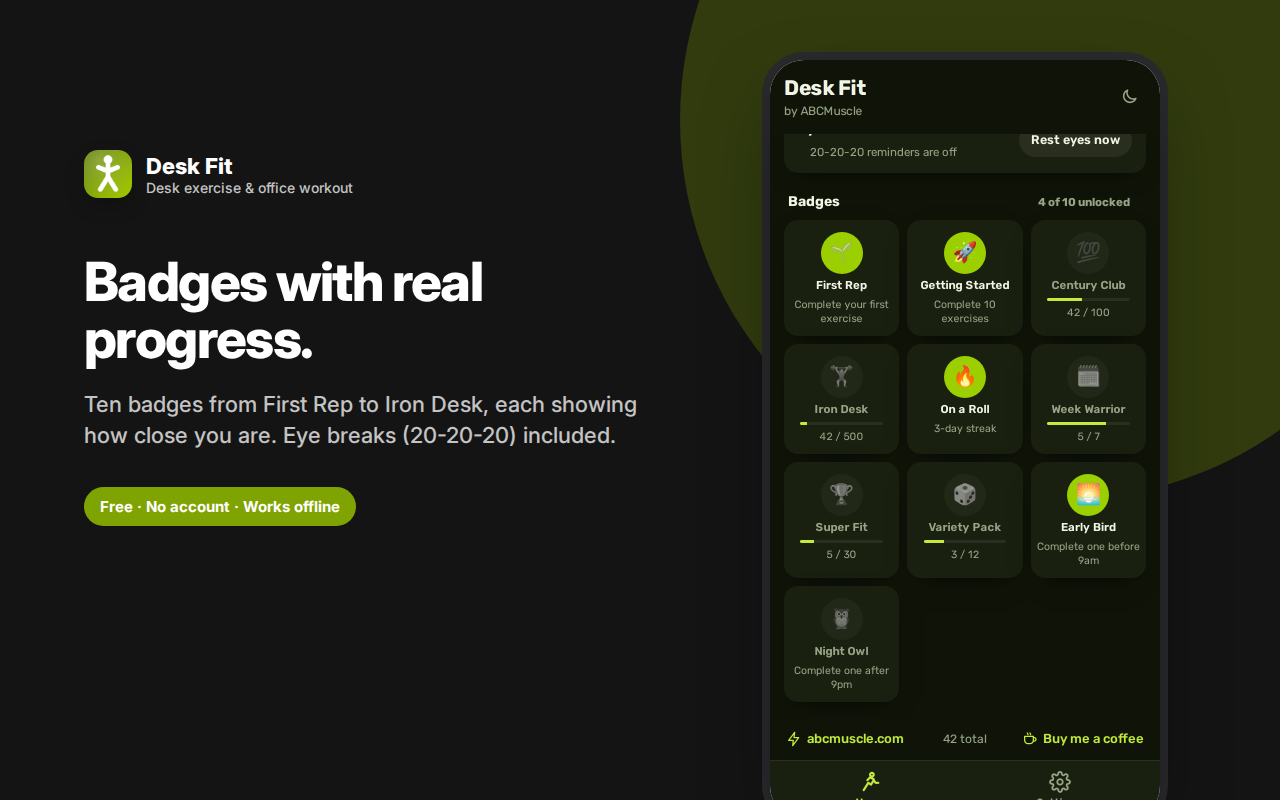
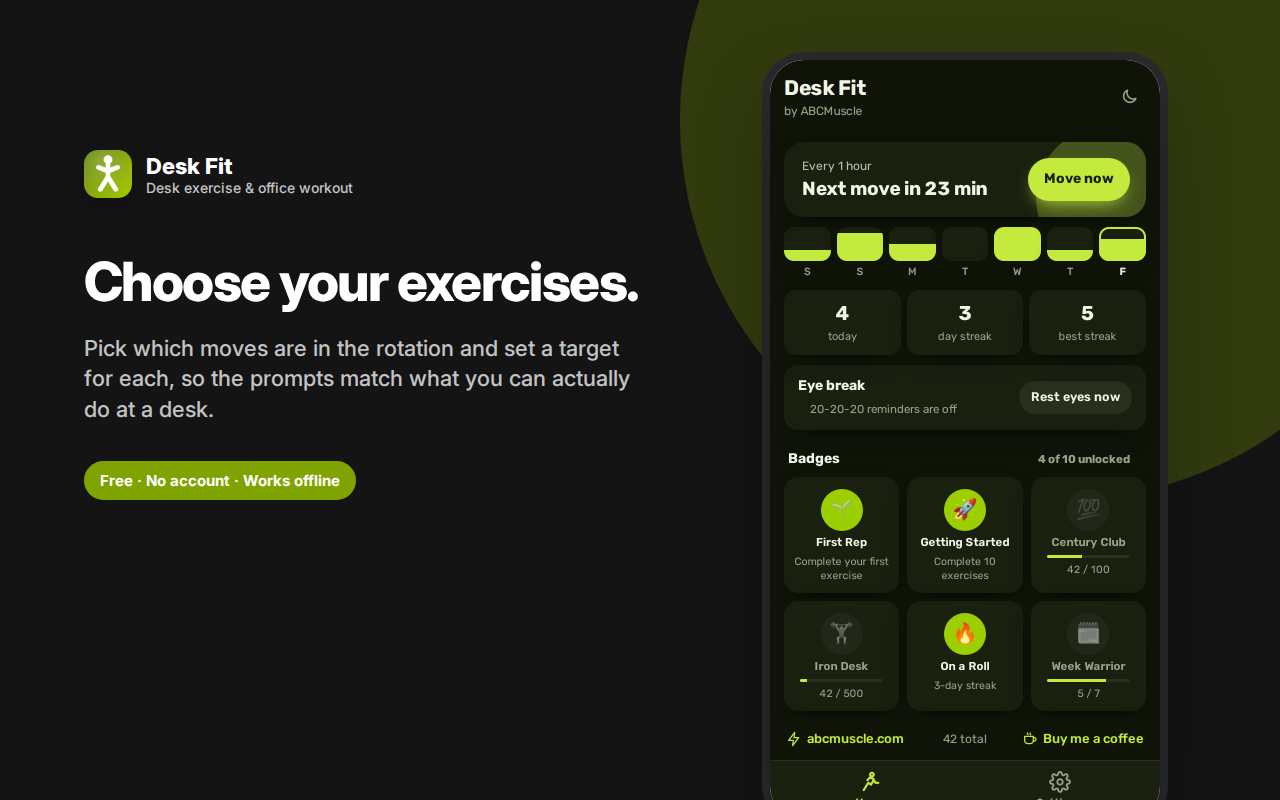
Track a seven-day activity strip, today's count, and your current and best streaks. Ten badges — First Rep through Iron Desk — each show a progress bar so you can see what you're working toward.
Reminders work with the panel closed. No monitoring, no camera, no site logging — just a timer and a checklist, stored locally.
Desk Fit breaks a sedentary workday into small bursts of movement you'll actually do — a couple of exercises every hour, prompted right where you're already working.
The problem with "I'll go to the gym later"
Sitting for eight hours and then exercising for one doesn't undo the sitting. The research consensus has moved toward frequency mattering as much as duration: standing up and moving briefly, several times a day, does something that a single evening session doesn't. But nobody remembers to do that, because there's no prompt and no plan.
Desk Fit is the prompt and the plan. Every hour — or whatever interval you set — a card appears suggesting two exercises with specific targets, taking about a minute. Tick them off, get back to work.
Exercises that work at a desk
Twelve bodyweight movements, each with a form cue so you're not guessing:
- Squats — sit back, knees over toes, chest up
- Pushups — body straight, elbows at about 45°
- Lunges — front knee stays over the ankle
- Chair dips — use a sturdy chair, elbows straight back
- Glute bridges — squeeze at the top for a second
- Sit-ups, jumping jacks, high knees, mountain climbers, burpees
- Timed holds: plank and wall sit
You choose which exercises are in your rotation and set the target reps or seconds for each. If you can't do pushups yet, take them out. If burpees are too much noise for a shared office, remove them. The prompt only ever suggests things you've opted into.
Eye breaks on their own schedule
Screen fatigue and desk stiffness are separate problems, so they get separate timers. The 20-20-20 rule — every 20 minutes, look at something 20 feet away for 20 seconds — runs independently, with its own countdown timer so you actually hold the 20 seconds rather than glancing away for two.
Progress that keeps you honest
- A countdown to your next break, read from the real background timer
- A seven-day activity strip showing how many exercises you did each day
- Current streak and best streak
- Total exercises completed all time
Ten badges, each with a progress bar
Badges aren't just awarded — they show you how close you are, which is the part that actually motivates:
- First Rep and Getting Started (10 exercises)
- Century Club (100) and Iron Desk (500)
- On a Roll (3-day streak), Week Warrior (7 days), Super Fit (30 days)
- Variety Pack — try every exercise at least once
- Early Bird — complete one before 9am
- Night Owl — complete one after 9pm
Move now, whenever
Feeling stiff before the timer fires? Tap Move now for an immediate break. Mid-meeting when the prompt appears? Skip it — skipping is a normal, unpunished action, not a failure state.
Frequently asked questions
Do the reminders work when the panel is closed?
Yes. Reminders are scheduled through the browser's background alarm system, so they fire whether or not the side panel is open. Notifications are optional and only requested if you turn them on.
Won't hourly exercise interrupt my focus?
You control the interval — hourly is the default, but two or three hours works too. Many people find the break helps rather than hurts, since it lands in the gap where attention was already fading. And you can always skip.
Can I do these in an office without changing clothes?
That's the design intent. Squats, wall sits, calf work and glute bridges are all quiet and low-sweat. Remove burpees, jumping jacks and high knees from your rotation if you're somewhere self-conscious.
What if I can't do a full pushup?
Set the target to whatever you can do — even one — or take pushups out entirely and build with wall sits and squats first. The targets are yours to set.
Does it track how long I sit?
No. Desk Fit doesn't monitor your activity, your webcam, or the sites you visit. It's a timer and a checklist, nothing more.
Which exercises can I do quietly in an office?
Squats, wall sits, glute bridges, calf raises and stretches are all silent and low-sweat. Remove jumping jacks, high knees and burpees from your rotation if you share a space.
What is the 20-20-20 rule?
Every 20 minutes, look at something roughly 20 feet away for 20 seconds. It's the standard guidance for screen-related eye strain, and it runs here on its own timer with a countdown so you hold the full 20 seconds.
How often should the reminders fire?
Hourly is the default and works for most people. Every two hours is a gentler start if hourly feels intrusive. You can change it any time.
Do I need equipment?
No. Every movement is bodyweight, and the only prop used is a chair for chair dips.
Will it know if I skip?
Only in the sense that skipped prompts aren't counted. There's no monitoring — no camera, no activity tracking, no site logging. Your daily count reflects what you tell it.
Private by design
No account, no sign-in, no cloud, no analytics, no ads. Your exercise history, streaks and badges live in your own browser's local storage. Nothing is transmitted anywhere and there's no server involved.
A note on health
Desk Fit is a reminder tool, not a training programme or medical advice, and it makes no health claims. Start conservatively, use the form cues, and stop if something hurts. If you have a back, knee, shoulder or heart condition, or you're pregnant, check with a doctor or physiotherapist about which of these movements are appropriate for you.
Desk exercise, without leaving your desk
The point of a desk exercise reminder is not to replace training — it's to break up the eight hours where you'd otherwise not move at all. Every prompt is one minute of office workout: two movements, specific targets, and a form cue so you're not guessing.
Because it's an exercise reminder rather than a workout app, the bar is deliberately low. Two sets of ten squats between meetings is a real contribution to a day's movement, and it's something you'll actually do.
Who this is for
Remote workers with no natural interruptions in the day. Developers and designers who lose four hours to a single task. Anyone who has been told by a doctor or physiotherapist to move more often. Office workers in open-plan spaces who need quiet options. People who've bounced off gym memberships and want something that costs one minute rather than an hour.
Desk Fit is a desk exercise reminder with a separate 20-20-20 eye break timer — small, free and private, for the eight hours a day the gym doesn't cover.