Fasting Tracker – 16:8 Intermittent Fasting Timer
Intermittent fasting timer for 16:8 fasting, 18:6, 20:4 and OMAD. A stage dial shows fat burning and ketosis, with history.
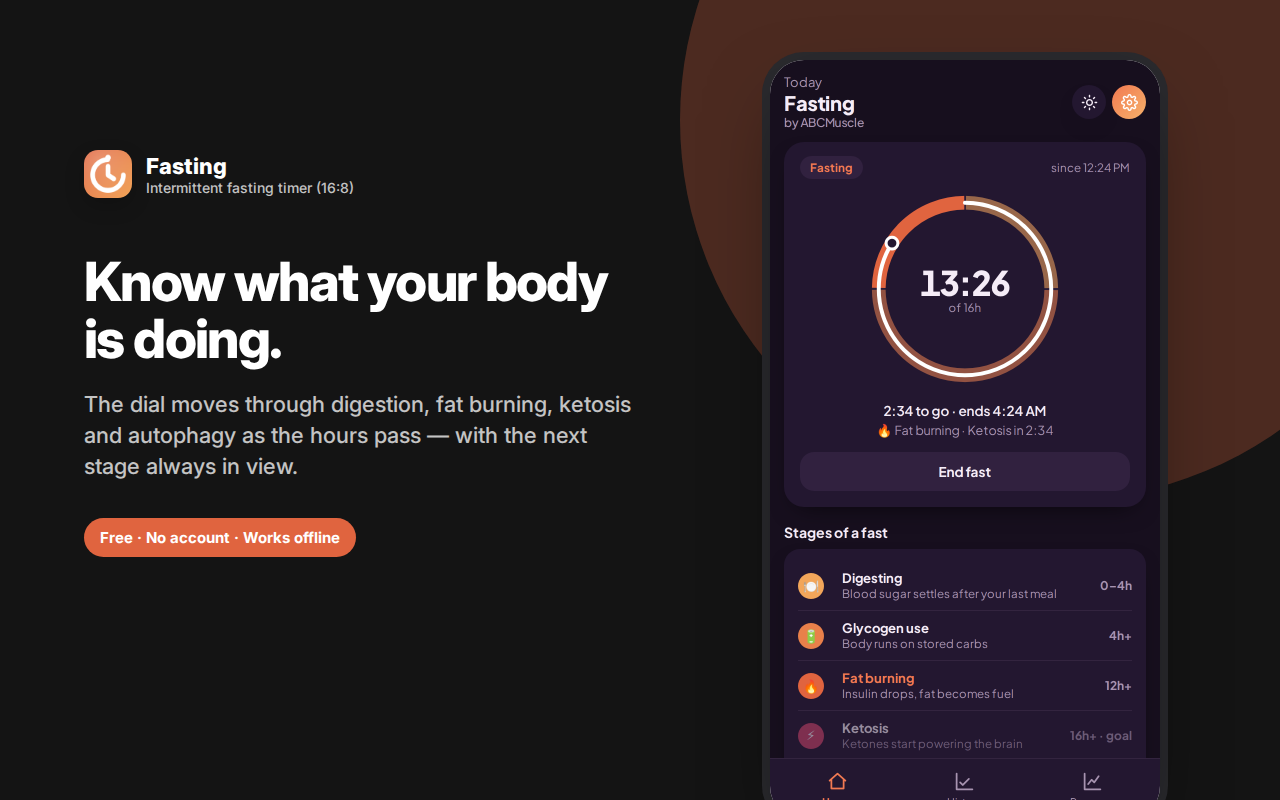
Fasting Tracker is an intermittent fasting timer that shows you more than a countdown.
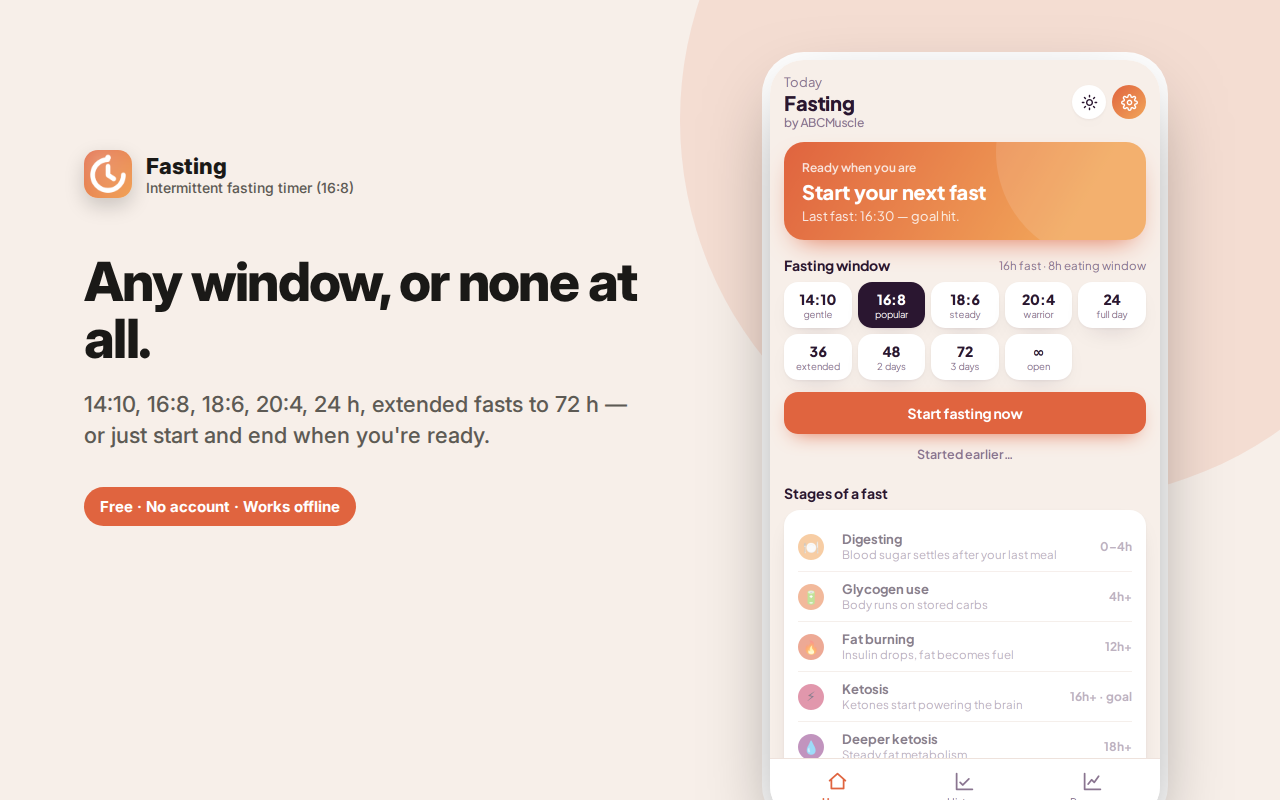
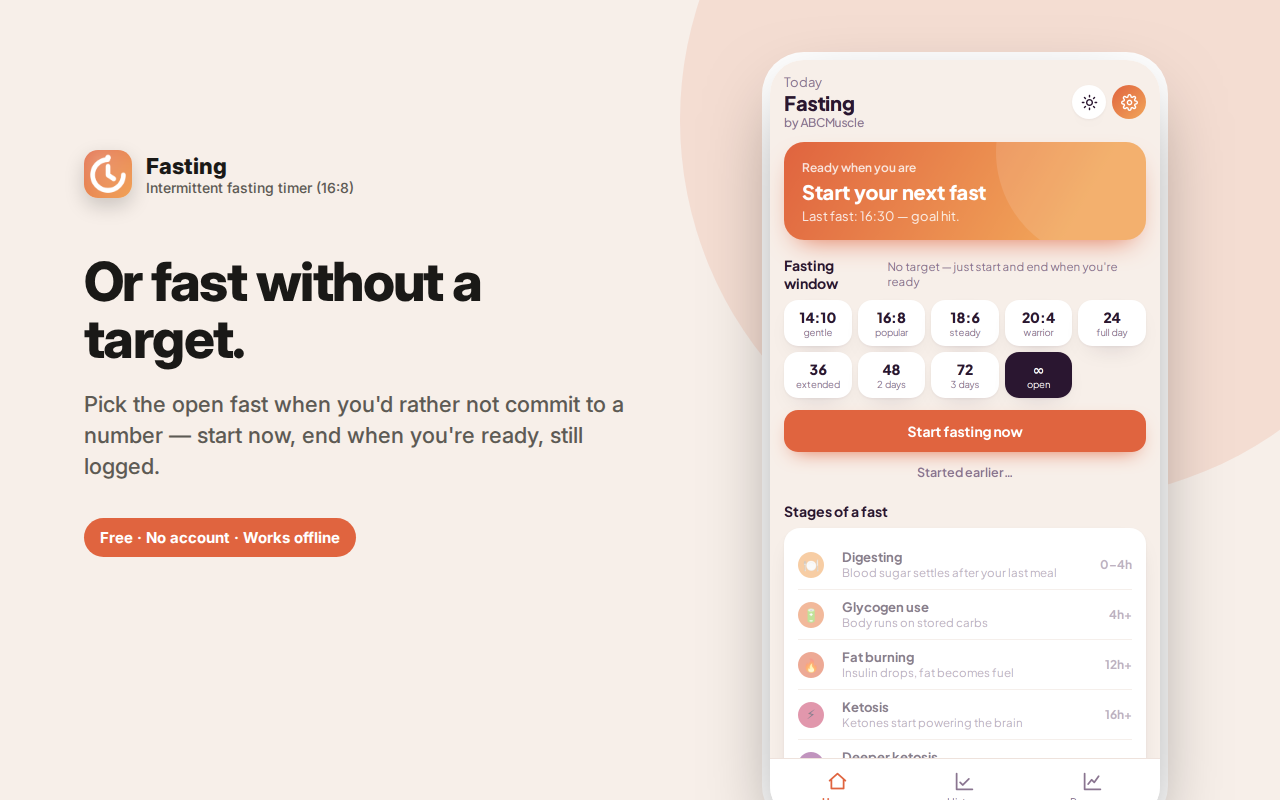
Pick a window — 16:8 fasting, 14:10, 18:6, 20:4, a full day, an extended 36/48/72-hour fast, or an open fast with no target — and press start. A stage dial then moves through the real phases of a fast: digestion, glycogen use, fat burning, ketosis, deeper ketosis and autophagy, with the next stage and its ETA always visible and explained in plain language.
Started late? Set the real start time. Ending early? It's logged honestly. Between fasts, see when your eating window closes.
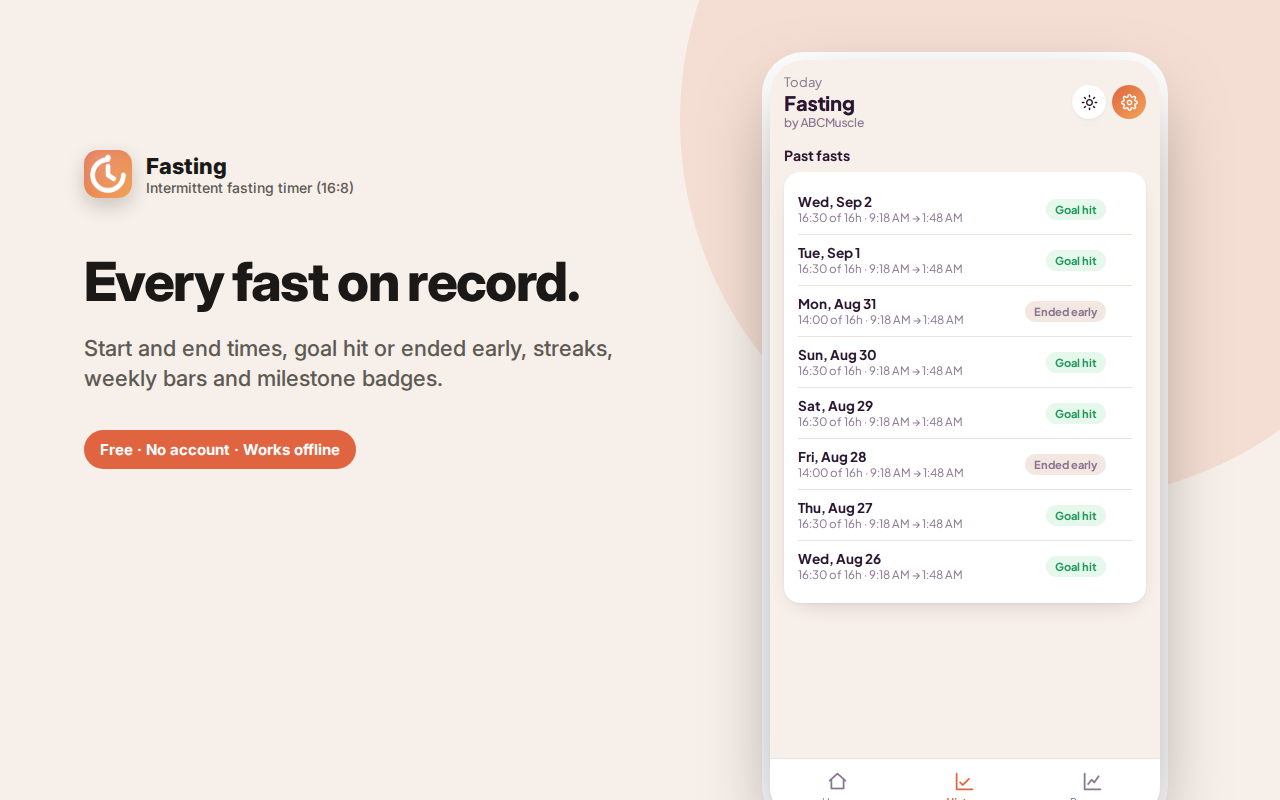
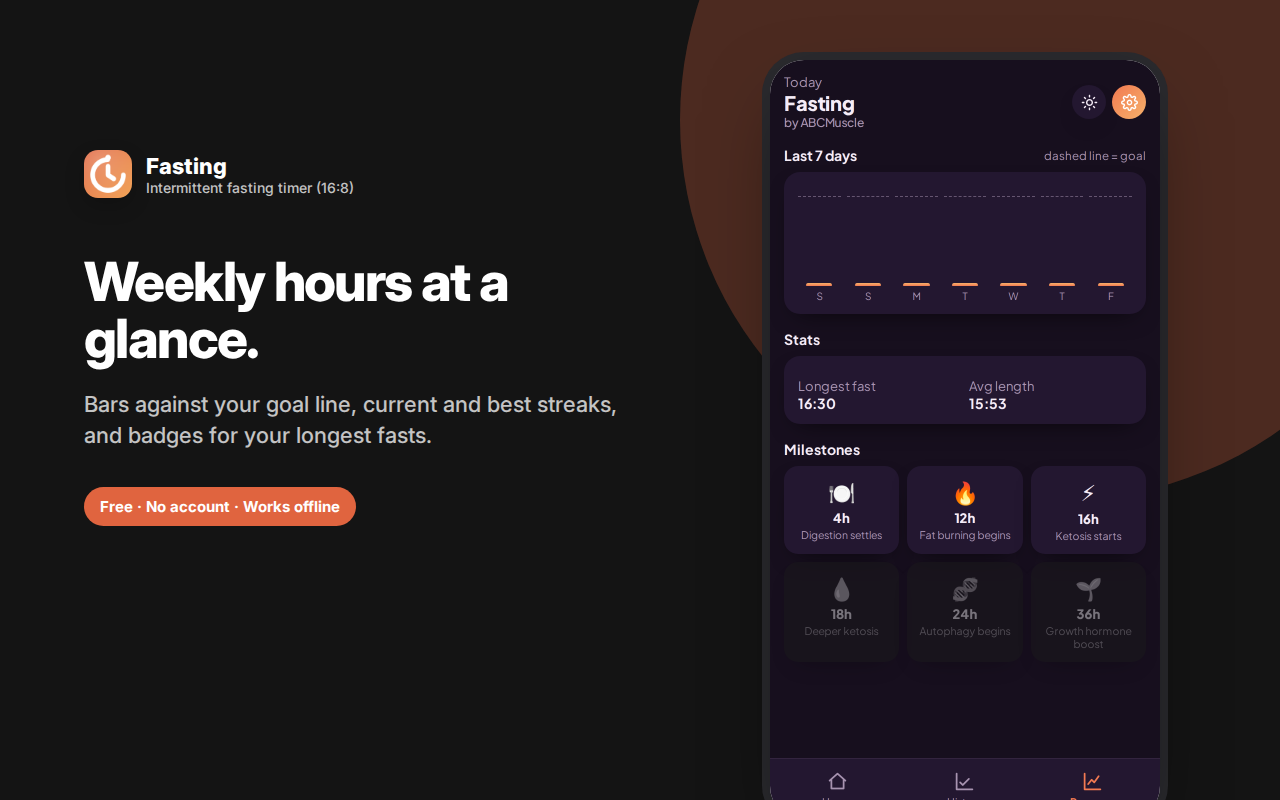
Every fast is saved with start and end times and whether you hit the goal, alongside weekly bars, streaks and milestone badges.
Optional goal-reached notification, light and dark themes, no account. This is a timer, not medical advice — talk to a doctor before extended fasting.
Fasting Tracker is an intermittent fasting timer that shows you more than a countdown. Start a fast, and a stage dial walks you through what's actually happening in your body as the hours pass — digestion, glycogen use, fat burning, ketosis, autophagy — with the next stage and its ETA always visible.
Pick a fasting window that fits your life
Intermittent fasting isn't one protocol, so this isn't one timer:
- 14:10 — a gentle entry point, and often the most sustainable for beginners
- 16:8 — the most popular protocol: skip breakfast, eat between noon and 8pm
- 18:6 — a tighter window for people already comfortable with 16:8
- 20:4 — the "warrior diet" pattern, one main meal plus a short eating window
- 24 hours — a full-day fast, dinner to dinner
- 36, 48 and 72 hours — extended fasts, with stages mapped all the way through
- Open fast (∞) — no target at all: just press start and end whenever you're ready
That last option matters more than it sounds. Plenty of people fast without a fixed goal, and most fasting apps force you to pick a number anyway. Here, an open fast is a first-class option and still gets logged properly in your history.
The stage dial: what's happening right now
Instead of a number ticking down, the dial fills through the real phases of a fast:
- 0–4h Digesting — blood sugar settles after your last meal
- 4h Glycogen use — your body runs on stored carbohydrate
- 12h Fat burning — insulin drops and fat becomes the primary fuel
- 16h Ketosis — ketones start powering the brain
- 18h Deeper ketosis — steady fat metabolism
- 24h Autophagy — cells begin recycling damaged components
- 36h Deep autophagy — growth hormone rises, repair accelerates
- 48h Immune reset — older immune cells clear, stem cell activity increases
- 72h Extended fast — peak regeneration; break gently and with medical guidance
Each stage has a plain-language explanation, so the app teaches you something rather than just counting. As a fast goes long, the dial rescales automatically so a 48-hour fast doesn't just peg at "done."
Flexible in the ways that actually come up
Forgot to start the timer when you finished dinner? Use "Started earlier…" to set the real start time. Need to stop early? End it — the fast is logged honestly as ended early, not deleted or hidden. Want to push past your goal? The timer keeps counting and shows how far past you are. Between fasts, the home screen shows when your eating window closes, so 16:8 becomes a full daily cycle rather than half of one.
A fasting history you'll actually look at
Every fast is saved with its start time, end time, duration, and whether it hit the goal. From there you get:
- A weekly bar chart of hours fasted against your goal line
- Streaks counting consecutive days with a completed fast
- Milestone badges for 16-hour, 24-hour and longer fasts
- The ability to delete any individual entry if you logged something wrong
Notifications that respect you
Turn on notifications and you'll get a single alert when you reach your goal — delivered in the background, so it works even when the side panel is closed. That's the whole notification system. No nagging, no streak-guilt pop-ups, no "you're falling behind" messages.
Why a browser extension instead of a phone app
Fasting is mostly a daytime, at-your-desk experience: the hours you're most likely to break a fast out of boredom are the hours you're working. Having the timer one click away in your sidebar — rather than requiring you to pick up your phone, where food delivery apps live — is a genuinely useful bit of friction management.
Private by design
No account, no sign-in, no cloud sync, no analytics, no ads. Your fasting history is stored locally in your own browser and never transmitted anywhere. There's no server, so there's nothing to breach and nothing to sell. Uninstall the extension and the data goes with it.
Important note on health
This extension tracks time — it is not medical advice and makes no health claims. The stage descriptions summarise commonly cited fasting physiology for general interest, not personalised guidance. Intermittent fasting isn't appropriate for everyone, and extended fasts in particular carry real risks. Talk to a doctor before fasting if you're pregnant or breastfeeding, have diabetes or blood sugar issues, have a history of disordered eating, take medication affected by food timing, or are considering a fast longer than 24 hours.
Frequently asked questions
What is 16:8 fasting?
16:8 fasting means a 16-hour fasting window and an 8-hour eating window each day — most commonly skipping breakfast and eating between roughly midday and 8pm. It's the most popular intermittent fasting protocol because it fits an ordinary schedule without much planning.
Is 16:8 better than 18:6 or OMAD?
Not inherently. Longer fasting windows aren't automatically better, and the protocol you'll actually keep to matters far more than the one that sounds most impressive. Many people start at 14:10, settle at 16:8, and only occasionally go longer.
Can I drink anything while fasting?
Water, black coffee and plain tea are generally considered fine on most fasting protocols. Anything with calories ends the fast in the sense most people mean. This app tracks time and doesn't judge what you drink.
What actually happens at each stage?
The dial explains each one as you reach it — glycogen depletion, the shift to fat as fuel, ketone production, and cellular autophagy at longer durations. The stage descriptions summarise commonly cited fasting physiology for general interest.
What if I break my fast early?
End it and it's logged honestly as ended early. There's no penalty and nothing is hidden — a record you can trust is more useful than a flattering one.
Can I fast without a target?
Yes. The open fast option has no goal at all: start it, end it when you're ready, and it's still recorded in your history with its full duration.
Who this is for
People doing 16:8 who want more than a stopwatch. Anyone curious about what actually happens during a fast rather than just how long it's been. People doing OMAD or longer fasts who want the later stages mapped. Anyone who's tried a fasting app and been put off by the subscription prompt, the account requirement, or the constant notifications.
What this app deliberately doesn't do
No calorie counting, no meal logging, no food photos, no weight requirements, no coaching upsell, no community feed, no daily streak guilt. It times fasts and records them accurately, and that's the whole scope.
Fasting Tracker is an intermittent fasting timer that shows what's happening at each stage — for people who want to understand their fast, not just count it.