Habits – Daily Habit Tracker & Streaks
Daily habit tracker with habit streaks. Weekday schedules, multiple times a day, a backfill calendar and honest stats.
Habits is a daily habit tracker with habit streaks, built for one-click check-ins from your browser sidebar.
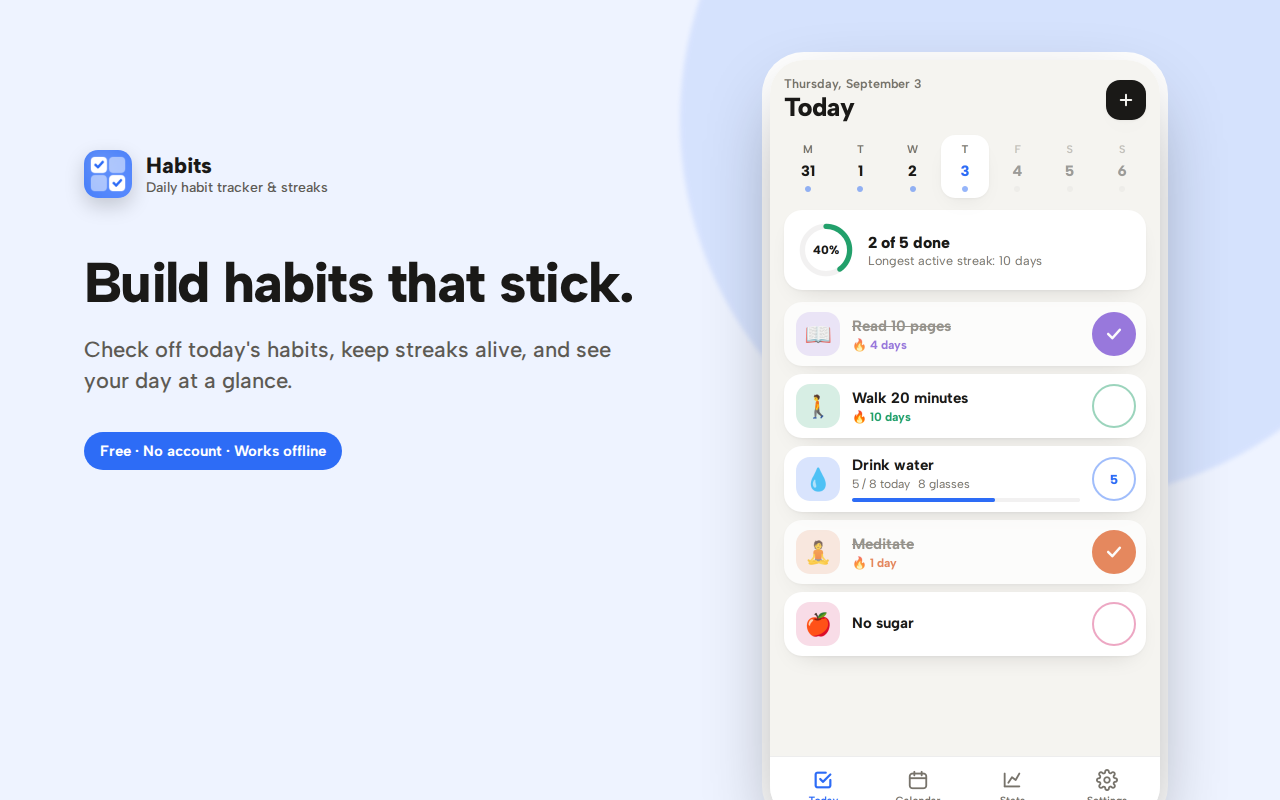
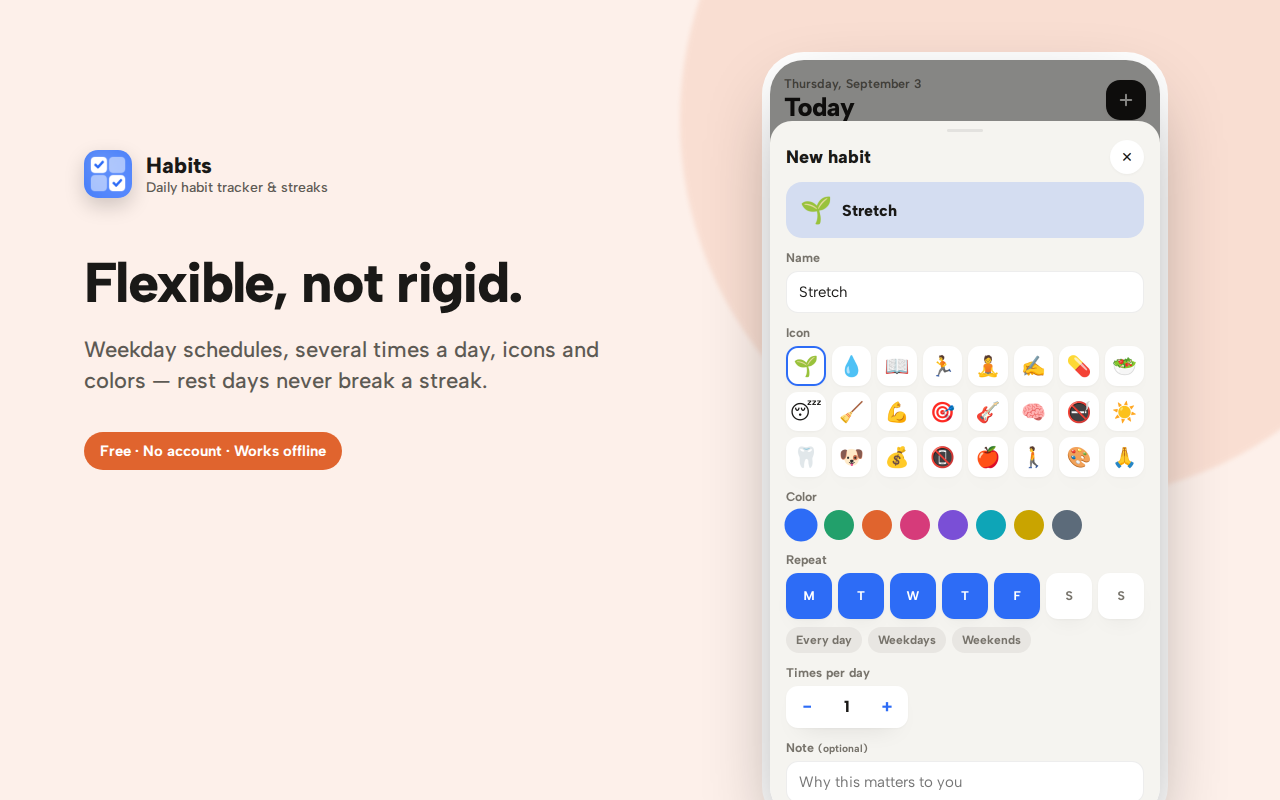
Give each habit an icon and a colour, then decide how often it happens: every day, only on the days you choose (weekdays, weekends, any combination), or several times a day with a counter and progress bar. Rest days never break a streak — a habit scheduled Monday to Friday carries straight through the weekend.
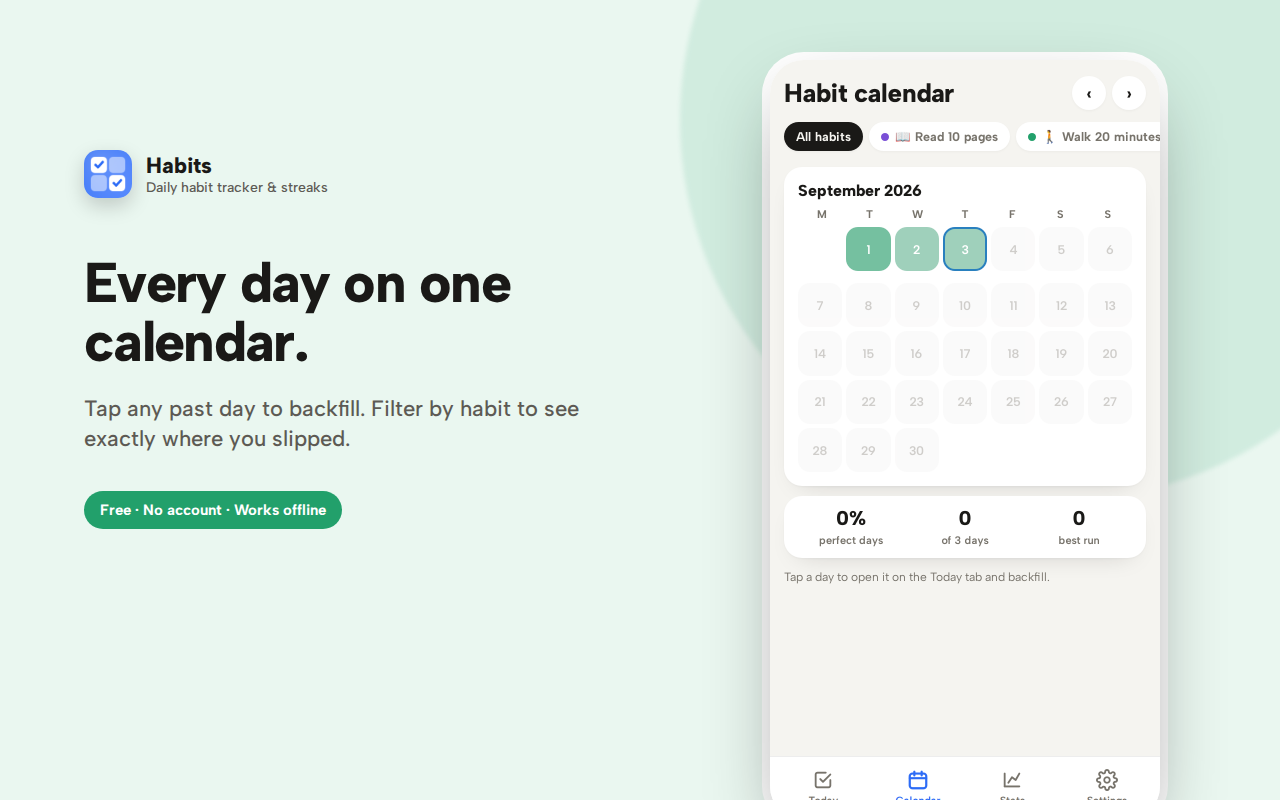
Missed a day you actually completed? Tap it on the week strip and backfill it in seconds. The habit calendar colours every day by how much you finished and filters down to a single habit.
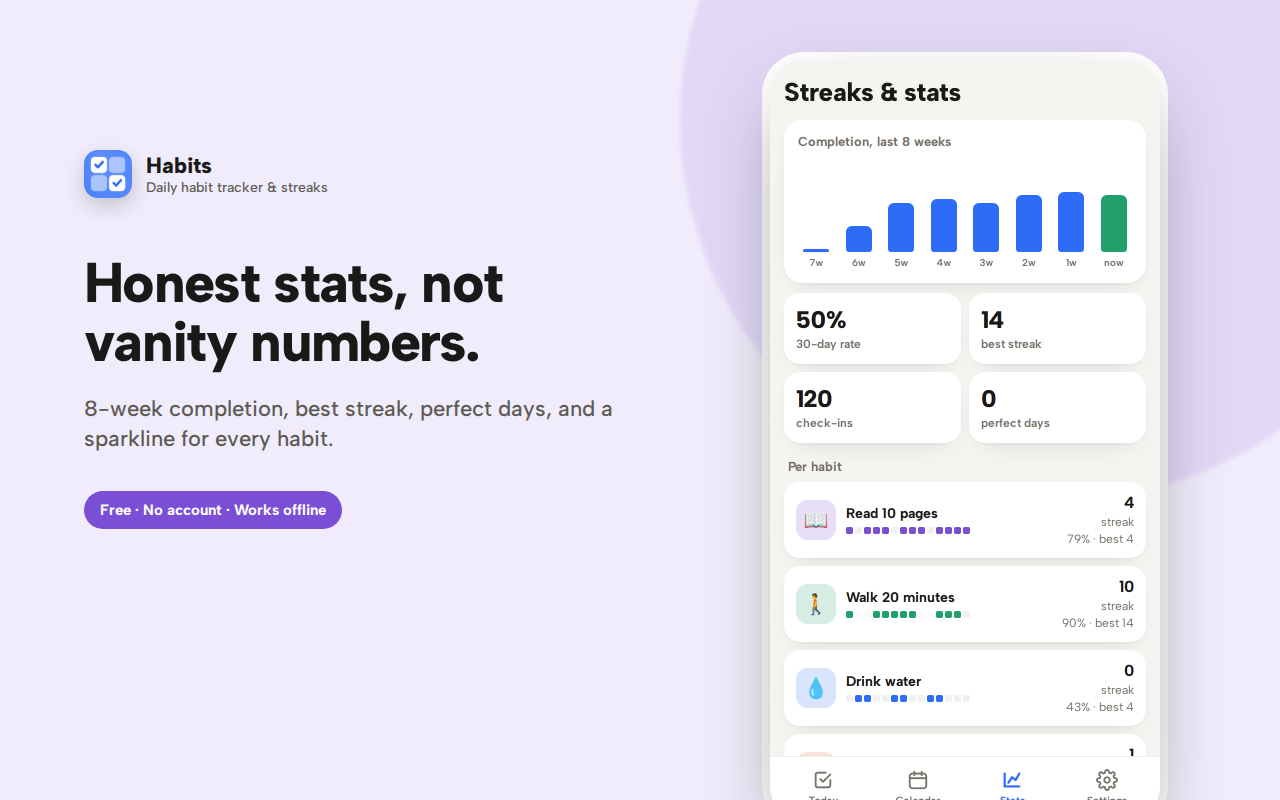
The stats tab shows an 8-week completion chart, your 30-day rate, best streak, perfect days, and a 14-day sparkline for every habit.
Archive habits without losing history, export as JSON, light and dark themes. Free, offline, and no account.
Habits is a simple, private daily habit tracker that lives in your browser's sidebar, so checking off a habit takes one click without leaving the page you're working on. If you've been looking for a habit tracker extension that doesn't demand an account, doesn't upload your data anywhere, and doesn't turn self-improvement into a chore, this is built for you.
Why a habit tracker in your browser?
Most habit tracking apps live on your phone — which means you only remember them when you pick up your phone, and that's usually the moment you get distracted by something else. A browser habit tracker sits where you already spend hours a day. Open the side panel, tick off "read 10 pages" or "drink water," and get back to work. The friction is close to zero, and low friction is the entire game when it comes to building habits that stick.
Add habits your way
Give each habit a name, an icon and a color so your list is instantly scannable. Then decide how often it should happen:
- Daily habits — the classic streak builder: meditate, read, journal, take vitamins, no sugar, walk the dog
- Specific days only — weekdays for gym or study, weekends for chores, or any combination you pick (Monday/Wednesday/Friday works fine)
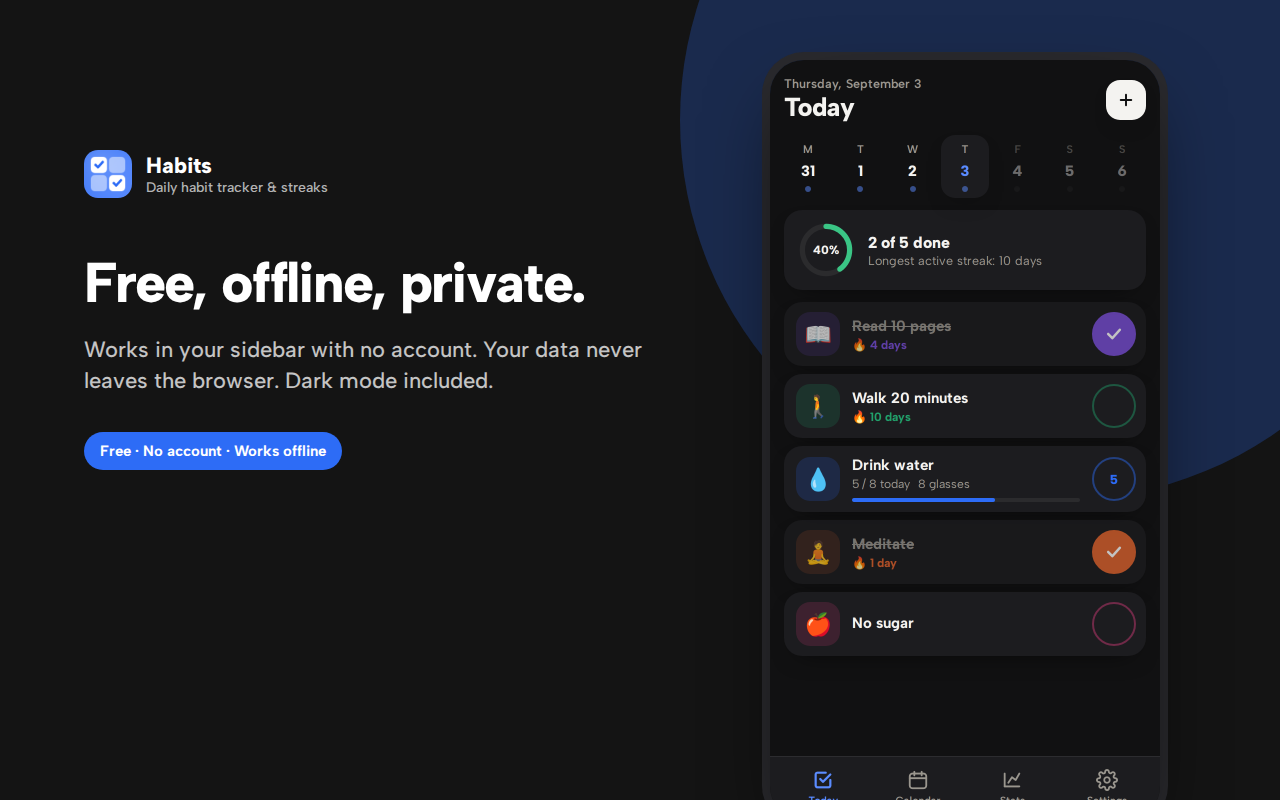
- Several times a day — habits like "8 glasses of water" or "3 stretch breaks" get a counter and a progress bar, so tapping counts up instead of just marking done
Rest days never break a streak. If a habit is scheduled Monday to Friday, your streak carries straight through the weekend — a small detail that most habit apps get wrong and that quietly ruins motivation.
Streaks that actually motivate
Every completed day extends your streak, shown right on the habit with a flame. The Today screen adds a completion ring so you can see, at a glance, how much of the day's list is done. Hit a milestone — 7 days, 14, 30, 100 — and you get a small celebration. Nothing obnoxious, just enough to make you not want to break the chain.
A calendar you can actually fix
Life happens. You forget to log the walk you definitely took. Most habit trackers punish you for this; Habits doesn't. The week strip at the top of the Today screen lets you tap any past day and backfill it in seconds. The full Habit Calendar tab colors every day by how much you completed, and you can filter it down to a single habit to see exactly where the gaps are — which is usually more useful than the streak number itself.
Honest stats, not vanity metrics
The Streaks & Stats tab shows:
- An 8-week completion chart, so you can see whether you're actually trending up
- Your 30-day completion rate across all habits
- Best streak and total check-ins
- Perfect days — days where you completed everything scheduled
- A 14-day sparkline for every individual habit, with its current and best streak
This is where you find out that the habit you *think* is going well is at 40%, and the one you never think about is at 95%. That's the useful information.
Everything else you'd want
- Archive instead of delete — retire a habit without losing its history
- Light, dark and automatic themes that follow your system
- Week starts on Monday or Sunday — your choice
- Export and import as JSON — your data is yours, portable, no lock-in
- Keyboard-friendly — everything is a real, focusable control
- Opens instantly with a keyboard shortcut, no page load
Private by design
There is no account, no sign-in, no cloud sync, no analytics, and no advertising SDK anywhere in this extension. Your habits and check-ins are stored only in your own browser using standard extension storage. Nothing is uploaded, because there is nowhere for it to be uploaded to. Uninstall the extension and the data goes with it. If you want a backup, export it yourself as a JSON file.
This matters more than it sounds for a habit tracker. The things people track — sobriety, exercise, medication, prayer, screen time, quitting smoking — are personal. They shouldn't be sitting on someone else's server to be mined, sold, or leaked in a breach.
Who this is for
- Anyone building a morning routine or evening wind-down
- People breaking a bad habit who want a visible chain not to break
- Students tracking study sessions, revision, or reading goals
- Remote workers building movement, water and posture habits into a desk-bound day
- Anyone who tried a big habit-tracking app, got overwhelmed by the setup, and gave up
- Anyone who wants a free habit tracker with no subscription and no account
Getting started takes about thirty seconds
Install it, open the side panel, and you'll find a few sample habits already there so you can see how everything works — edit them, or delete them and add your own. Add one habit you actually care about, pick its days, and check it off tonight. Tomorrow the streak counter says 1. That's the whole trick.
Frequently asked questions
How does the habit streak work?
Your habit streak counts consecutive days you completed a habit on the days it was actually scheduled. If a habit runs Monday to Friday, the weekend doesn't break it — a detail most habit trackers get wrong, and one that quietly destroys motivation when they do.
What makes a good streak tracker?
Honesty, mostly. A streak tracker that lets you retroactively fix a day you genuinely completed is useful; one that punishes you for forgetting to open an app is just a guilt machine. This one lets you backfill any past day in two taps.
How many habits should I start with?
Two or three. The most common failure pattern is adding twelve habits on day one and abandoning all of them by day five. Add more once the first few are automatic.
Can I track a habit I do several times a day?
Yes — set a target above one and the habit gets a counter and progress bar. Drinking eight glasses of water, three stretch breaks, or two study sessions all work this way.
Can I pause a habit without losing its history?
Archive it. The habit disappears from your daily list but keeps all its data, and you can restore it later.
What happens if I miss a day?
The streak resets, which is the point of a streak. But the calendar and stats keep the full picture, and a broken streak on one habit doesn't affect the others.
Does it work offline?
Completely. There's no account, no server and no network requests at all.