
Interval Timer – HIIT & Tabata Workout Timer
Interval timer for HIIT and Tabata. Tabata timer, HIIT timer and EMOM presets with a big display and voice cues.
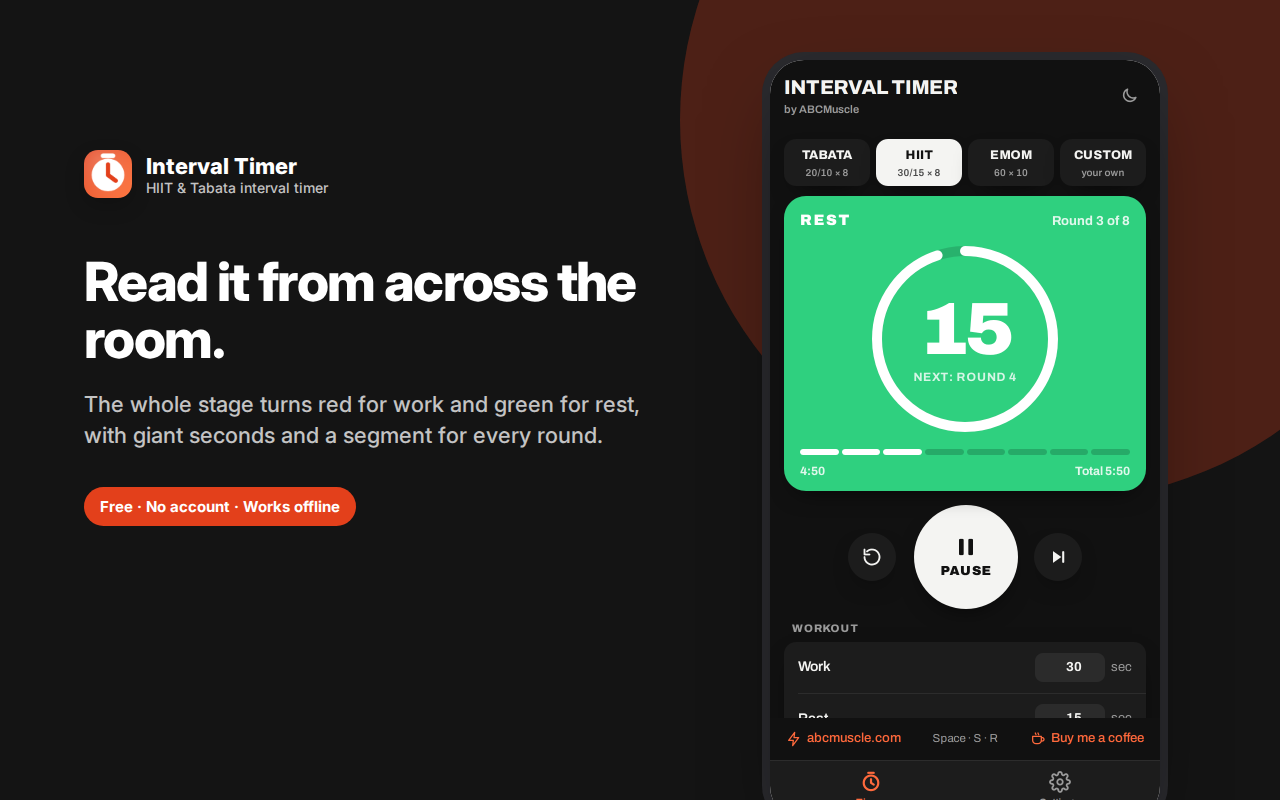
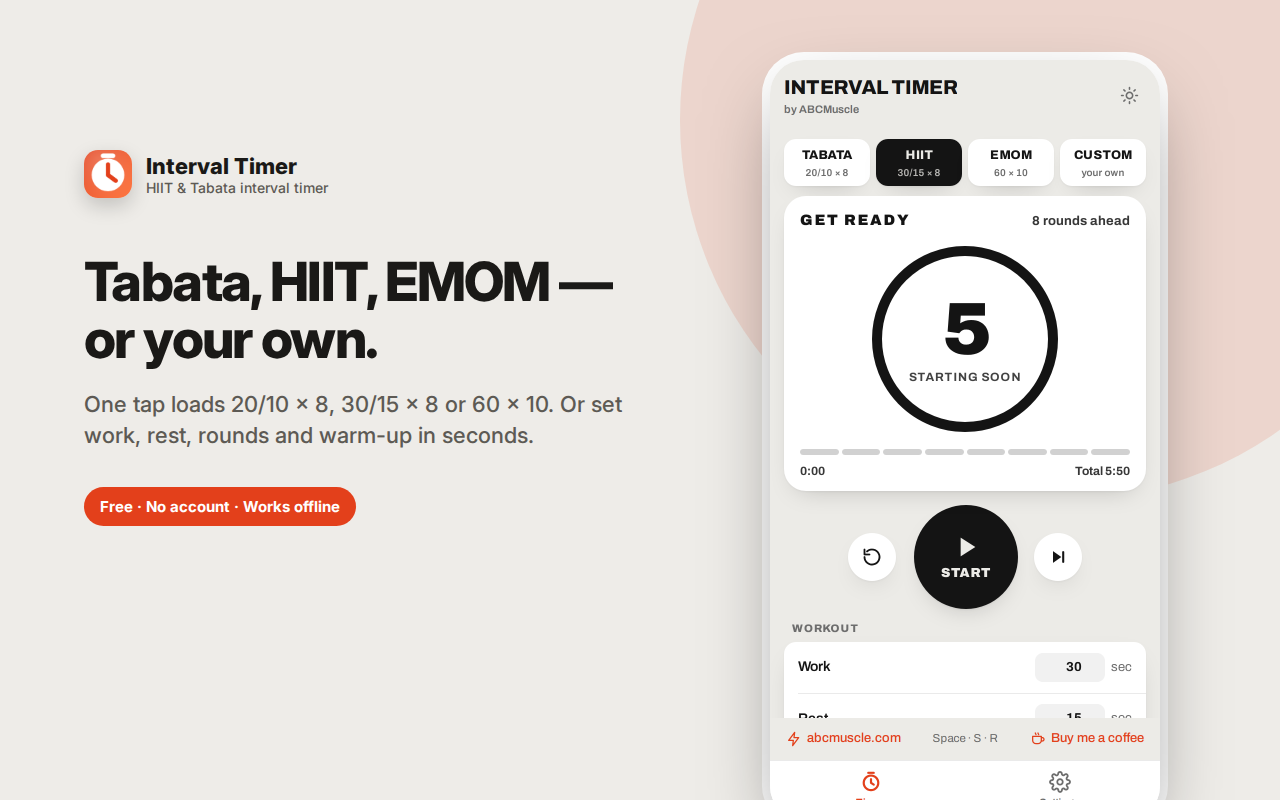
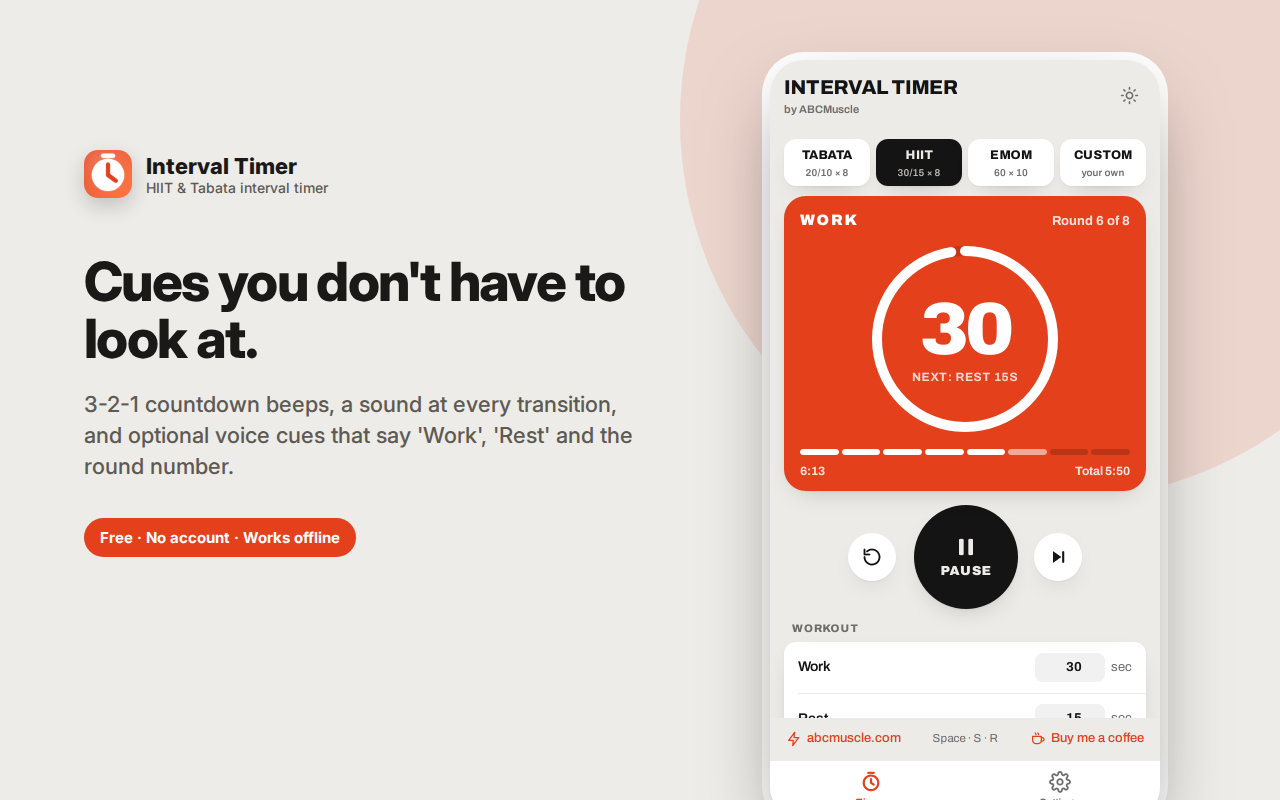
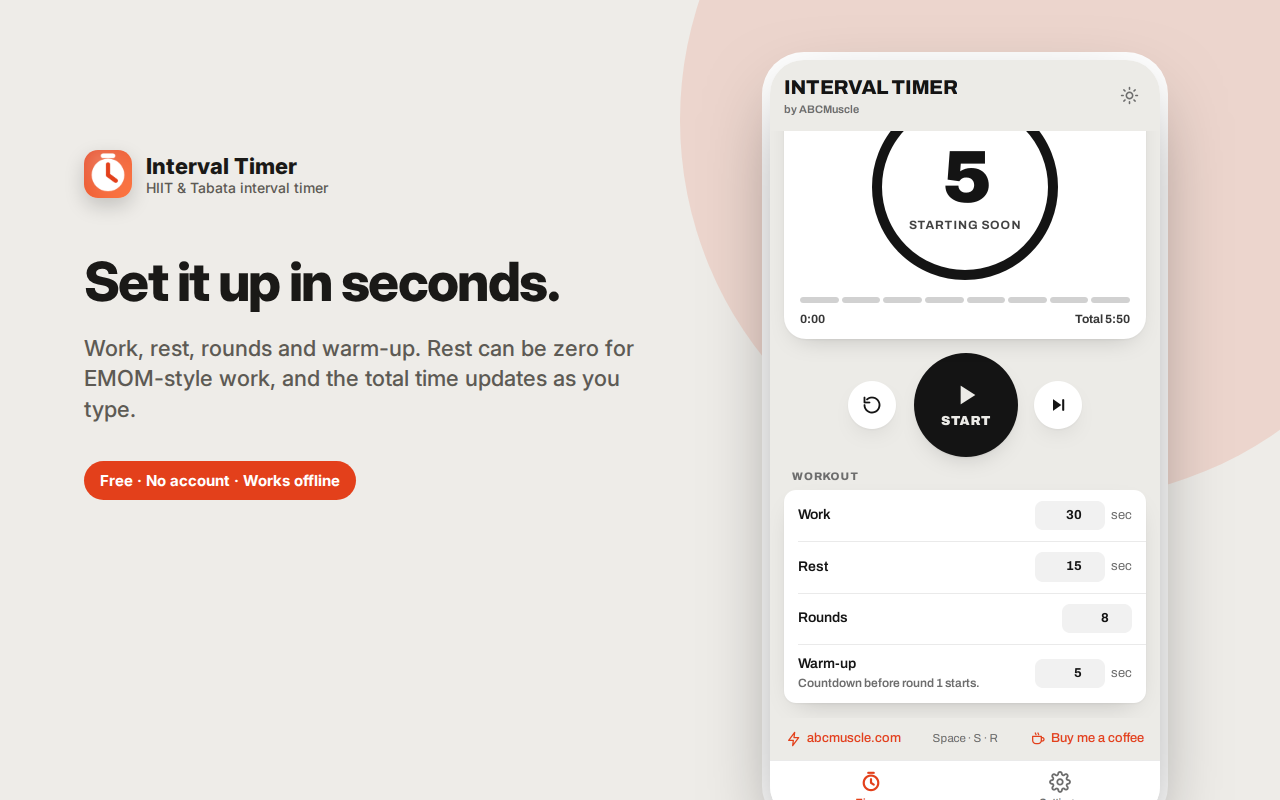
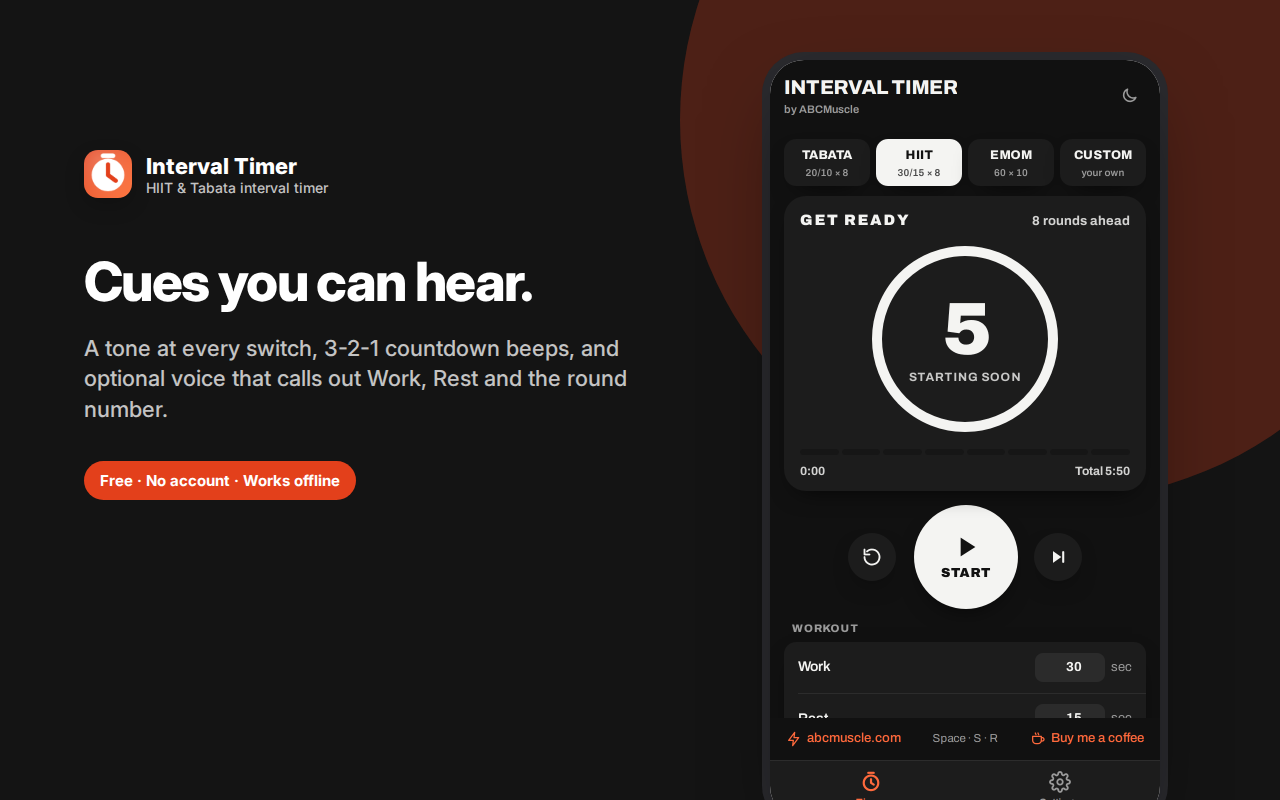
Interval Timer runs your HIIT and Tabata workouts from a browser sidebar, with a display you can read from across the room.
The entire panel changes colour with the phase — amber to get ready, red for work, green for rest, blue when you're done — with giant seconds and a segment for every round.
One-tap presets: Tabata timer (20/10 × 8), HIIT timer (30/15 × 8) and EMOM (60 × 10). Or set your own work, rest, rounds and warm-up. Rest can be zero, which makes proper EMOM and continuous circuits possible.
Audio cues mean you never need to look: a sound at every transition, 3-2-1 countdown beeps, and optional voice cues that announce "Work," "Rest" and the round number.
Space starts and pauses, S skips, R resets. The timer keeps accurate time when you switch tabs.
Free, offline, no account.
Interval Timer runs your HIIT, Tabata and circuit workouts from a browser sidebar — with a display big enough to read from the floor and audio cues clear enough that you never need to look at it.
Built to be read mid-burpee
The core design problem with a workout timer is that you're upside down, sweating, and three metres away. So the entire panel changes colour with the phase: amber while you get ready, red for work, green for rest, blue when you're done. Giant seconds sit in the middle, with a segment bar underneath showing every round and how many you've finished.
You can tell what you're supposed to be doing from across the room, in peripheral vision, without focusing on a number.
Presets for the common protocols
- Tabata — 20 seconds work, 10 seconds rest, 8 rounds. The classic four-minute protocol.
- HIIT — 30 seconds work, 15 seconds rest, 8 rounds. A gentler work-to-rest ratio that suits most circuit training.
- EMOM — 60 seconds, 10 rounds. Every Minute On the Minute: do the work, rest whatever's left of the minute.
- Custom — set work, rest, rounds and warm-up to whatever your programme calls for.
Rest can be set to zero, which is what makes proper EMOM and continuous-circuit work possible — a surprising number of interval timers don't allow it.
Audio cues so you can stop watching
- A distinct sound at every phase transition
- 3-2-1 countdown beeps in the final seconds of each phase, so you can brace for the switch
- Optional voice cues that say "Work," "Rest" and announce the round number aloud
With voice cues on, you can put the laptop on a shelf, face away from it, and run the entire session by ear.
The details that come up in a real session
- Warm-up countdown before round one, so you're not scrambling into position
- Elapsed and total time shown throughout — useful when you're deciding whether to add another circuit
- Space starts and pauses, S skips the current phase, R resets
- The timer keeps running when you switch tabs, so you can queue up a playlist without losing it
- Custom settings are remembered, and the preset chips detect when your custom values match a known protocol
What people use it for
- Tabata and HIIT sessions at home or in the gym
- Circuit training — station work with fixed rotations
- EMOM and AMRAP CrossFit-style workouts
- Boxing and martial arts rounds (three minutes work, one minute rest)
- Stretching and mobility routines with timed holds
- Physio exercises with prescribed hold and rest periods
- Anything with a repeating work/rest structure — including non-fitness uses like practice sessions or timed drills
Frequently asked questions
Can I set rest to zero?
Yes. This is required for EMOM work and continuous circuits, and it's fully supported — the timer moves straight from one round into the next.
Does the timer keep running if I switch tabs or minimise the browser?
Yes. The countdown is calculated from an absolute end time rather than a ticking loop, so it stays accurate even if the tab is throttled in the background. Come back and it's where it should be, not frozen where you left it.
Will the voice cues talk over my music?
They use your system's built-in speech synthesis, so they play over whatever else is going, briefly. If you'd rather have just tones, turn voice cues off and keep the beeps.
How long can a work interval be?
Up to 600 seconds (ten minutes) per phase, with up to 30 rounds — enough for long-format circuits, not just short bursts.
Do I need to keep the panel open?
For the visual, yes. But with sound and voice cues enabled you can leave the panel open and never look at it, which is how most people end up using it.
Can I add a warm-up before the first round?
Yes, up to 30 seconds, so you're in position rather than scrambling when work starts.
What's a good work-to-rest ratio for a beginner?
Start around 1:1 — 30 seconds work, 30 seconds rest — and shorten the rest as you adapt. Tabata's 2:1 ratio is demanding and is a poor first experience for most people.
Can I use it for boxing or martial arts rounds?
Yes. Set work to 180 seconds and rest to 60 for standard three-minute rounds with a minute between.
Does it work for stretching or physio?
It works for anything with timed holds. Set a long work phase, minimal rest, and as many rounds as you have positions.
Private by design
No account, no sign-in, no cloud, no analytics, no ads. Your timer settings are stored locally in your own browser. Nothing is transmitted anywhere and there's no server involved. It works fully offline, which matters in a gym basement with no signal.
A note on training
This extension is a timer, not a training programme, and it makes no health claims. High-intensity interval training is demanding — if you're new to exercise, returning from injury, pregnant, or managing a heart condition, talk to a doctor about whether HIIT is appropriate for you.
Setting up a session for the first time
If you're new to interval training, start with the HIIT preset (30 seconds work, 15 rest, 8 rounds) rather than Tabata. Tabata's 20/10 ratio is genuinely brutal when done at proper intensity, and starting there is how people conclude they hate intervals.
Pick four exercises and rotate them across the eight rounds — for example squats, push-ups, mountain climbers, and rest-position holds. That's a complete 6-minute session including warm-up.
Set the warm-up to at least 10 seconds so you're in position before the first work phase starts, rather than diving in from the settings screen.
Once 30/15 feels manageable for all eight rounds, you have three ways to progress: shorten the rest, lengthen the work, or add rounds. Change one at a time.
A note on intensity
Interval protocols assume the work phase is genuinely hard — that's what makes them time-efficient. If you can hold a conversation through round six, the timer isn't the limiting factor. Conversely, if your form breaks down by round three, the work phase is too long for your current level; drop to 20 seconds and build from there.
Tabata timer, HIIT timer, EMOM — the differences
A Tabata timer runs the specific 20-seconds-on, 10-seconds-off, eight-round protocol — four minutes total, intended to be genuinely maximal.
A broader HIIT timer is anything with a work and rest interval; the 30/15 preset here is a more forgiving ratio that suits circuit training and most home workouts.
EMOM ("every minute on the minute") sets a fixed 60-second window: you do the work, and whatever's left of the minute is your rest. That requires a rest value of zero, which this interval timer supports and many don't.