
Metadata Remover – Strip EXIF & GPS from Photos
Remove EXIF and remove metadata from photos. EXIF remover shows hidden GPS location and camera data, then strips it.
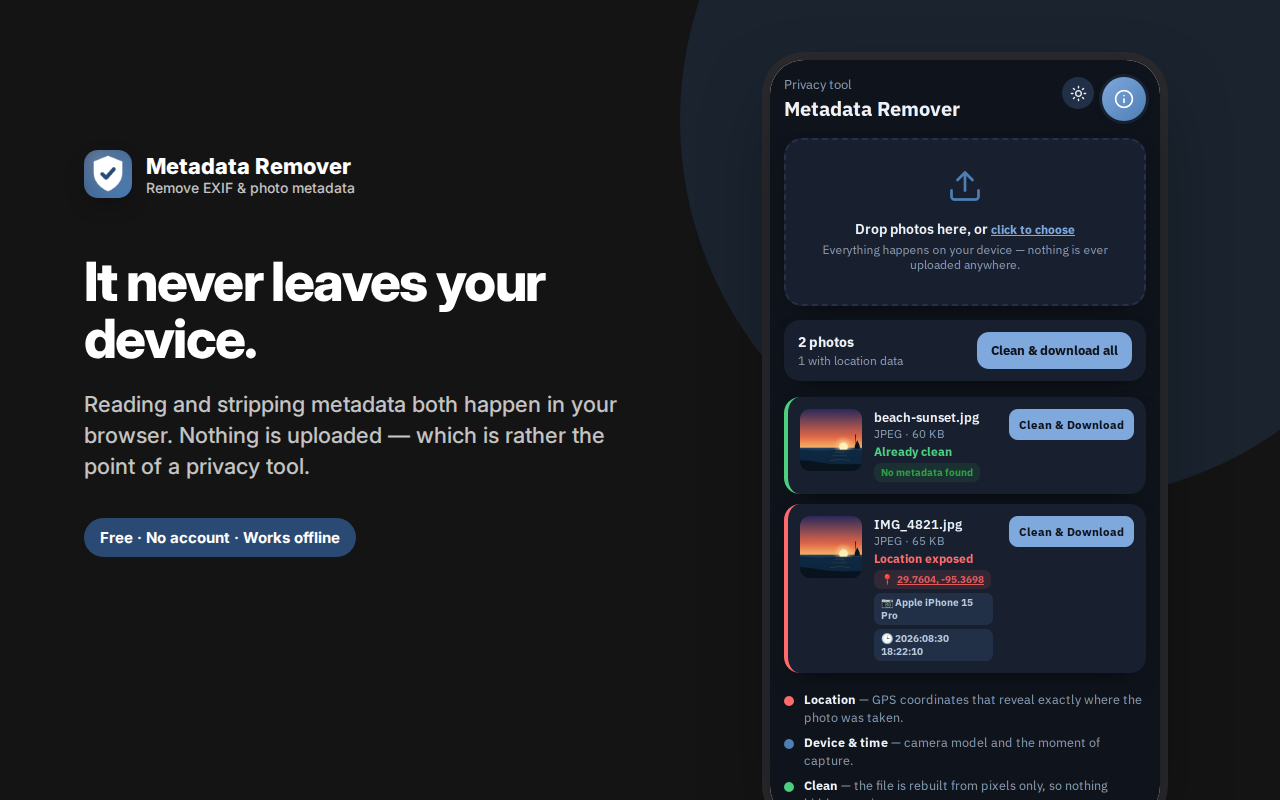
Metadata Remover shows you the hidden data inside a photo — then strips it before you share.
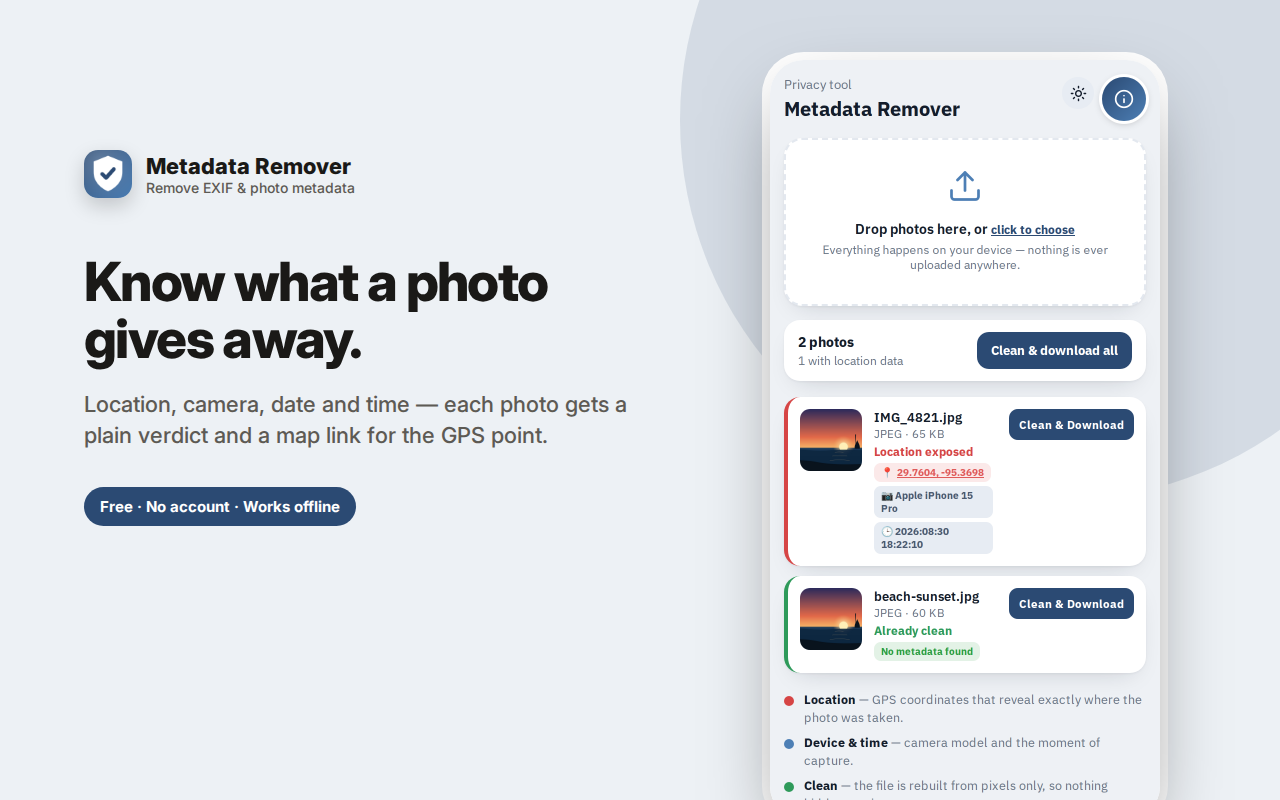
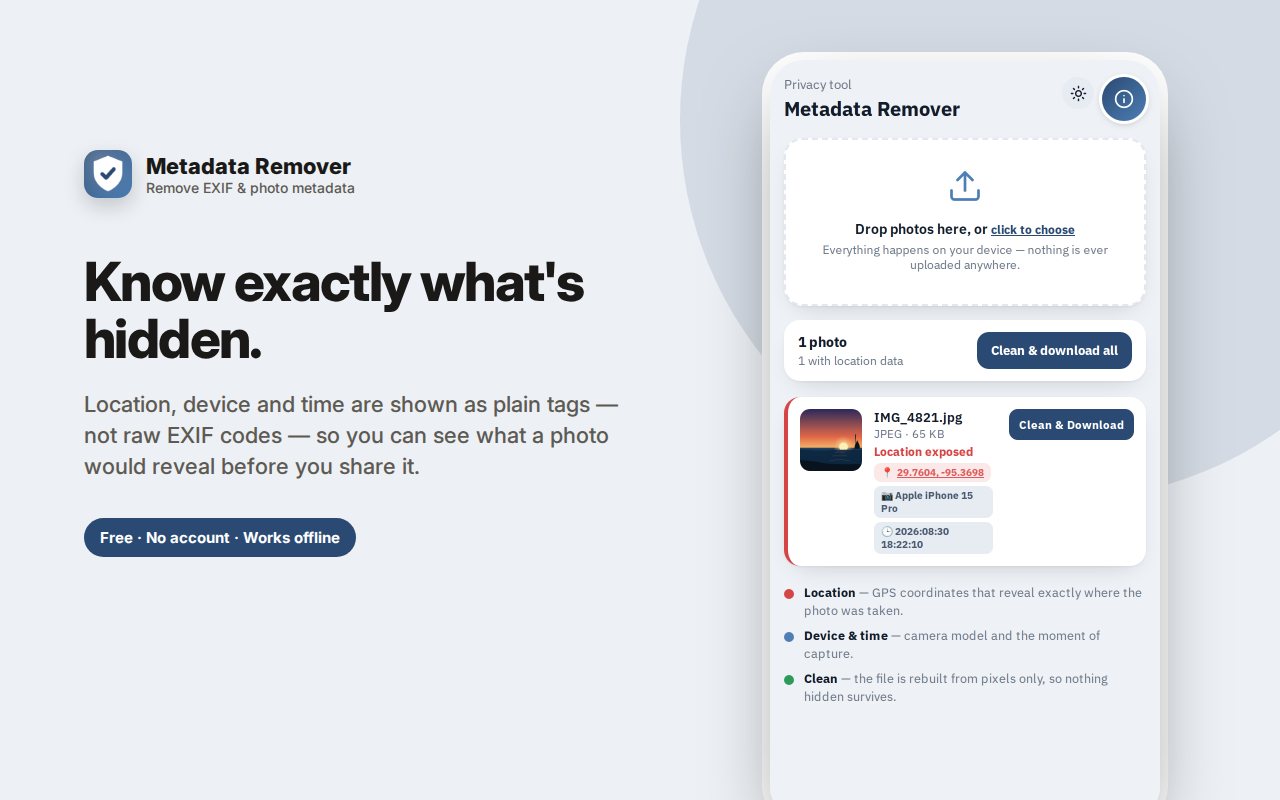
Drop a photo in and you get a plain verdict: "Location exposed" if it carries GPS coordinates (with a map link to the exact spot), "Device info embedded" for camera model and capture time, or "Already clean." Seeing your own street on a map is usually the moment this stops feeling theoretical.
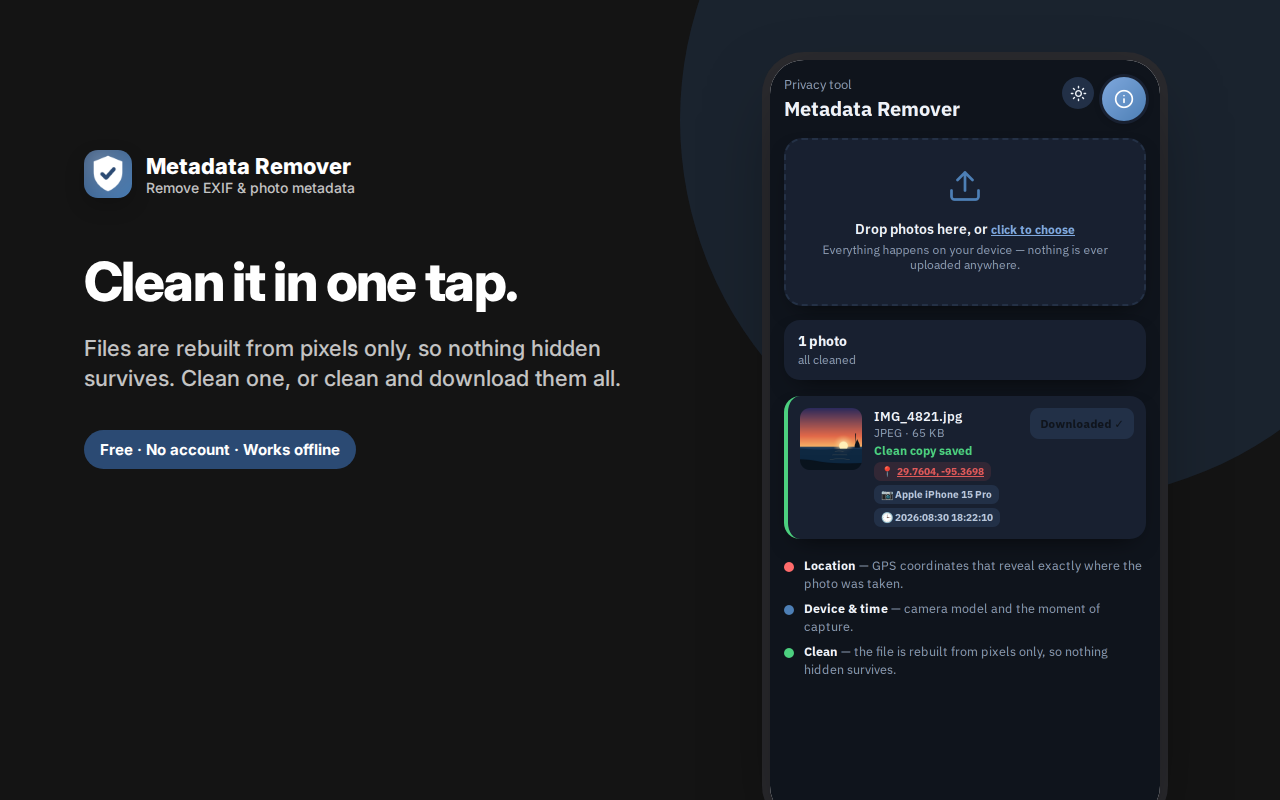
Tap Clean & Download and the file is rebuilt from its pixels alone — a stronger approach than deleting fields one by one, because there are no leftover tags, hidden thumbnails or maker-note blocks to miss.
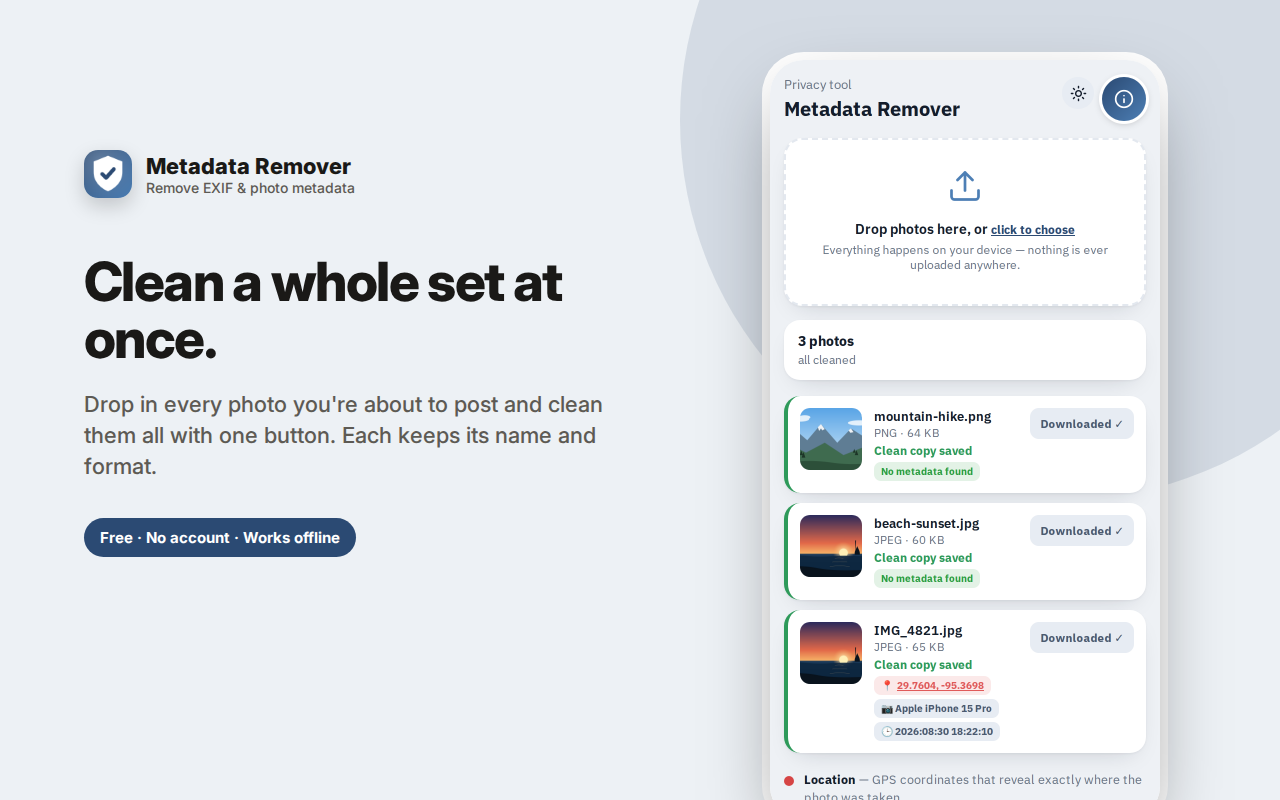
Clean one photo, or clean and download all at once.
Essential before selling items online, posting photos of your home, or sending pictures to people you haven't met — anywhere EXIF and location data would otherwise travel with the file.
Everything runs on your device. Nothing is ever uploaded.
Metadata Remover shows you the hidden data inside a photo — GPS coordinates, camera model, exact timestamp — and strips it out before you share, all on your own device.
What your photos are telling people
Every photo taken on a phone or camera carries EXIF metadata, invisible unless you go looking. It routinely includes:
- GPS coordinates — the exact latitude and longitude where the photo was taken, often accurate to a few metres
- Date and time to the second
- Camera or phone model, and sometimes the device's serial number
- Lens, exposure, ISO, orientation, and software used to edit it
Post a photo of something for sale and the location data can point at your home. Share a picture of your dog in the garden and it may carry the same coordinates. Send a document photo to a stranger and you've told them what phone you own and when you took it.
Some social platforms strip this on upload. Many don't — and direct file sharing (email, messaging apps that send "as file," marketplace listings, forums, cloud links) usually preserves it completely.
See it before you strip it
Drop a photo in and you get a plain verdict rather than a table of jargon:
- "Location exposed" — with the GPS coordinates shown and a map link so you can see for yourself exactly what location the photo is broadcasting
- "Device info embedded" — camera or phone model and the capture timestamp
- "Already clean" — no metadata found
That map link is the part that changes behaviour. Reading "29.7604, -95.3698" means nothing; clicking it and seeing your own street does.
Cleaning that actually works
Tap Clean & Download and the file is rebuilt from its pixels alone. This is a stronger approach than editing metadata fields out one by one: because the output is constructed fresh from image data, there are no leftover fields, no hidden thumbnails carrying the original, no vendor-specific maker-notes blocks that a field-by-field cleaner might miss. What isn't drawn doesn't exist in the new file.
Clean a single photo, or use Clean & download all to process everything you've added at once.
Nothing is uploaded — and that's the whole point
An online "EXIF remover" requires you to upload the exact file whose location data you're worried about to an unknown server. That is a strange trade. This extension does all processing locally in your browser, so the photo never leaves your machine.
Frequently asked questions
Does removing EXIF reduce image quality?
The image is re-encoded, so for JPG there is a very small quality cost, the same as saving a JPG again. It's not visible at normal viewing. PNG is lossless and unaffected.
Do social networks already strip this?
Facebook, Instagram and X generally strip EXIF on upload. But this doesn't cover: sending the file directly, email attachments, marketplace and classified listings, forums, Discord, cloud-share links, or messaging apps sending "as document." Anywhere the original file travels, the metadata travels with it.
Can't I just take a screenshot of the photo instead?
That works, and it's a real technique. But you lose resolution and get any surrounding interface in the frame. This keeps the full image at full size.
Does it remove the date the file was created?
It removes the EXIF capture date stored inside the image. Your operating system's file timestamps are separate and outside any browser extension's reach — worth knowing if you're being thorough.
What formats does it handle?
JPG and PNG in, same format out. JPG is where the vast majority of EXIF and GPS data lives.
Is "already clean" trustworthy?
It means no readable EXIF was found in the file. Screenshots and images already processed by a platform commonly come back clean, which is expected rather than an error.
What is EXIF data, exactly?
EXIF is a block of information cameras and phones embed inside image files: GPS coordinates, date and time, camera model, lens, exposure settings and sometimes a device serial number. It's invisible when you view the photo, and it travels with the file.
How do I check if my photo has GPS location in it?
Drop it in — if there's location data, you'll see the coordinates and a map link showing exactly where the photo says it was taken. Seeing your own street on a map is usually the moment this stops feeling theoretical.
Does an EXIF remover work on screenshots?
Screenshots typically carry little or no EXIF to begin with, so they'll usually come back marked already clean. That's a correct result, not a failure.
Will it remove the copyright field too?
Yes. Everything metadata-related goes, including author and copyright tags — worth knowing if you're a photographer who deliberately embeds attribution.
Can I clean several photos at once?
Yes, add as many as you like and use Clean & download all.
Does the image quality change?
JPGs are re-encoded, so there's a very small quality cost, not visible at normal viewing. PNGs are lossless and unaffected.
Metadata Remover is an EXIF remover that strips GPS and camera data before you share — because your photos shouldn't come with a map to your house.
Who this is for
- Anyone selling things online — the single most common way people accidentally publish their home address
- Journalists, activists and researchers sharing images from sensitive locations
- Parents posting photos of children, where location data is a genuine safety issue
- Anyone dating online sharing photos with people they haven't met
- Professionals sending client work who'd rather not disclose their equipment or workflow
- Anyone who simply doesn't see why a photo should carry their coordinates
Private by design
No account, no sign-in, no cloud, no analytics, no ads, no network requests. Photos are inspected and cleaned entirely on your device. Nothing is uploaded, logged or retained — which is the only sensible design for a privacy tool.
A quick habit worth building
If you sell things online, make it a rule: every photo goes through a metadata check before it gets uploaded. Listing photos are taken at home, and home is exactly the coordinate you don't want attached.
The same applies to any photo you send to someone you don't know — a marketplace buyer, a landlord, a dating match, a support agent. Platforms that strip metadata protect you inside their walls; the moment a file travels as a file, it carries everything again.
What this tool doesn't do
It's worth being clear about the boundaries. It removes metadata stored inside the image file. It cannot remove:
- Information visible in the picture itself — a street sign, a house number, a reflection, a distinctive view from a window
- Your operating system's own file timestamps
- Anything a platform infers from your account, IP address or upload time
Metadata stripping is one layer. Looking at what's actually in the frame is the other, and it's the one people forget.
How to remove EXIF from a photo
To remove EXIF here: drop the photo in, look at what it's carrying, and press Clean & Download. The cleaned file is rebuilt from its pixels, so there are no leftover metadata fields to miss.
That approach is why this works to remove metadata from photos more thoroughly than field-by-field editors — it doesn't try to enumerate and delete every possible tag, it simply constructs a new file containing only image data.