Pomo – Pomodoro Timer & Focus Tracker
Pomodoro timer and focus timer with named tasks, a focus history with charts, breaks and background sounds. No site tracking.
Pomo is a Pomodoro timer and focus timer for people who want to know where their focus actually went.
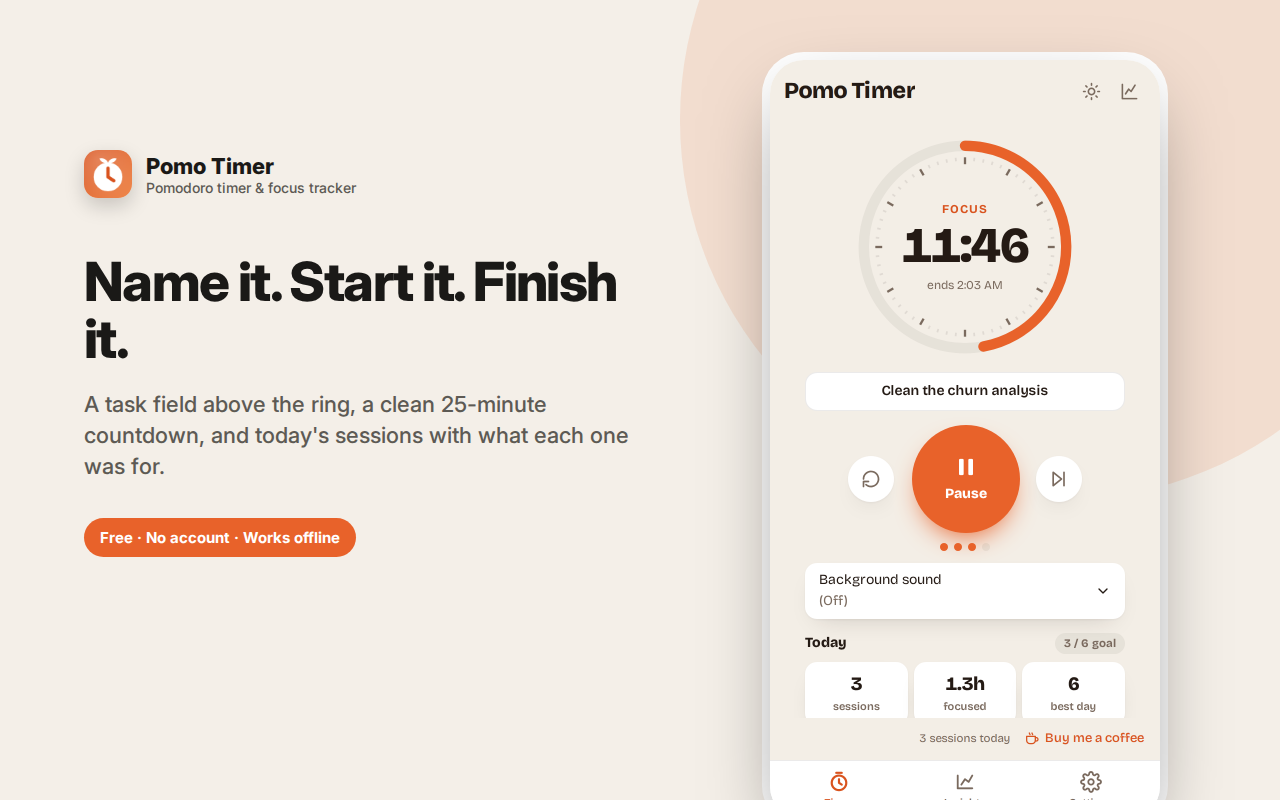
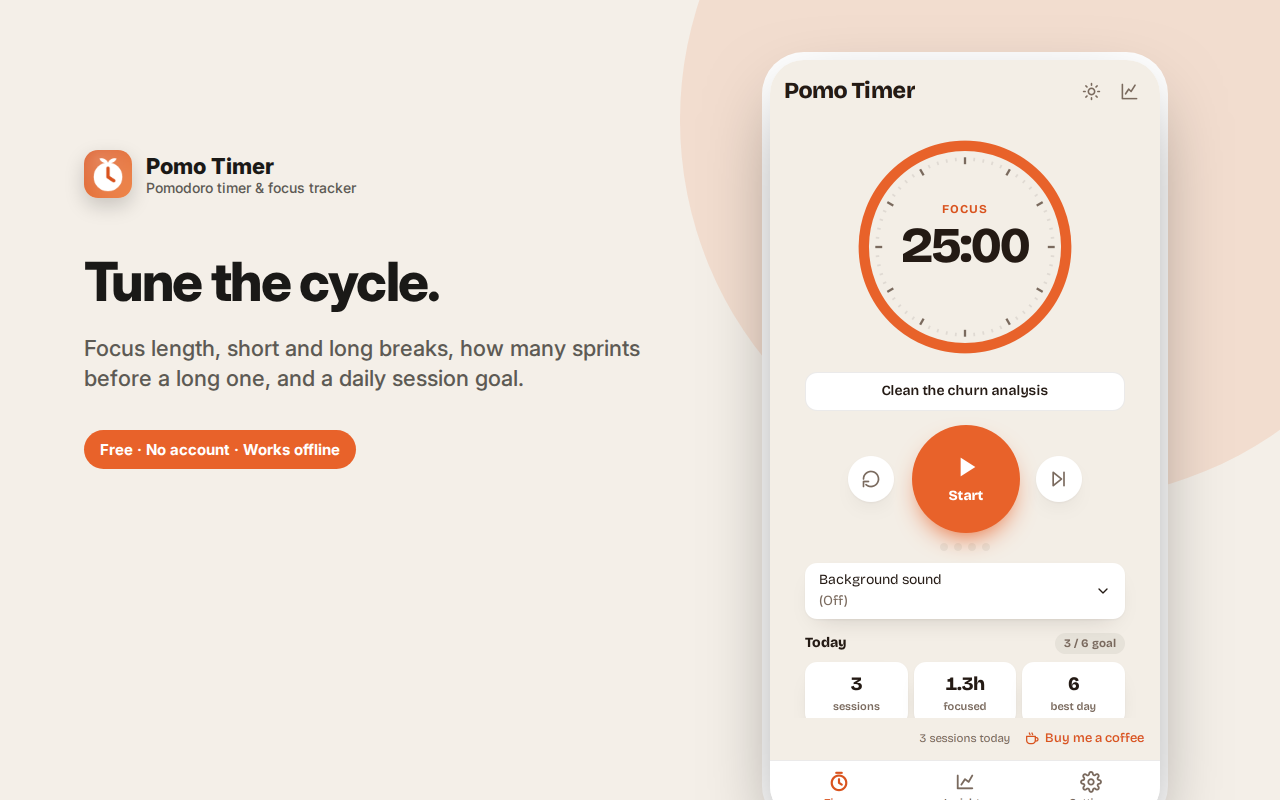
Type what you're working on, press start, and the ring counts down a focus block. When it ends you get a notification, a short break is scheduled, and after four sessions a long one. The task name travels with the session, so your day builds into a list of what you finished — not just how many timers ran.
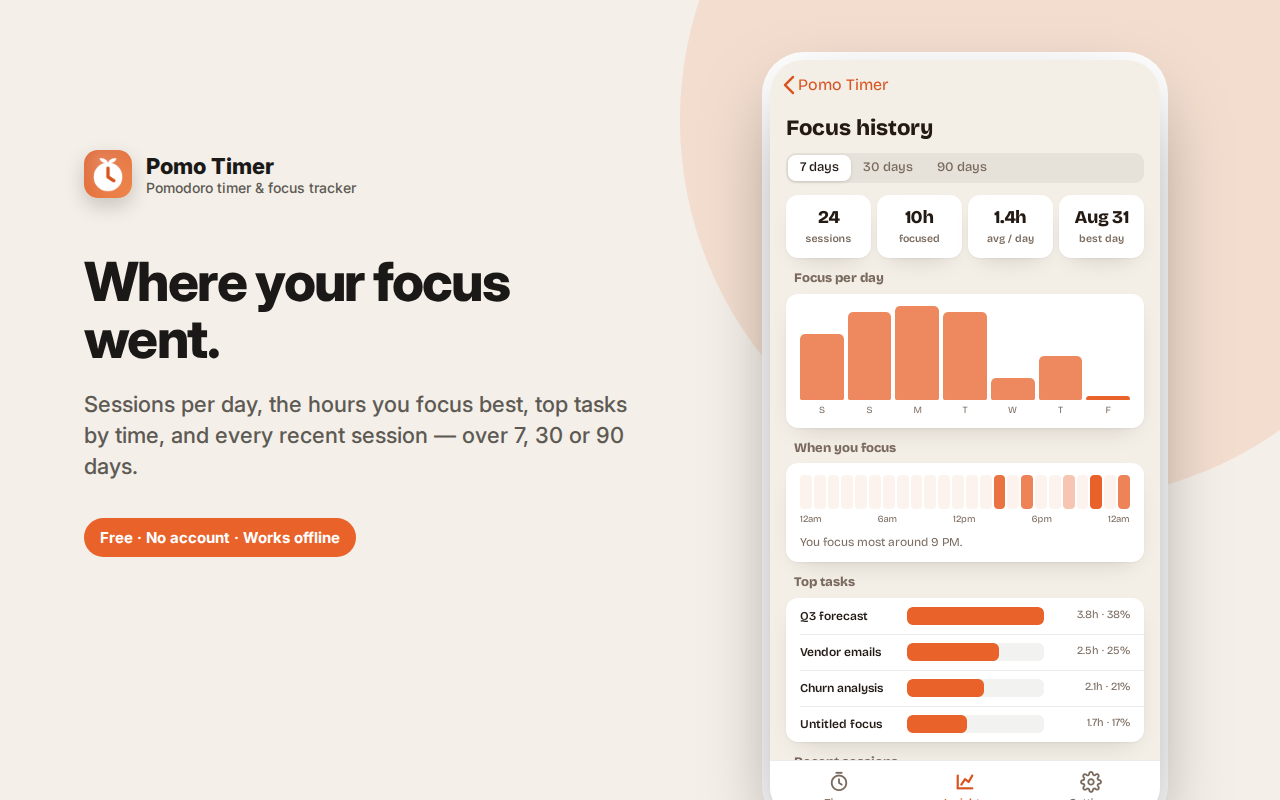
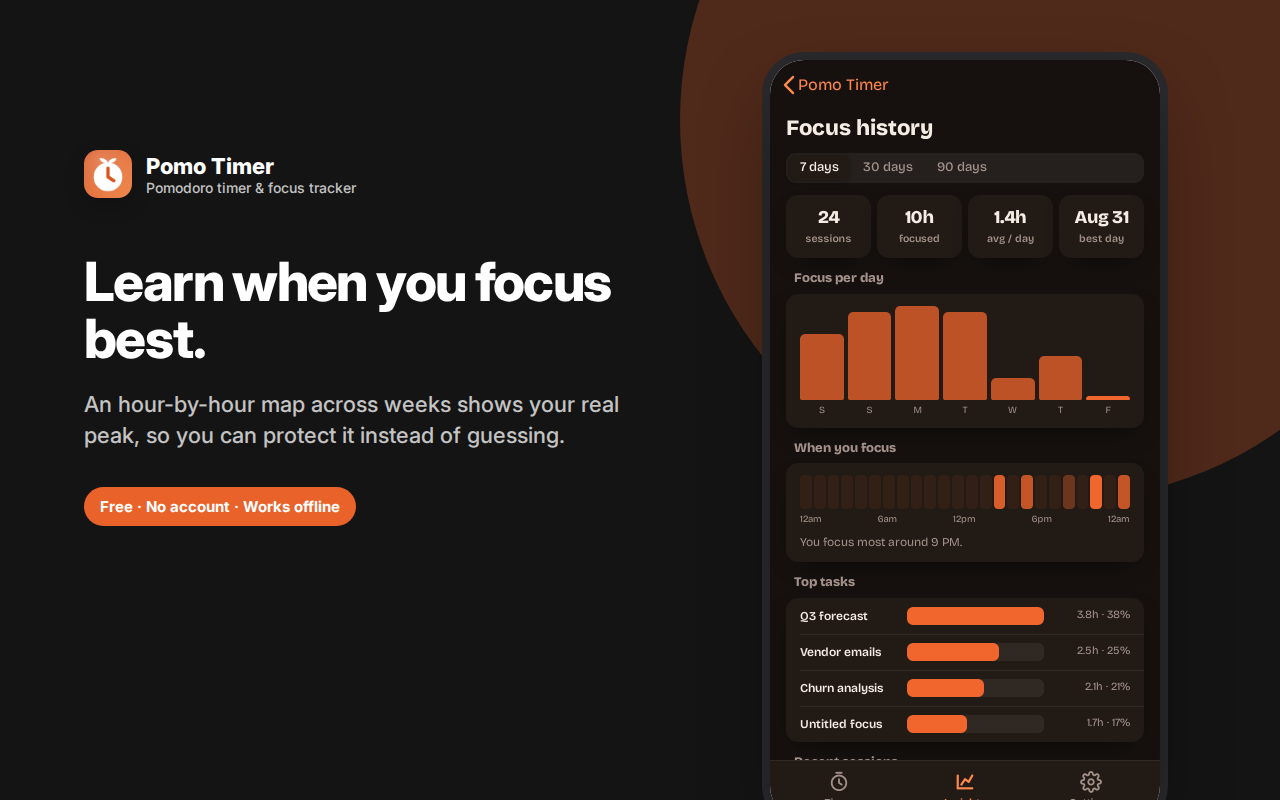
The focus history shows sessions per day, an hour-by-hour map of when you concentrate best, your top tasks by time, and every recent session across 7, 30 or 90 days.
Adjustable focus and break lengths, a daily session goal, optional background sounds, and the countdown in your tab title. Space starts and pauses, S skips, R resets.
Pomo does not track which websites you visit. Everything is stored locally.
Pomo is a Pomodoro timer for people who want to know where their focus actually goes. It runs focused sprints, schedules your breaks automatically, and keeps an honest history of what you worked on — without watching which websites you visit.
The Pomodoro Technique, done properly
The idea is simple and it works: focus for a set stretch, take a real break, repeat, and take a longer break after several rounds. Twenty-five minutes on, five off, with a longer break after four sprints is the classic pattern. It works because it makes starting easy (it's only 25 minutes) and because it forces the breaks that stop you burning out by 3pm.
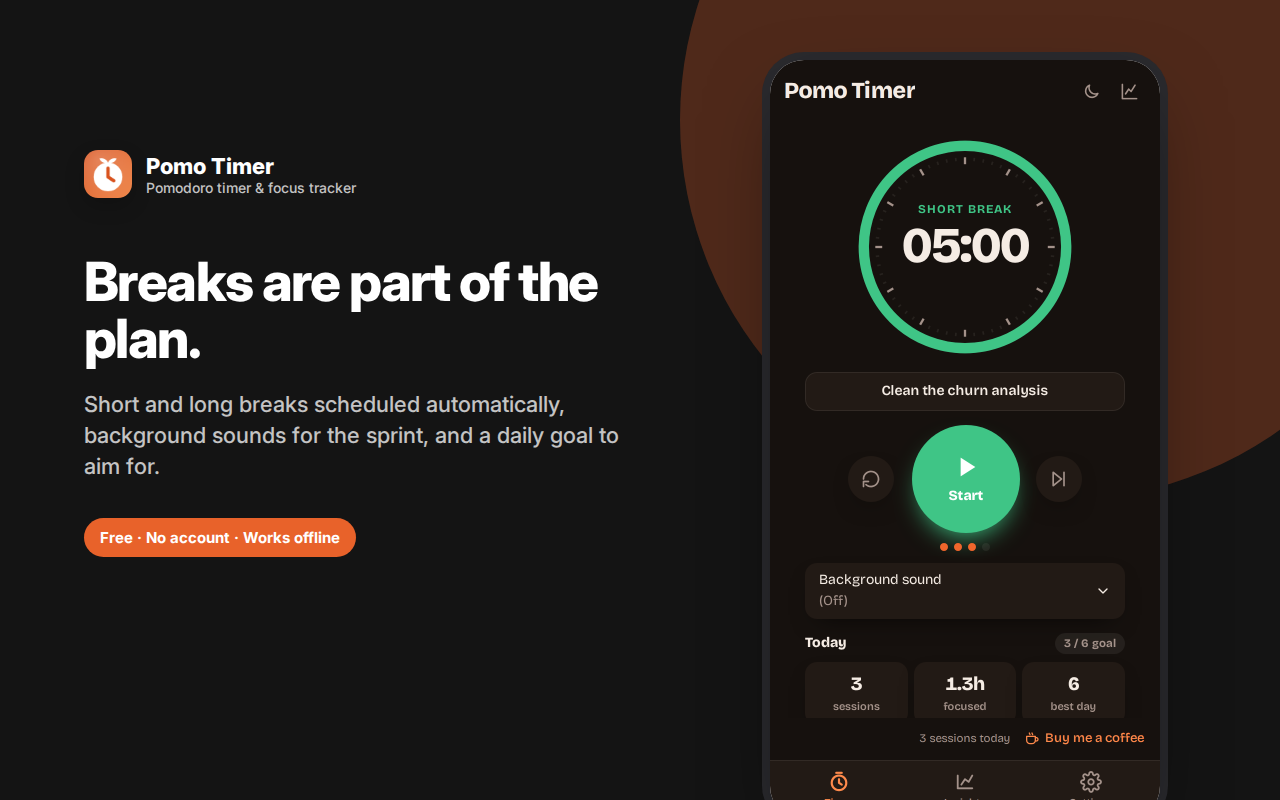
Pomo runs that cycle for you. Press start and a clean countdown ring takes over, with a proper clock-face tick mark for each minute. When the sprint ends, you get a notification, a break is scheduled automatically, and after four sprints you get the long one. You can adjust every length — focus, short break, long break, and how many sprints before a long break — so a 50/10 or 90/20 rhythm works just as well as the classic 25/5.
Name your sessions, and get a real record
This is the part most Pomodoro timers miss. Above the ring there's a task field: type what you're actually working on before you start.
That one small step changes what the app can tell you. Your day stops being "I ran six timers" and becomes a list of what you finished: *Q3 forecast, vendor emails, churn analysis*. The task name travels with the session into your history and even appears in the notification when the sprint ends.
Focus history that's genuinely useful
The Insights tab shows your work over the last 7, 30 or 90 days:
- Sessions and total focus time for the period, plus your daily average
- Focus per day as a bar chart — so a bad week is obvious, and so is a good one
- When you focus best — an hour-by-hour heat strip built from every session you've run. Most people are surprised by their real peak, and it's rarely when they assumed
- Top tasks by time — where your hours actually went, ranked
- Recent sessions — a running list with times and durations
- Lifetime totals — every sprint you've ever completed
Knowing you focus best at 9am and worst at 2pm is genuinely actionable: you protect the morning and stop scheduling deep work after lunch.
Important: Pomo does not track your browsing
Plenty of "focus" extensions justify broad permissions by monitoring which sites you visit and for how long. Pomo used to do something like that, and it was removed deliberately. There is no site tracking, no website blocklist, no browsing history analysis, and no permission to read your tabs. The only thing Pomo records is the timer sessions you run yourself and the names you type into them.
Everything else you'd want in a focus timer
- Daily session goal with progress pips, so you know when you've done a real day's work
- Background sounds during sprints for anyone who focuses better with ambient noise
- The tab title shows your countdown, so the time remaining is visible even from another tab
- Keyboard shortcuts — Space starts and pauses, S skips the current phase, R resets
- Notifications when a sprint or break ends, so you can look away without missing the switch
- Timers run from an absolute end time, so switching tabs or sleeping your laptop doesn't drift the clock
- Light and dark themes
- Opens instantly in the side panel — it doesn't take a whole tab
Who this is for
- Students doing revision blocks and beating procrastination
- Developers and designers protecting deep work from a day of interruptions
- Writers using sprints to get past a blank page
- Remote workers who need structure without a manager providing it
- Anyone with ADHD who finds a visible, finite timer easier to start than an open-ended task
- Anyone who's tried the Pomodoro Technique on a kitchen timer and wanted the history to go with it
Private by design
No account, no sign-in, no cloud, no analytics, no ads. Your sessions and task names are stored only in your own browser, and can be cleared any time. Uninstalling removes everything.
Pomo is a Pomodoro timer with the honest session reporting most timers leave out, and none of the browsing surveillance some of them sneak in.
Common questions
*Does it keep running if I switch tabs or close the panel?* Yes. The timer is scheduled against an absolute end time, so switching tabs, minimising the browser or letting the machine sleep won't drift it. You'll still get the notification when the sprint ends.
*Can I use a different interval than 25/5?* Yes — focus length, short break, long break and the number of sprints before a long break are all adjustable. 50/10 and 90/20 are popular alternatives for deep work.
*Does it block distracting websites?* No, and that's deliberate. Blocking requires permission to see and control every site you visit. Pomo does one thing — time your work honestly — without asking for access to your browsing.
What is the Pomodoro Technique?
Work in focused blocks — traditionally 25 minutes — separated by short breaks, with a longer break after four blocks. The pomodoro timer exists to enforce the boundary so you stop working before attention degrades, rather than after.
Can I change the 25-minute default?
Yes. Focus length, short break, long break and how many sessions before a long break are all adjustable. Plenty of people prefer 50/10 for deep work.
How is this different from a plain focus timer?
A focus timer counts down. This also captures what you were working on, schedules your breaks automatically, and builds a history you can look back on — which is what turns individual sessions into a picture of your week.
Does it track which websites I visit?
No. Site tracking was deliberately removed. The extension knows only what you type in the task field and how many sessions you completed.
What does the focus history show?
Sessions per day, an hour-by-hour map of when you focus best, your top tasks by time invested, and a list of recent sessions — over 7, 30 or 90 days.
Does the timer keep running if I close the panel?
Yes. It's based on an absolute end time and continues in the background, with a notification when the session ends.
Can I play background sound during a session?
Yes, there's an optional background sound for focus blocks that stops automatically during breaks.
What the insights actually tell you
Sessions per day shows consistency. The hour-by-hour map shows when your focus is genuinely best, which is often not when you assume. Top tasks by time invested shows where your week actually went — frequently the most uncomfortable and useful number in the app.