Water Intake – Hydration Tracker & Reminder
Water tracker and hydration tracker with a water reminder. Log every glass, watch the bottle fill, keep a daily goal.
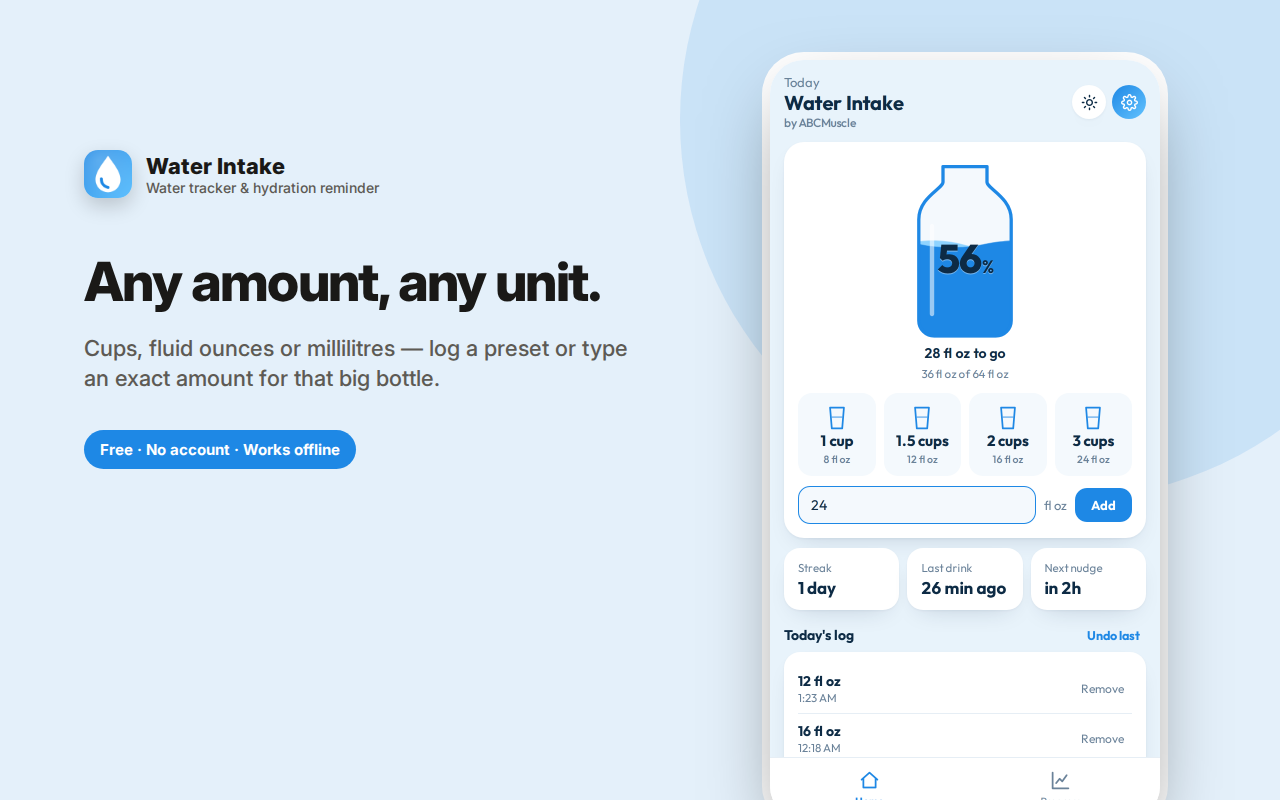
Water Intake makes drinking enough water almost automatic: tap a glass, watch the bottle fill, and let the water reminder do the remembering.
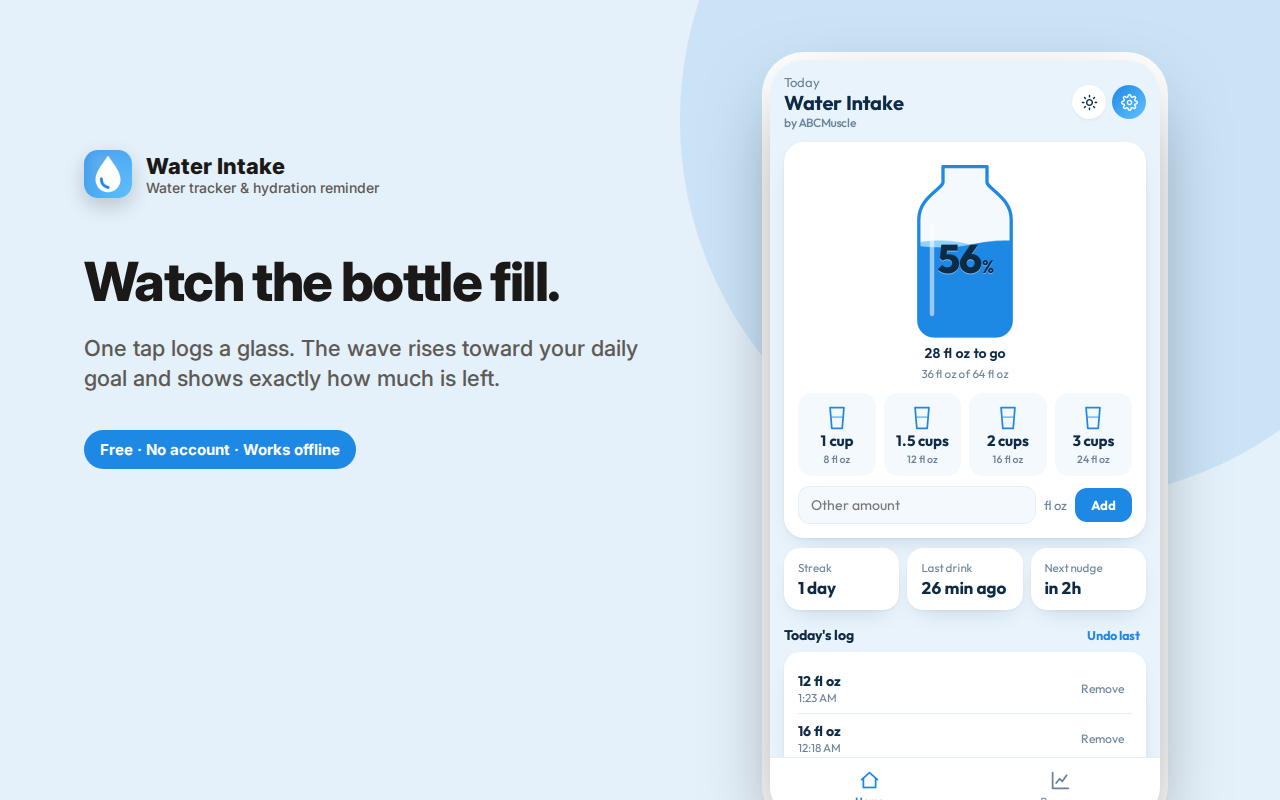
One tap logs 1, 1.5, 2 or 3 cups — or type any amount — and the wave rises toward your daily goal. See how much is left, when you last drank, and undo a mis-tap instantly.
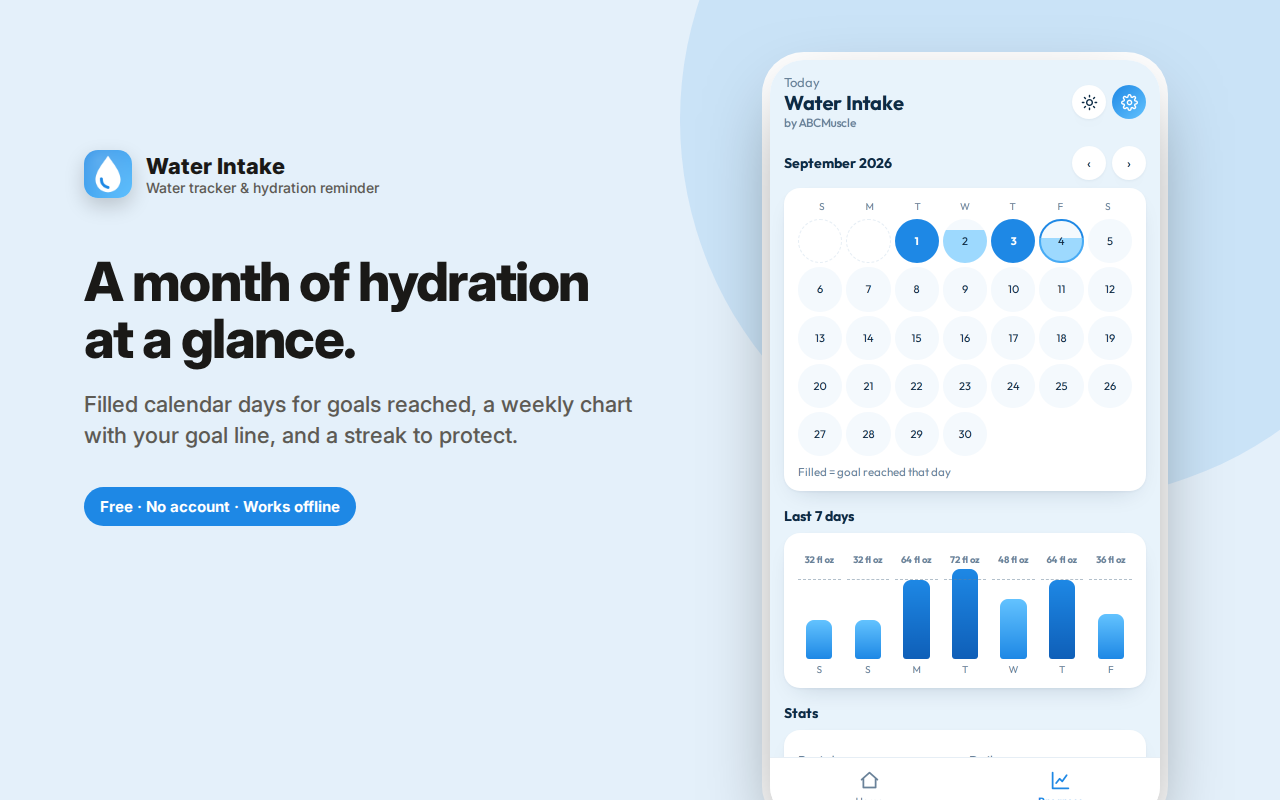
A calendar fills in every day you hit your goal, a weekly chart plots intake against your goal line, and a streak counter keeps you honest.
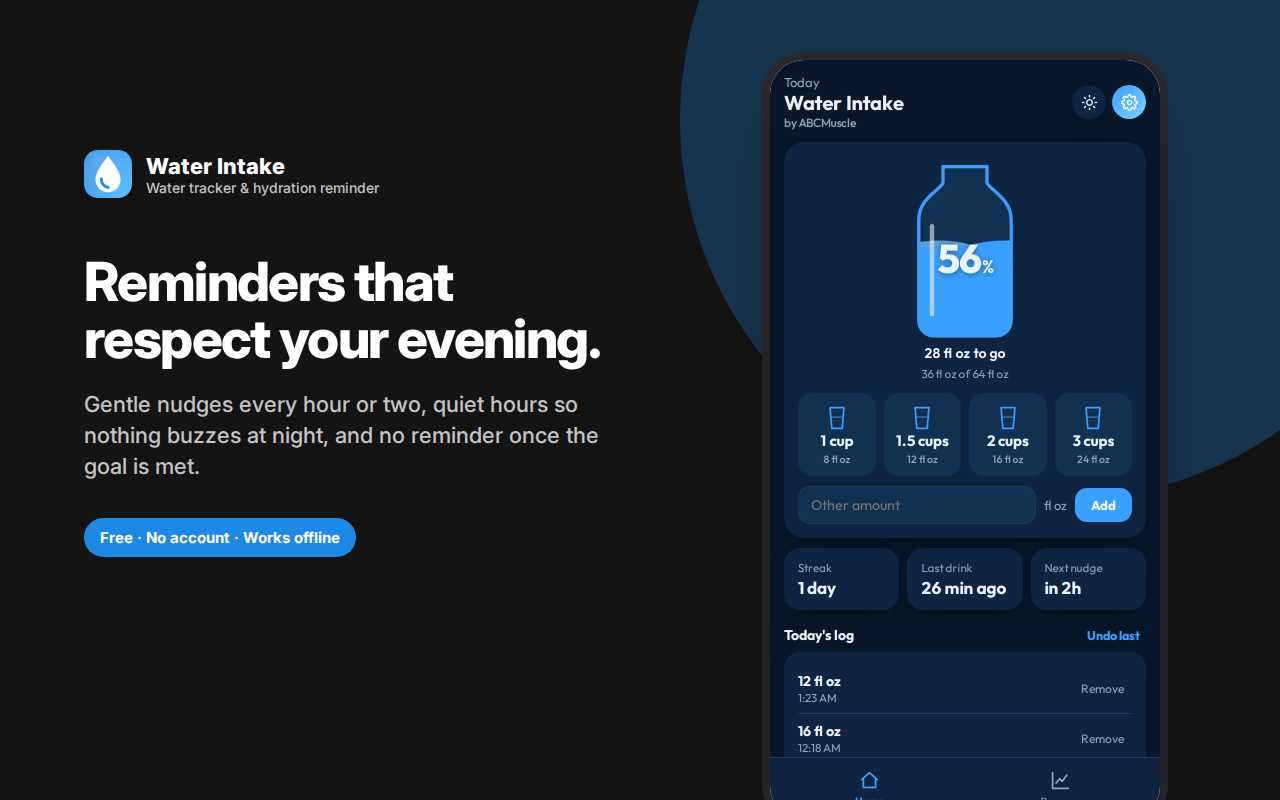
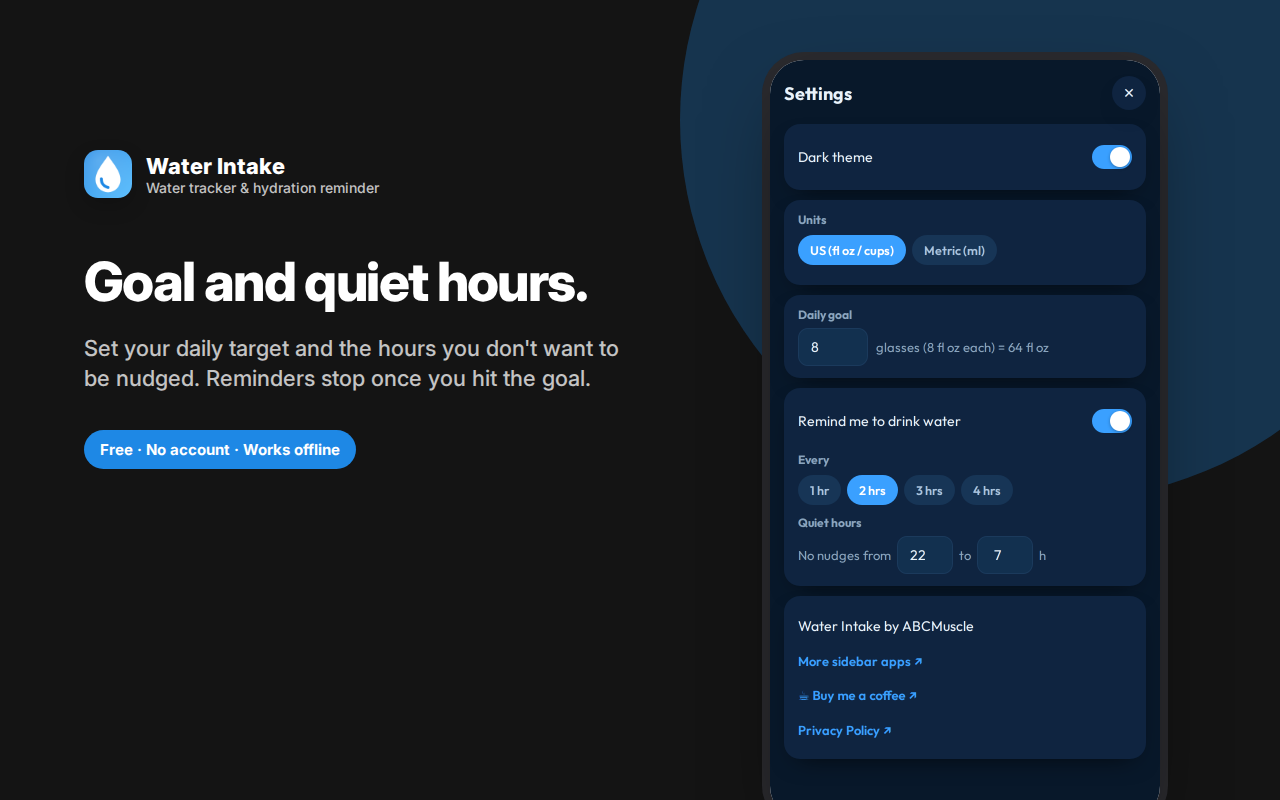
Reminders arrive on the schedule you choose, respect the quiet hours you set so nothing buzzes overnight, and stop automatically once you've reached your goal — each one telling you how many glasses are left.
US (fl oz) and metric (ml) units, an adjustable goal, light and dark themes.
No account, no cloud — your hydration tracker log stays in your browser.
Water Intake is a hydration tracker that makes drinking enough water almost automatic: tap a glass, watch the bottle fill, and let gentle reminders do the remembering for you.
Why most people don't drink enough water
It's almost never a motivation problem. It's that nobody remembers mid-task, and nobody has any idea how much they've actually had by 3pm. "Drink more water" is advice without a mechanism. A water tracker gives you the mechanism: a number you can see, and a nudge when you've drifted.
One tap to log a glass
The whole logging flow is a single tap. Choose 1 cup, 1.5, 2 or 3 — or type any custom amount for that oversized bottle on your desk. The bottle on screen fills with an animated wave as you go, so your progress is a picture rather than a number you have to interpret.
Below it you always see:
- Exactly how much you've had and how much your goal is
- How much is left — "28 fl oz to go," or "One more glass gets you there"
- When you last drank — genuinely useful for noticing you've gone four hours without any
- When the next reminder is coming
Made a mistake? Undo the last entry with one tap, or remove any individual entry from today's log.
Reminders that don't become annoying
This is where most hydration apps go wrong — they nag until you turn them off, and then they're useless.
Water Intake sends a system notification on the interval you choose (every hour, two, three or four), and it's considerate about it:
- Quiet hours — set the window where nothing should fire, so you're never buzzed at 11pm or during the night
- Reminders stop once you've reached your goal for the day, rather than continuing to badger you about something you've already done
- Each reminder tells you how many glasses are left, so it's actionable rather than just noise
- Reminders work with the panel closed, since they use the browser's own alarm system
Progress you can actually see
- A calendar filling in every day you reached your goal, so a good month looks like a good month
- A weekly chart with your goal drawn as a line across it — instantly obvious which days you fell short
- A streak counter for consecutive days at goal, which turns out to be surprisingly motivating
- Today's log with a timestamp on every entry
Set up for how you actually measure
- US units (fl oz) or metric (ml) — switch any time
- Adjustable daily goal — the default 8 glasses is a starting point, not a rule; athletes, hot climates and larger bodies need more
- Glass size shown in both units so there's no ambiguity about what "a cup" means
Who this is for
- Desk workers who look up at 4pm and realise they've had one coffee and no water
- Athletes and gym-goers tracking intake around training
- Anyone told by a doctor to increase fluid intake — for kidney health, headaches, skin, or general energy
- People cutting soda or energy drinks and replacing them with water
- Students during long study sessions
- Anyone doing a 30-day water challenge who wants the streak to be real
Private by design
No account, no sign-in, no cloud, no analytics, no ads. Your hydration log lives in your own browser and goes nowhere else. There is no server involved, so there's nothing to breach and nothing being sold. Uninstall the extension and the data goes with it.
Small things that make it stick
Light and dark themes. A daily goal you can change any time. A bottle animation that's satisfying enough that logging feels like a small reward rather than a chore. Sensible defaults so it works the moment you install it, with no setup screen to get through first.
Water Intake is a water tracker with optional reminders and a daily goal — built on the theory that the best hydration app is the one you'll still be using in three weeks.
Common questions
*How much water should I actually drink?* The common "8 glasses a day" is a rough starting point, not a medical rule — real needs vary with body size, activity, climate, and health conditions. The daily goal here is fully adjustable for that reason, and this extension is a tracker, not medical advice.
*Will reminders work if the panel is closed?* Yes. They're scheduled through the browser's own alarm system and arrive as system notifications, so you don't need to keep anything open.
*Can I log something other than water?* You can log any amount you like — many people count tea, sparkling water or squash toward their daily total and simply log the volume.
How much water should I drink a day?
The common guideline is around eight glasses (about two litres), which is where the default comes from. Real needs vary with body size, climate, activity and diet — the daily goal is adjustable for exactly that reason.
Does a water tracker actually help?
For most people the problem isn't knowledge, it's attention: you don't forget that water matters, you forget in the moment. A water tracker with a visible bottle and a water reminder on a schedule solves the attention problem rather than the knowledge one.
How often should reminders fire?
Every 60 to 90 minutes during working hours suits most people. Quiet hours stop overnight notifications, and reminders stop automatically once you've hit your goal.
Do coffee and tea count?
Most fluids contribute to hydration, including tea and coffee. This is a hydration tracker rather than a nutrition app, so log whatever you consider part of your intake.
Can I log a custom amount?
Yes — the quick buttons cover common glass sizes, and there's a field for any amount in fl oz or ml.
Can I change to metric?
Yes, switch between US (fl oz) and metric (ml) at any time.
What if I forget to log?
Nothing bad happens. There's no penalty and no guilt messaging — just tap the glasses you remember and carry on.
What the progress screens show
A calendar fills in each day you reached your goal, with partial fills for days you got close. A weekly chart plots your intake against the goal line so you can see whether you're consistently short or just occasionally. A streak counts consecutive days at goal, and the home screen shows when you last drank and when the next reminder is due.