Weight Tracker – Weight Loss & BMI Log
Weight tracker and weight loss tracker with a BMI calculator. See the real trend with a 7-day average and goal date.
Weight Tracker turns a daily weigh-in into a clear picture of where you're actually going — not the noisy number the scale showed this morning.
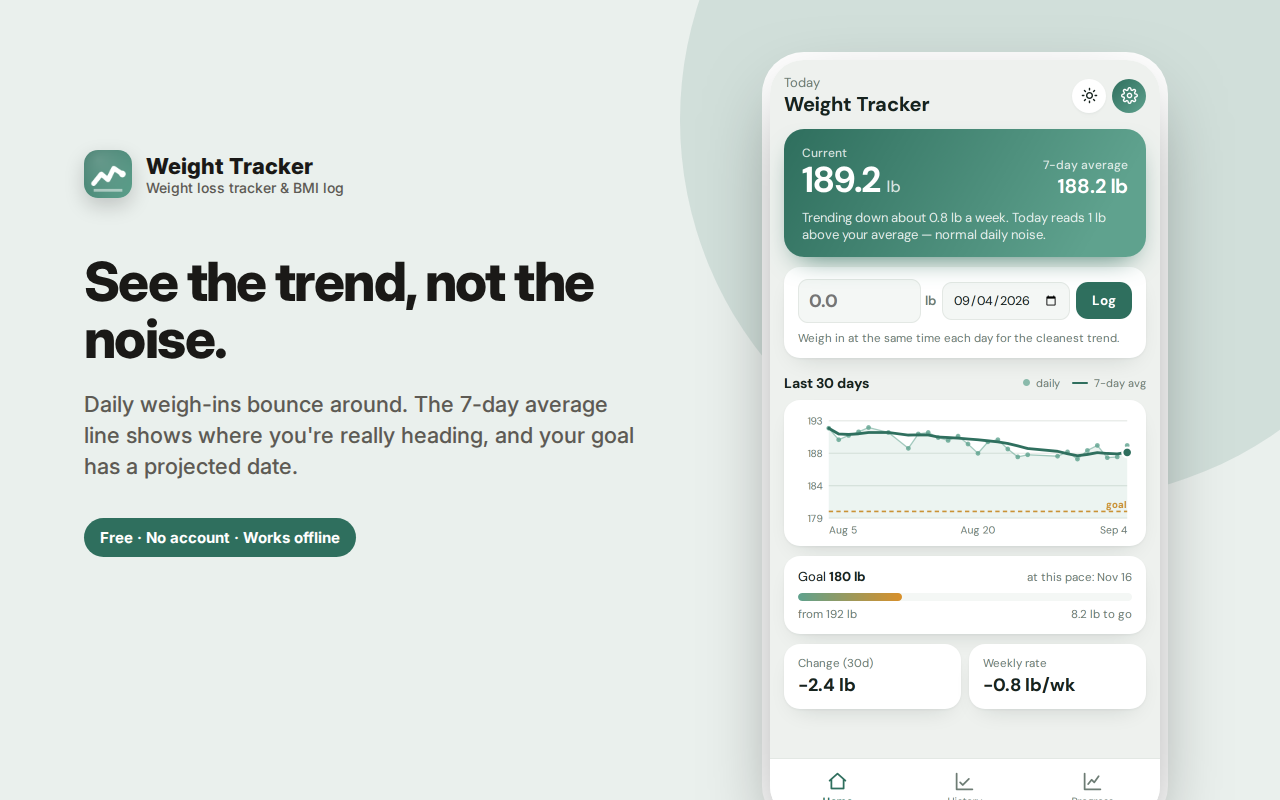
Your weight swings by a kilo or more day to day from water, salt, carbs and sleep. So the app draws a 7-day trailing average over your daily dots. That line is the signal, and it's the number worth reacting to.
You get your current weight and average side by side, a 30-day chart, your weekly rate of change, and a plain-English note putting today's reading in context.
Set a goal weight and see a progress bar, how much is left, and a projected date based on your real current pace — or an honest "not on pace yet" when that's the truth.
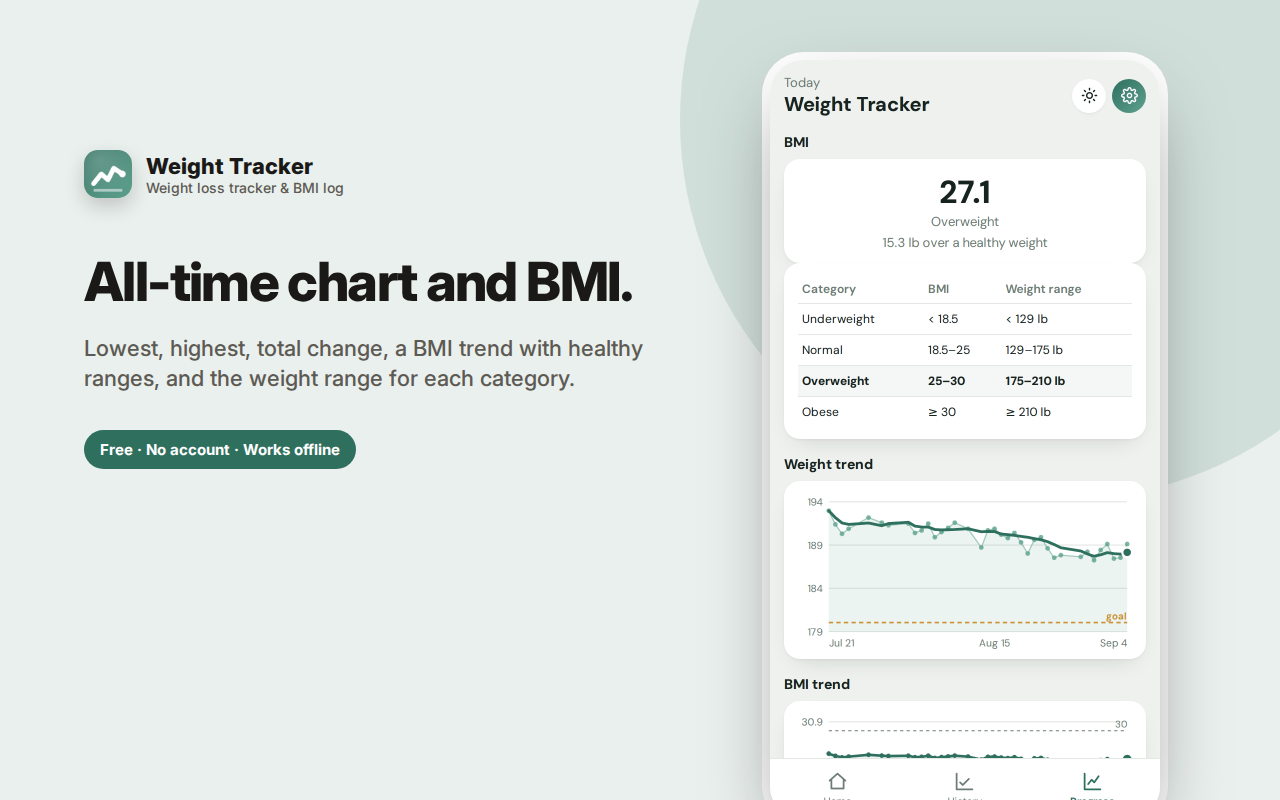
Includes a BMI trend with healthy ranges drawn in, lowest and highest, and lb/kg switching that converts your whole history properly.
Private, local, exportable, no account.
Weight Tracker turns a daily weigh-in into a clear picture of where you're actually going — not the noisy number the scale showed you this morning.
The problem with daily weigh-ins
Your weight swings by one to two kilos (two to four pounds) day to day for reasons that have nothing to do with fat: water retention, salt, carbohydrates, hormones, how recently you ate, and whether you've been to the bathroom. Most people react to that noise emotionally — one bad reading and the diet feels broken, one good reading and it feels solved. Neither is true.
Weight Tracker draws a 7-day trailing average line over your daily dots. That line is the signal. It's what actually tells you whether you're losing, gaining, or holding steady, and it's the number worth reacting to.
What you see on the home screen
- Your current weight and your 7-day average side by side
- A 30-day chart with daily points and the average line drawn through them
- Your weekly rate — how fast you're actually moving, in lb or kg per week
- A plain-English note putting today's reading in context ("today reads 1.1 lb above your average — normal daily noise")
That last one matters. Seeing "you're up 1.5 lb today" alongside "your trend is down 0.4 lb/week" is the difference between staying on plan and quitting.
Goals with a real date, not a fantasy
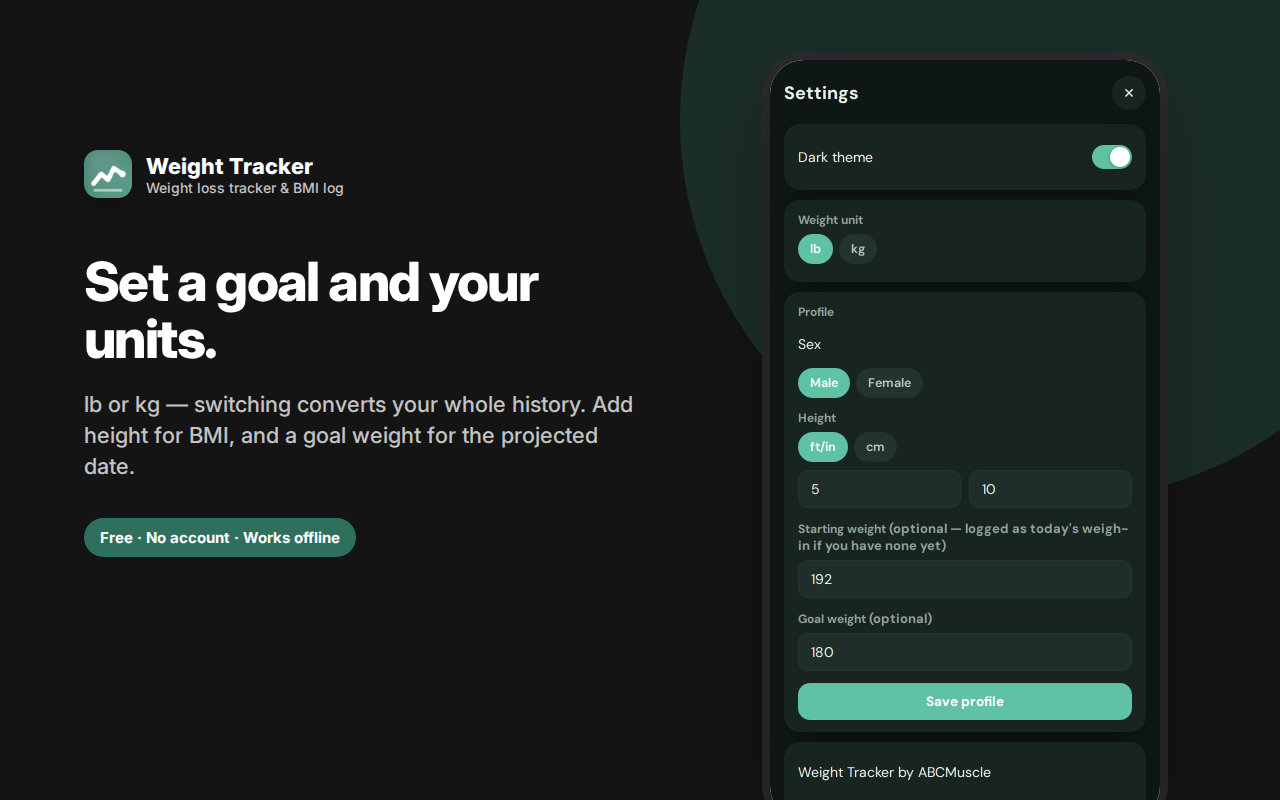
Set a goal weight and you get a progress bar from your starting weight, how much is left, and — the useful part — a projected date based on your actual current rate of change. If your rate says you'll reach your goal in fourteen weeks, it says fourteen weeks. If your rate is flat or going the wrong way, it tells you that honestly instead of showing an encouraging fake estimate.
Logging takes seconds
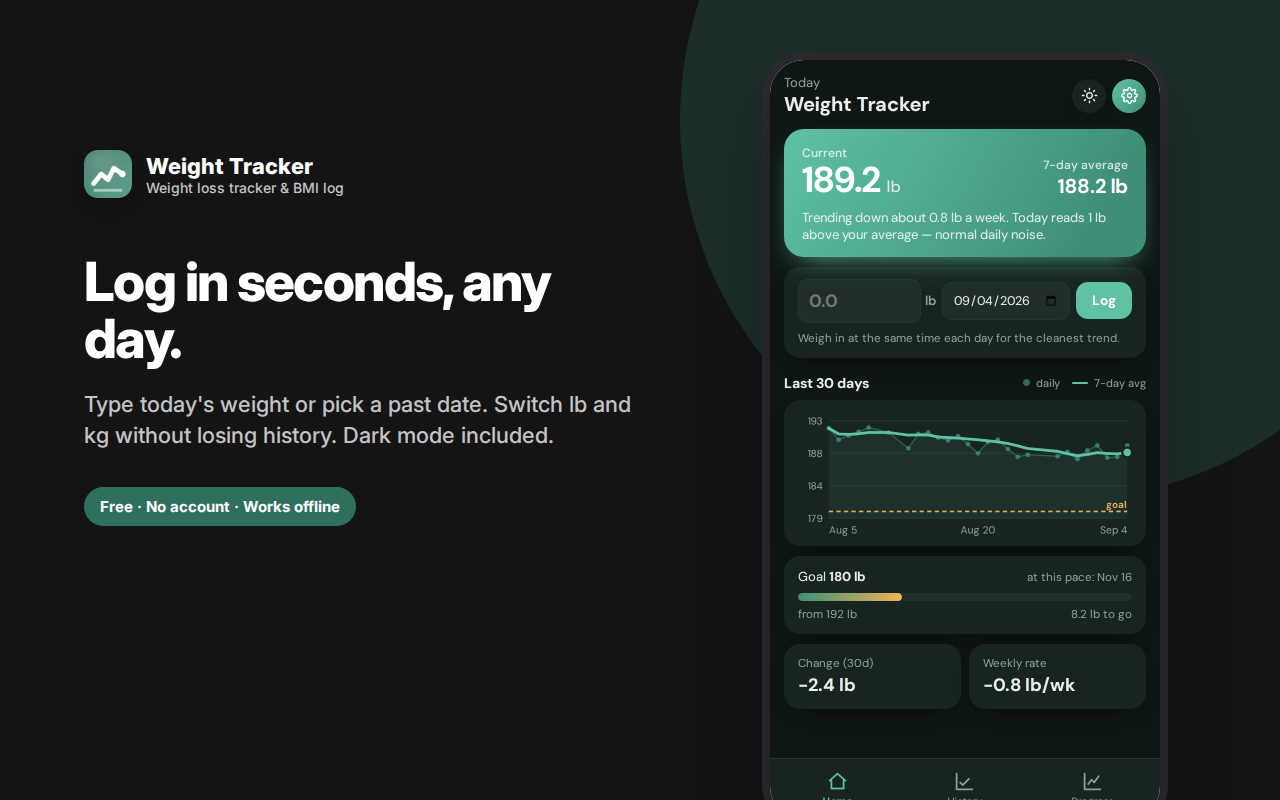
Type today's weight and it's in. Need to backfill? Pick any past date. Logged the wrong number? Re-log the same day and it updates rather than duplicating. Your starting weight defaults to your first logged entry, so there's no setup step where you have to enter the same number twice.
Switch units without losing your history
Change between pounds and kilograms at any time and your entire history converts with it. Many trackers silently mislabel old entries when you switch — this one does the conversion properly.
BMI, with the context it needs
The Progress tab includes a BMI trend chart with the underweight, healthy, overweight and obese ranges drawn in, plus a table showing what those categories mean in actual weight for your height — which is far more actionable than a single number. BMI is a rough population-level screening tool, not a verdict on any individual, and it's presented here as one data point among several rather than a score.
All-time progress
- Starting weight and total change
- Your lowest and highest recorded weights
- A full chart of every entry you've ever logged, with the average line
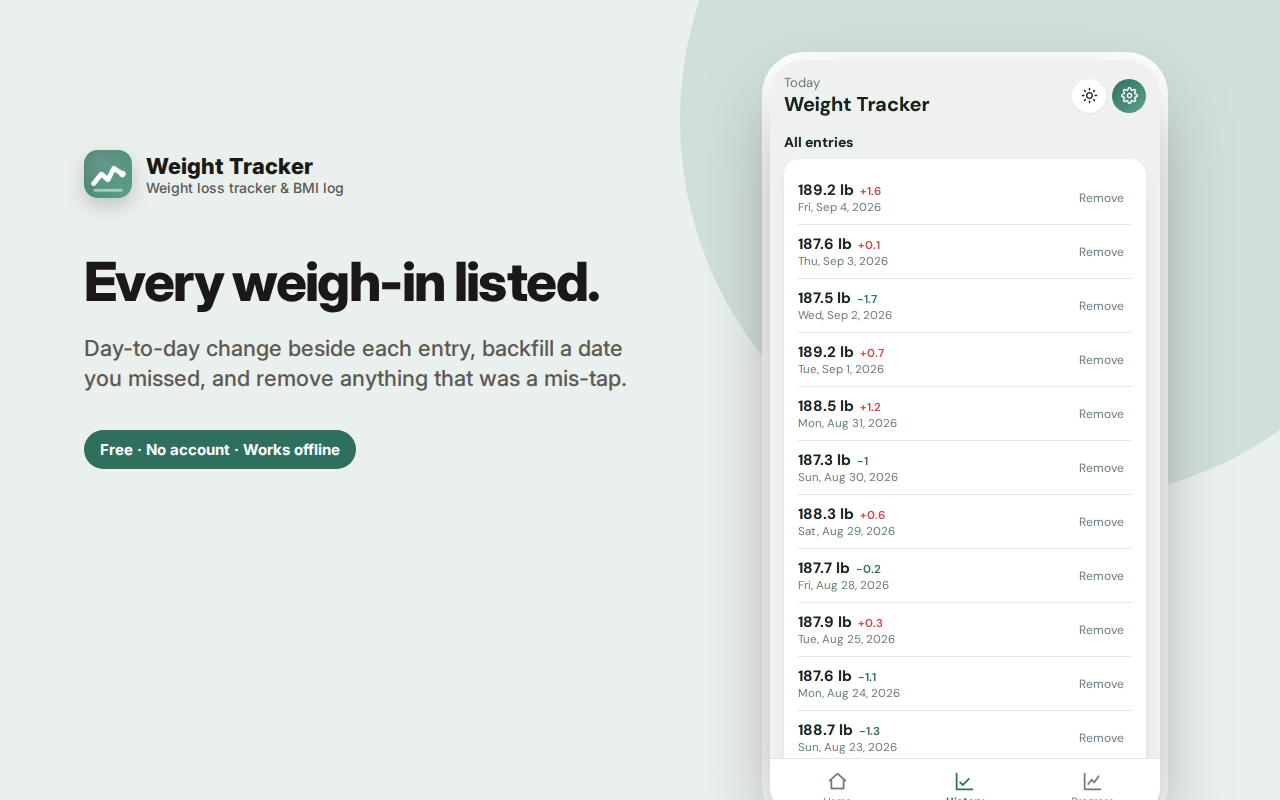
- A history list showing each day's change from the one before
Who this is for
- Anyone in a weight loss phase who wants to see through daily noise
- People maintaining a weight, watching for slow drift in either direction
- Anyone in a bulk or gaining phase — the same trend logic works in reverse
- People who've been told by a doctor to track weight over time
- Anyone who's quit a weight app because the daily fluctuations were demoralising
Private by design
No account, no sign-in, no cloud, no analytics, no ads. Weight is sensitive personal health data, and this extension treats it that way: every entry stays in your own browser, is never transmitted anywhere, and can be exported as JSON or deleted entirely at any time. There is no server involved. Uninstall the extension and the data goes with it.
A note on health
This extension is a logging and charting tool, not medical advice, and it makes no health claims. If you have or have had an eating disorder, daily weighing can be actively harmful — please talk to a professional about whether tracking is right for you.
Frequently asked questions
How often should I weigh in?
Daily, at the same time — ideally first thing in the morning, after using the bathroom, before eating or drinking. Consistency of timing matters far more than the time you pick. Daily weighing feeds the 7-day average better than weekly weighing does, precisely because it averages out the noise.
Why is my weight up when I've been eating well?
Almost always water. A salty meal, a high-carbohydrate day, a hard workout (muscle repair holds water), poor sleep, or hormonal cycles can each move the scale by a kilo or more overnight. None of that is fat. This is exactly why the average line exists — check the line, ignore the dot.
What's a reasonable rate of loss?
Commonly cited guidance is roughly 0.5–1% of body weight per week for sustainable loss. The weekly rate figure lets you see whether you're in that range or pushing faster than you intend.
Does this work for gaining weight?
Yes. The trend line, weekly rate and goal projection all work identically in reverse — set a goal above your current weight and the progress bar and projected date behave as you'd expect. It's equally useful for a bulk or for recovering weight.
Can I get my data out?
Yes — export everything as JSON at any time. There's no lock-in, and no account required to do it.
Weight loss tracker, or just a weight log?
Used minimally, this is a weight tracker — a place to record a number each day and see the history.
Used fully, it's a weight loss tracker: the 7-day average shows the real direction, the weekly rate tells you how fast, and the goal projection tells you roughly when, based on your actual data rather than a wish.
The BMI calculator sits alongside as context, with the healthy weight range shown for your height rather than just a number and a label.
How do I know if I'm actually losing weight?
Watch the average line, not the daily dots. If the 7-day average is trending down over two to three weeks, you're losing weight regardless of what this morning's number did.
Why did I gain weight overnight?
Water, almost always — salt, carbohydrates, a hard workout, poor sleep or hormonal cycles can each move the scale by a kilo or more in a day. Fat gain of that size overnight is physiologically implausible.
How accurate is BMI?
BMI is a rough population-level screening tool. It doesn't distinguish muscle from fat, so it misclassifies athletic builds, and it's shown here as one data point among several rather than a verdict.
Can I switch between lb and kg?
Yes, and your whole history converts with it rather than being mislabelled.
Weight Tracker is a weight loss tracker with a trend line and BMI context — built around the idea that the trend matters and the daily number mostly doesn't.