Wellness Reminders – Move, Water & Eye Breaks
Break reminder for desk workers: move, water, stretch and eye break reminders on the 20-20-20 rule. Custom intervals.
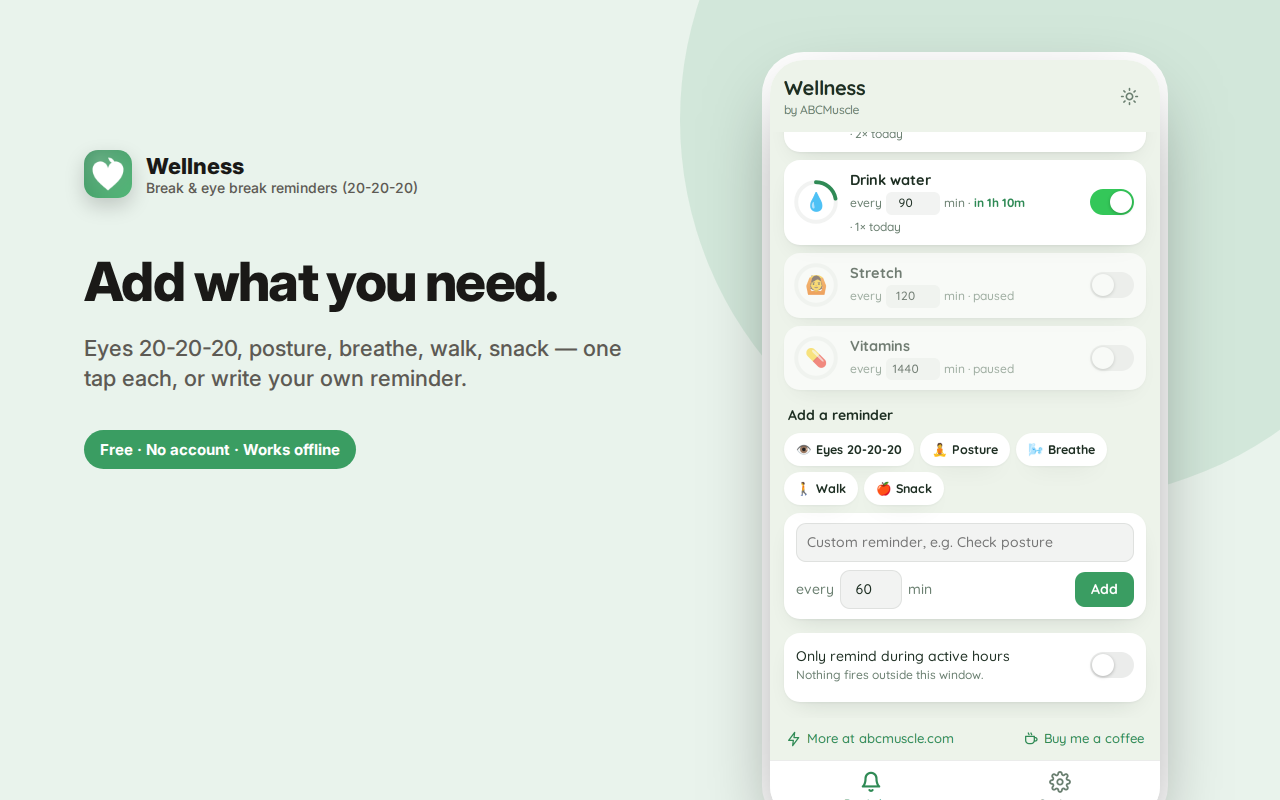
Wellness Reminders sends small, well-timed nudges through your workday — move, drink water, stretch, rest your eyes, breathe — so the basics don't get lost in six hours of focus.
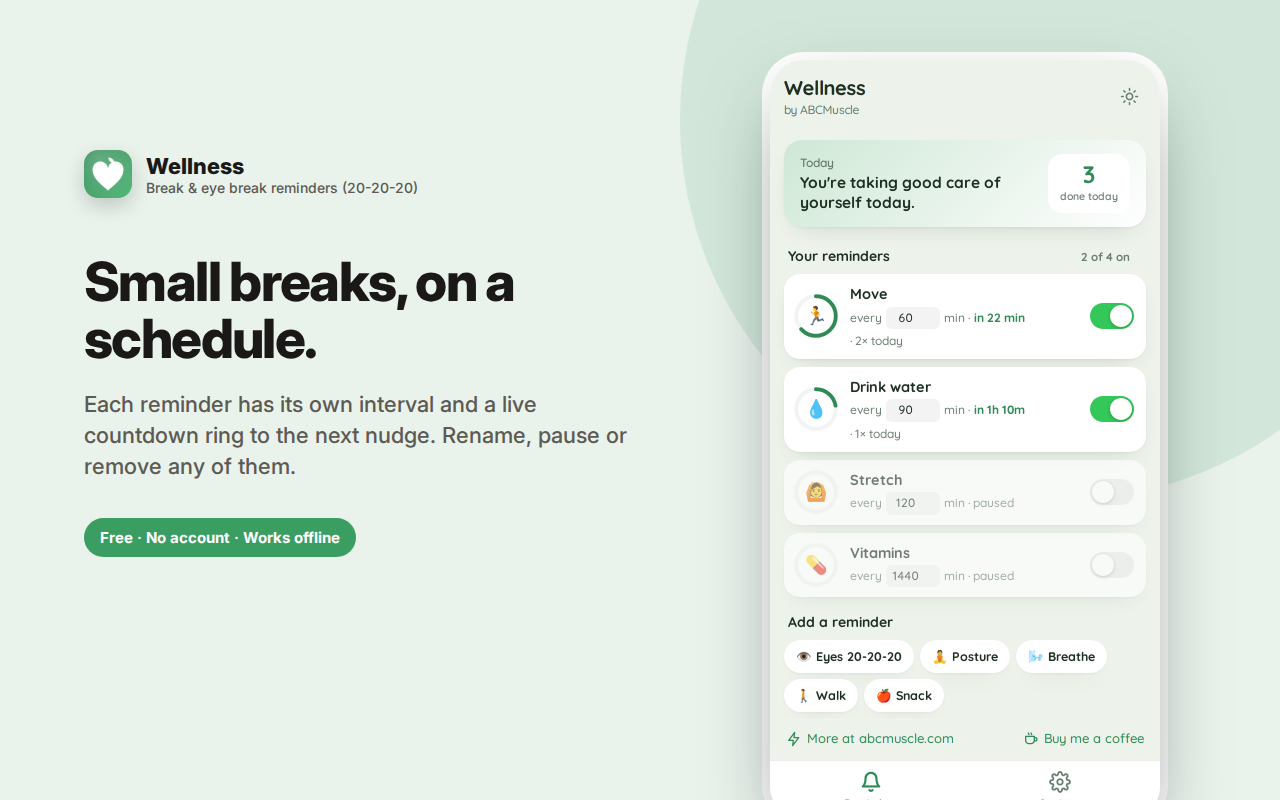
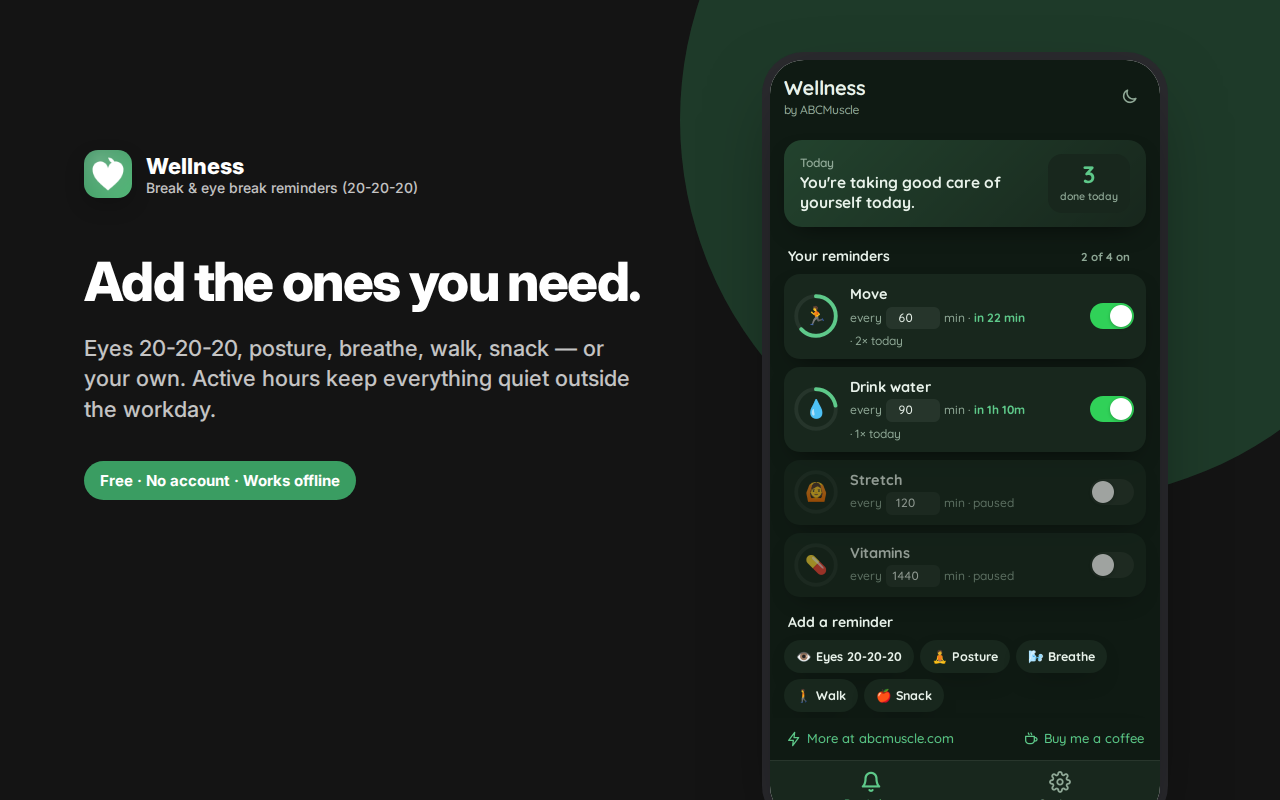
Four reminders are ready to go, and you can add more in one tap: eye breaks on the 20-20-20 rule, posture checks, breathing, a walk, or a snack. Or write your own with any name and interval.
Each reminder runs independently with its own interval, its own switch, and a live countdown ring to the next nudge.
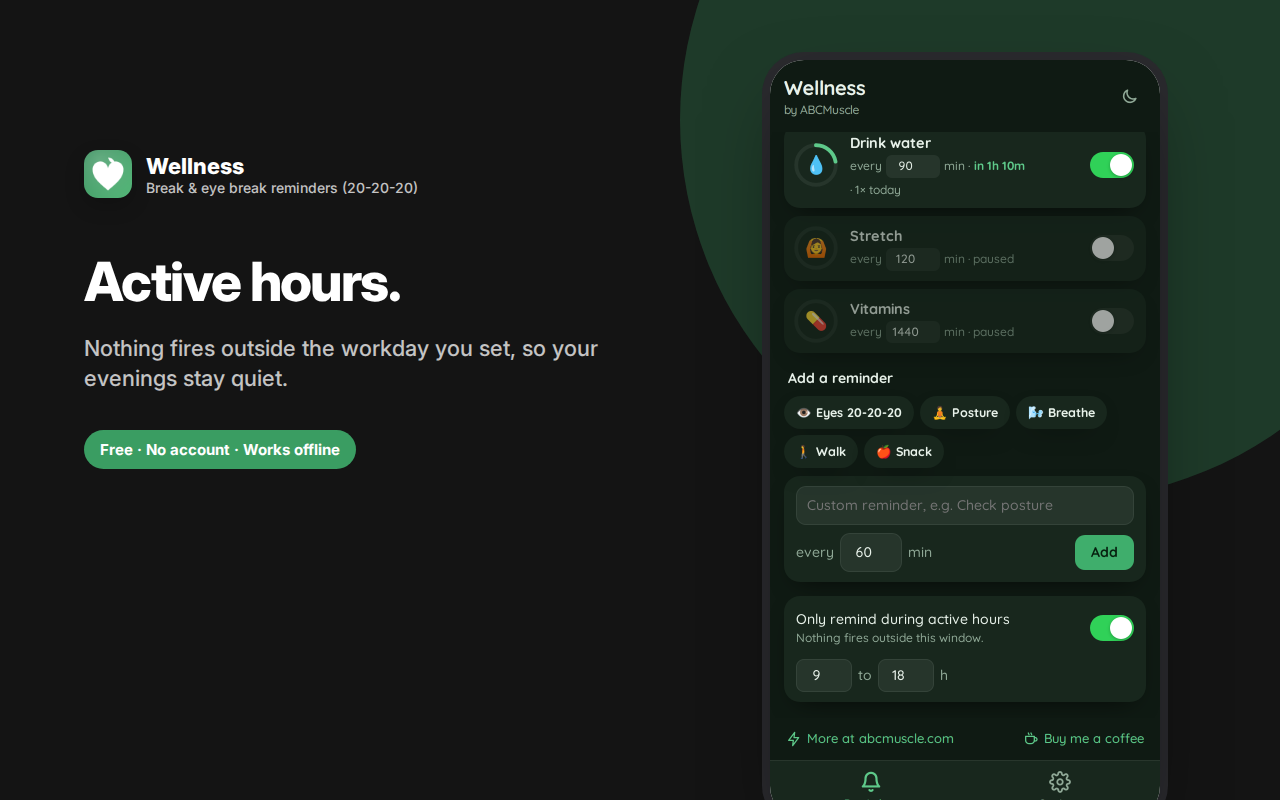
Set active hours so nothing fires outside your workday — the setting that decides whether a reminder app survives past week one.
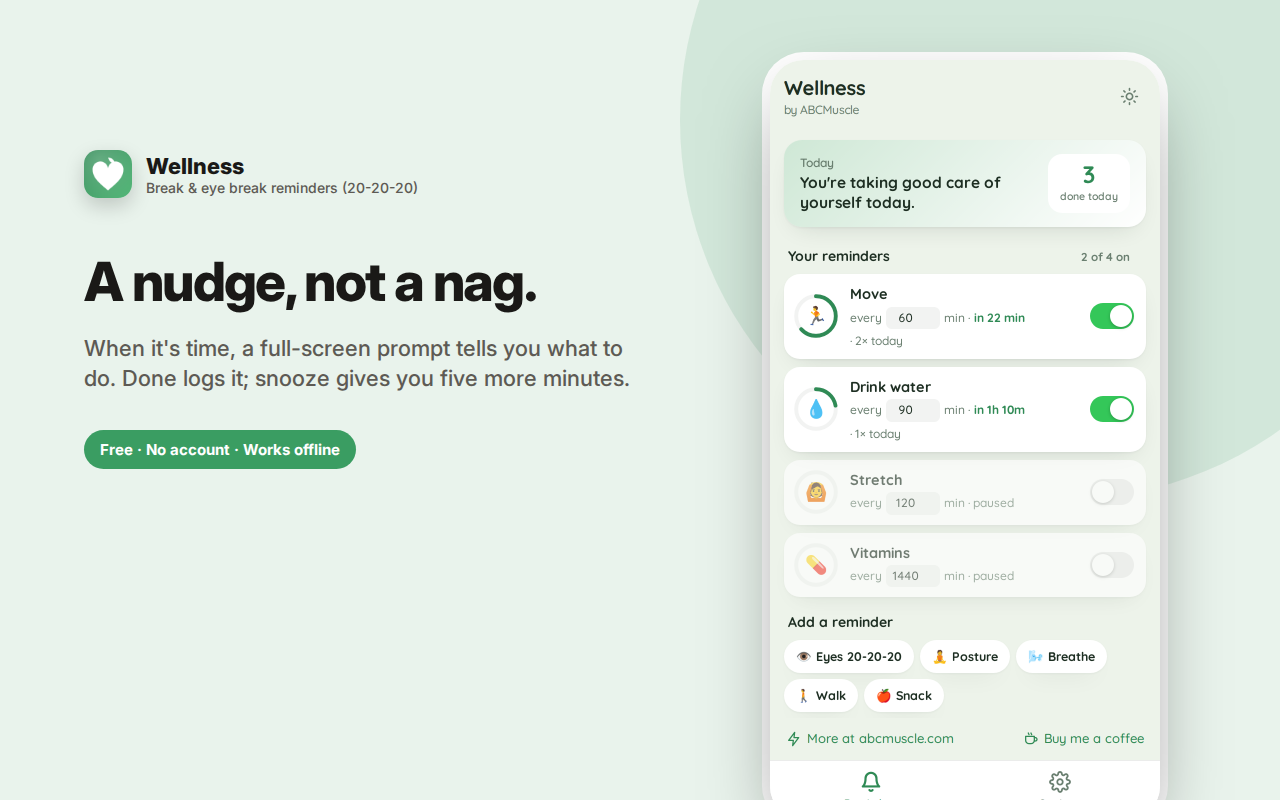
When one arrives you get a clear prompt with two buttons: Done, or snooze five minutes. A daily tally shows how many breaks you actually took.
Reminders run in the background with the panel closed. No monitoring of any kind.
Wellness Reminders sends small, well-timed nudges through your workday — move, drink water, stretch, rest your eyes, breathe — so the basics don't get lost in a six-hour stretch of focus.
The problem it solves
Nobody forgets to drink water because they don't know they should. They forget because they're absorbed in something, and there's nothing in the environment to interrupt them. Four hours later they stand up stiff, dehydrated, with dry eyes, and mildly annoyed at themselves.
An interruption that arrives at the right moment, tells you exactly what to do, takes twenty seconds, and then goes away is the entire fix. That's what this is.
Reminders, each on its own schedule
Four are ready to go: Move, Drink water, Stretch, and Vitamins. Add more from the presets in one tap:
- Eyes 20-20-20 — every 20 minutes, look 20 feet away for 20 seconds
- Posture check — shoulders back, chin level, feet flat
- Breathe — four slow breaths, in through the nose, out through the mouth
- Walk — a five-minute walk resets your focus
- Snack — something with protein keeps energy even
Or write your own, with any name and interval you like.
Each reminder is independent: its own interval, its own on/off switch, and a live countdown ring showing how long until it next fires. Rename any of them inline. Remove any you don't want, with an undo if you change your mind.
Active hours, so it stops when you do
Set the window your workday actually occupies and nothing fires outside it. No hydration nudge at 11pm, no posture check on a Sunday morning. This is the setting that determines whether a reminder app survives past week one.
The prompt itself
When a reminder fires, you get a clear full-panel prompt: a large icon, what to do, and two buttons — Done or Remind me in 5 minutes. Snoozing is a first-class option, not a hidden one, because sometimes you genuinely are mid-sentence.
Tapping Done logs it, and a counter on the home screen shows how many breaks you actually took today. Seeing "7 done today" is a quietly effective bit of feedback.
Works with the panel closed
Reminders are scheduled through the browser's background alarm system, so they keep running whether or not the side panel is open. System notifications are optional — turn them on if you want the nudge to reach you in another window, or leave them off and catch prompts when you return to the browser.
Who this is for
- Desk workers and remote workers with no natural interruptions in the day
- Developers and designers who lose hours to deep focus
- Students in long study sessions
- Anyone with dry eyes or eye strain from screen work
- People managing back or neck pain who've been told to move more often
- Anyone told to drink more water who keeps not doing it
- People taking medication or supplements on a schedule
Frequently asked questions
Will this be annoying?
That's the main design risk, and it's addressed three ways: you set every interval yourself, active hours mute everything outside your workday, and snooze is one tap. Start with two reminders at generous intervals rather than turning everything on at once — that's how people end up disabling the whole thing.
Do reminders work when the browser is minimised?
Yes, as long as the browser is running. They're scheduled by the browser's own alarm system rather than a page timer, so they survive tab switching and minimising.
What's the 20-20-20 rule?
A widely recommended guideline for screen-related eye strain: every 20 minutes, look at something about 20 feet (6 metres) away for 20 seconds. It gives the focusing muscles in your eyes a break from a fixed close distance.
Can I have different intervals for different reminders?
Yes — that's the core design. Water every 90 minutes, eyes every 20, posture every 30, vitamins once daily. Each runs on its own schedule independently.
Does it track whether I actually did it?
Only what you tell it. Tapping Done increments today's count. There's no monitoring of your activity, camera, or anything else — it's an honour system, because the alternative is surveillance.
How often should I take a break from my computer?
Common guidance is a short movement break roughly every hour, and an eye break far more frequently than that. The intervals here are yours to set.
Will the reminders interrupt meetings?
Set active hours to match your working day, and use snooze when a prompt lands badly. Both exist because a reminder app that can't be deferred gets uninstalled.
Can I add my own reminders?
Yes, with any name and interval — medication, posture, a walk, contact lenses, whatever you need.
Does it monitor what I'm doing?
No. No camera, no activity monitoring, no site logging. It's a scheduler and a checklist.
Private by design
No account, no sign-in, no cloud, no analytics, no ads. Your reminders, schedules and daily counts are stored in your own browser's local storage and never transmitted anywhere. There's no server involved.
A note on health
Wellness Reminders is a scheduling tool, not medical advice, and it makes no health claims. It won't fix an unsuitable chair, a badly positioned monitor, or an underlying condition. If you have persistent pain, eye problems, or a health issue affecting your work setup, talk to a doctor, optometrist or occupational health specialist — a reminder app is a complement to that, not a replacement.
One break reminder, several kinds of break
A generic break reminder that just says "take a break" gets ignored within a week, because it doesn't tell you what to do and doesn't fit your day.
This runs several reminders independently, each with its own interval: movement, water, stretching, posture, breathing, and an eye break reminder on the 20-20-20 schedule. Each prompt says exactly what to do and takes under a minute.