Clock – World Clock, Alarm, Timer & Stopwatch
World clock, alarm clock, timer and stopwatch in one. Time zone converter with a meeting planner and alarms with sound.
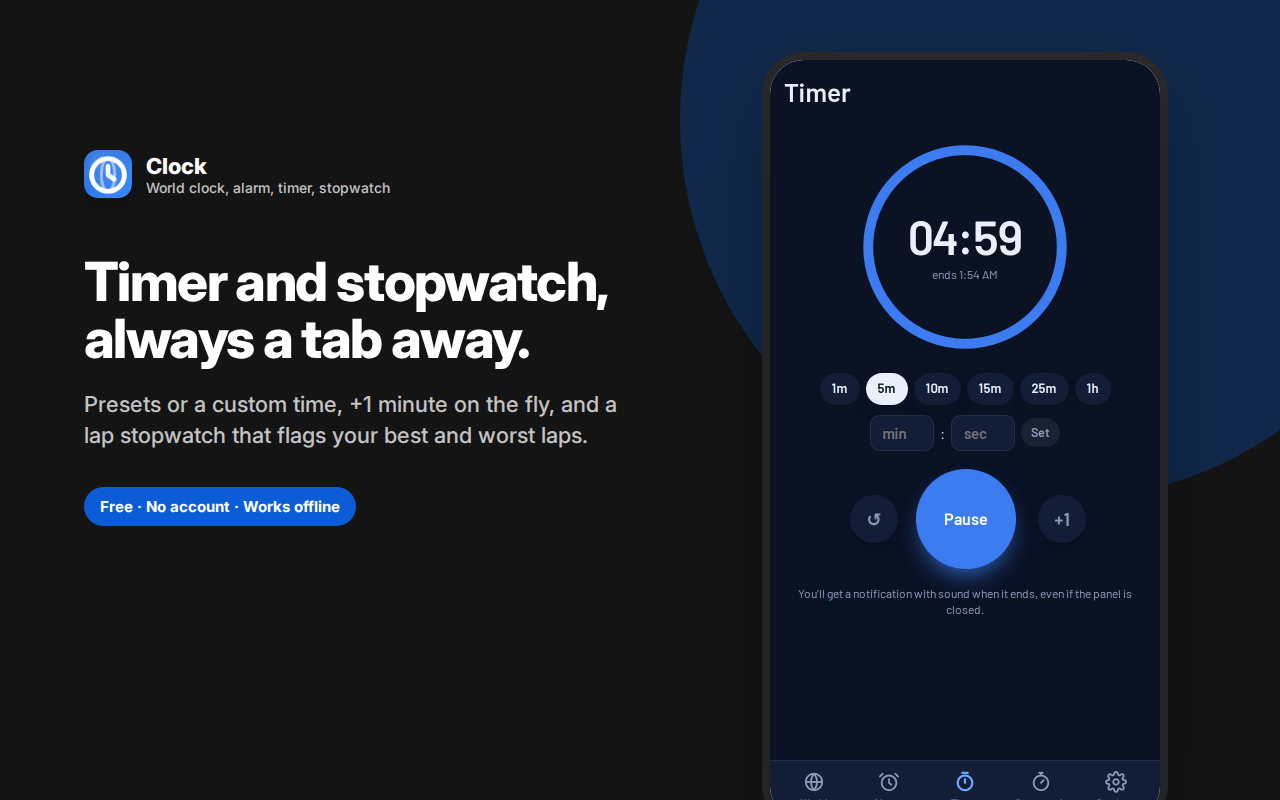
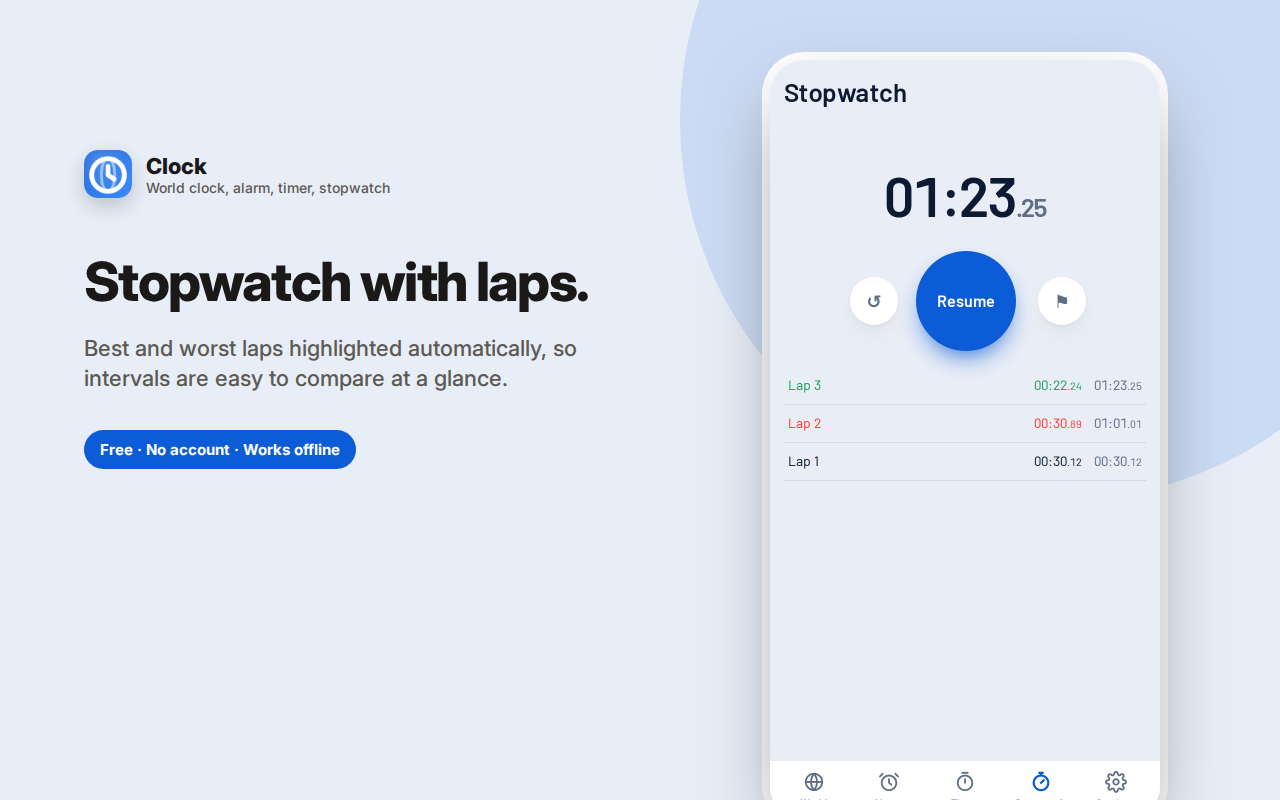
Clock puts every time tool you reach for during the day into one sidebar: a world clock, alarms, a countdown timer and a stopwatch.
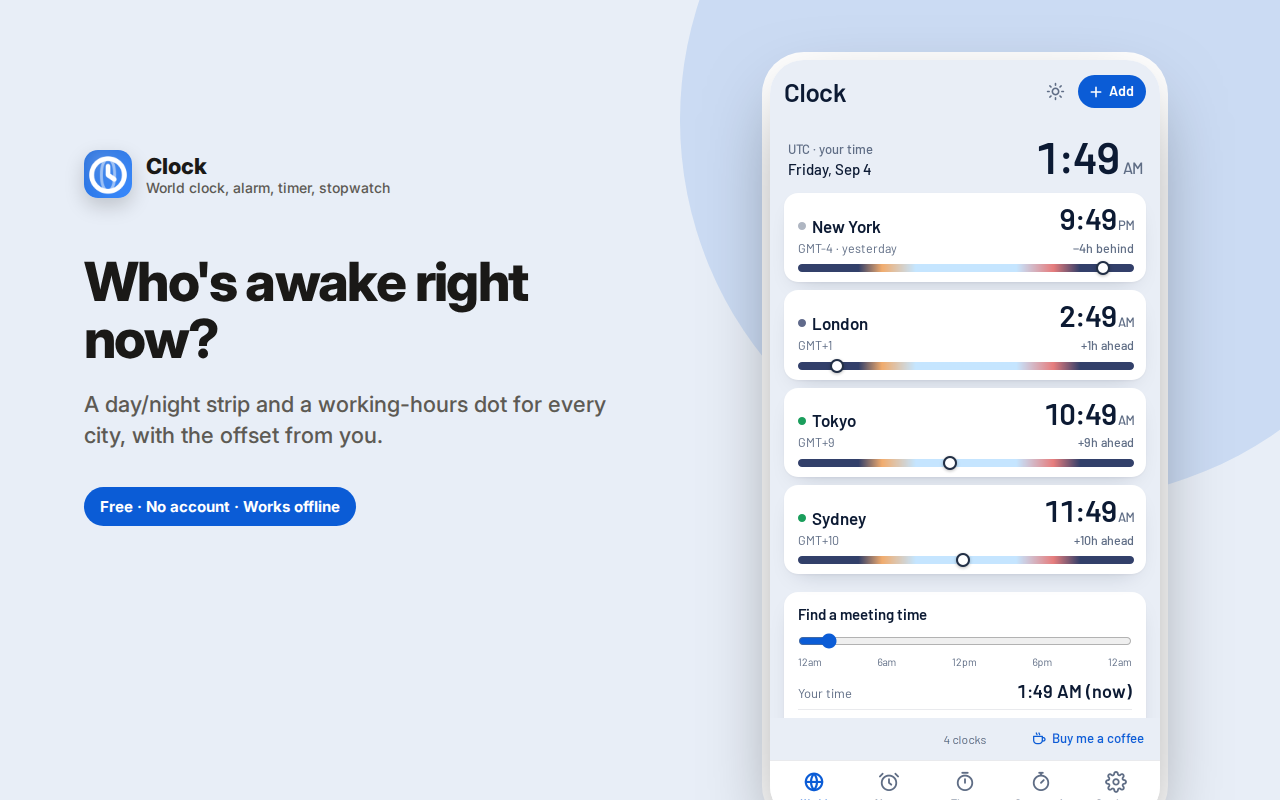
World clock — add the cities your team, family or clients live in. Each shows local time, the offset from you, and a day/night strip so you can see at a glance who's awake. Search by city, country or abbreviation (EST, CET, IST).
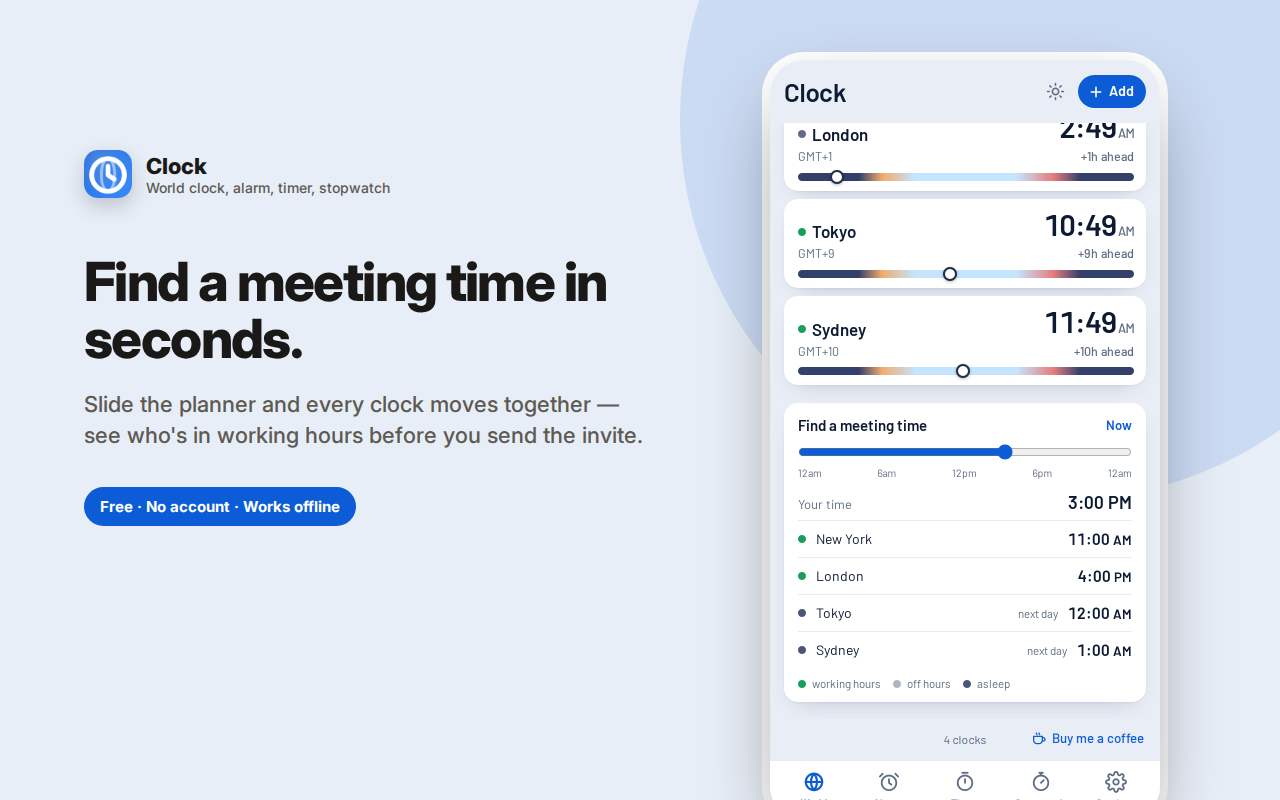
Meeting planner — slide one control and every clock moves together, with working hours highlighted, so you can find an hour that works before sending the invite.
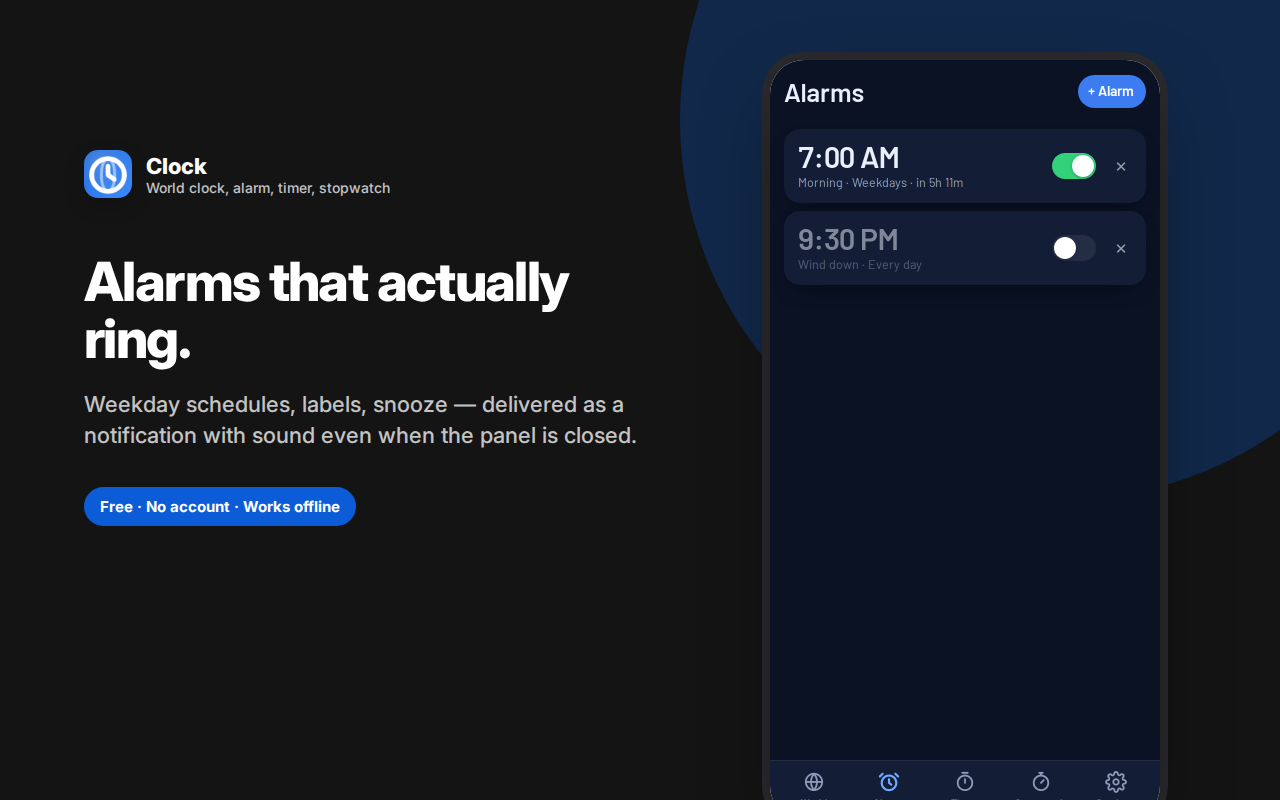
Alarms — set a time, label and repeat days. They fire as a system notification with sound even when the panel is closed, with snooze and dismiss on the notification itself. Choose snooze length, how long the sound plays, the tone and the volume.
Timer and stopwatch — quick presets, add-a-minute, and laps with fastest and slowest marked.
Clock puts every time tool you reach for during the day into one browser sidebar: world clocks with a meeting planner, alarms that genuinely ring, a countdown timer, and a lap stopwatch. No account, no ads, nothing sent anywhere.
World clock — see who's awake before you message them
Add the cities your team, family, clients or friends are in. Each clock shows:
- The local time there, in 12 or 24-hour format
- The offset from you in plain language — "+9h ahead," "same time as you"
- A day/night strip with a marker showing where they are in their day
- A status dot — green when they're inside working hours, dim for evening, dark when they're probably asleep
Search by city, country, region or time zone abbreviation. EST, PST, GMT, CET, IST, JST and the rest all resolve to the right place, which saves the usual detour to a search engine.
Meeting planner — find a time that works for everyone
This is the feature that saves the most time. Drag one slider and every clock moves together, showing what that moment looks like in each city at once. Working hours stay highlighted, so an hour that's 9am for you, 5pm in Berlin and 1am in Sydney is immediately, visibly wrong — before you send the invite instead of after.
Set your own working hours in settings so "available" means what it means for you.
Alarms that actually ring
A browser alarm is only useful if it works when you've stopped looking at the browser. Clock's alarms fire as a real system notification with sound, even when the side panel is closed.
- Set a time, a label, and the days it repeats — every day, weekdays, weekends, or any custom combination
- Once-off alarms turn themselves off after they ring
- Snooze or dismiss directly from the notification
- Every alarm shows exactly how long until it fires — "in 11h 37m"
- A ringing banner appears in the panel too, so you can silence it from there
In settings you control the behaviour properly: snooze length (5, 10 or 15 minutes), how long the sound plays before it silences itself, the alarm tone (beep, chime or bell) and the volume, with a test button so you can hear it before you rely on it.
Countdown timer
Quick presets for 1, 5, 10, 15, 25 minutes and an hour, or type any custom time. A ring counts down, the display shows when it will end, and +1 minute adds time on the fly without restarting — the thing you always want when something needs another minute in the oven or one more round of revision. You get a notification with sound when it finishes.
Stopwatch with laps
Start, stop, resume, and record laps. Each lap shows its own split and the running total, and your fastest and slowest laps are highlighted automatically — which is the whole point when you're timing intervals, drills, sets, or how long a process actually takes.
Why in a browser?
Because that's where you already are. Checking a colleague's local time, setting a 20-minute timer, or starting a stopwatch shouldn't mean finding your phone, unlocking it, and getting pulled into whatever notification is waiting there. A clock in the sidebar is one click, and you're back to work with nothing else grabbing your attention.
Who this is for
- Remote and distributed teams working across time zones every day
- Managers and founders scheduling calls with people in three countries
- Freelancers and agencies with international clients
- Anyone with family abroad who'd rather not wake them at 4am
- Students and professionals using timers for study blocks, cooking, workouts or focus
- Anyone who wants a free alarm clock, timer and stopwatch without installing yet another phone app
Details worth knowing
- Light and dark themes
- 12 or 24-hour time throughout
- Everything is keyboard accessible; Space controls the timer and stopwatch
- Timers and alarms are scheduled with the browser's own alarm system, so they survive the panel being closed
- Your clocks, alarms and settings are stored locally in your browser — no account, no sync, no analytics, no data leaving your device
Clock is a world clock, time zone converter, meeting planner, alarm clock, countdown timer and stopwatch in a single free extension — the four or five utilities you'd otherwise have open in separate tabs, in one place that's always one click away.
Common questions
*Will an alarm ring if the side panel is closed?* Yes. Alarms are scheduled through the browser's own alarm system and delivered as a system notification with sound, so the panel doesn't need to be open. For anything genuinely critical — a flight, an exam — keep a phone alarm as a backup too; a browser can always be fully quit.
*Does it know my location?* No. Clock never requests location access. The clocks you see are the ones you add yourself by searching for a city or region.
*Can I use 24-hour time?* Yes, throughout the whole app — clocks, alarms, timer and planner.
Is this a real alarm clock?
Yes — alarms fire as a system notification with sound even when the side panel is closed, with snooze and dismiss on the notification itself. As with any browser-based alarm clock, it needs the browser to be running, so it's a desk alarm rather than a replacement for the one that wakes you up.
Can I set a recurring alarm for weekdays?
Yes. Pick specific days, use the weekday preset, or set a one-off alarm that disables itself after ringing.
What can I change about how alarms behave?
Snooze length (5, 10 or 15 minutes), how long the sound plays before silencing itself, the alarm tone, and the volume — with a test button so you're not guessing.
How does the meeting planner work?
Slide one control and every clock you've added moves together, with working hours highlighted. It's the fastest way to find an hour that isn't the middle of someone's night.
Does it convert time zones?
Yes — that's effectively what the world clock and planner do together. Add the cities you care about and the offset from your own time is shown on each.
Is there a countdown timer and stopwatch too?
Both. The timer has quick presets, a custom duration, an add-a-minute button and a notification when it ends. The stopwatch records laps and marks your fastest and slowest.
Does it know my location?
No. Time zones for the clocks you add are chosen by you by city or region name; no location permission is requested.