PdfHook – PDF Reader, Merge, Split & Convert
PDF reader plus PDF tools: read PDFs, keep a library, then PDF merge, split, rotate and images to PDF. All on your device.
PdfHook is a PDF reader and toolbox that lives in your browser sidebar.
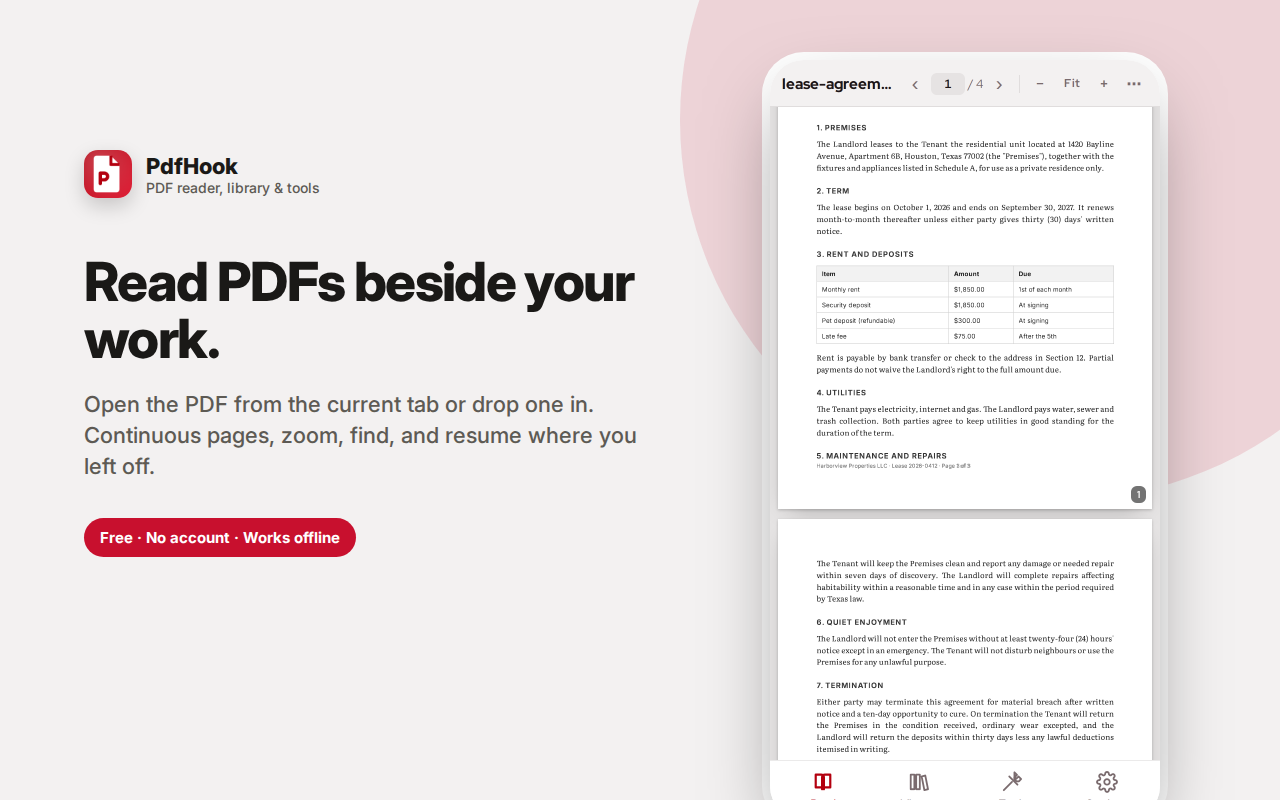
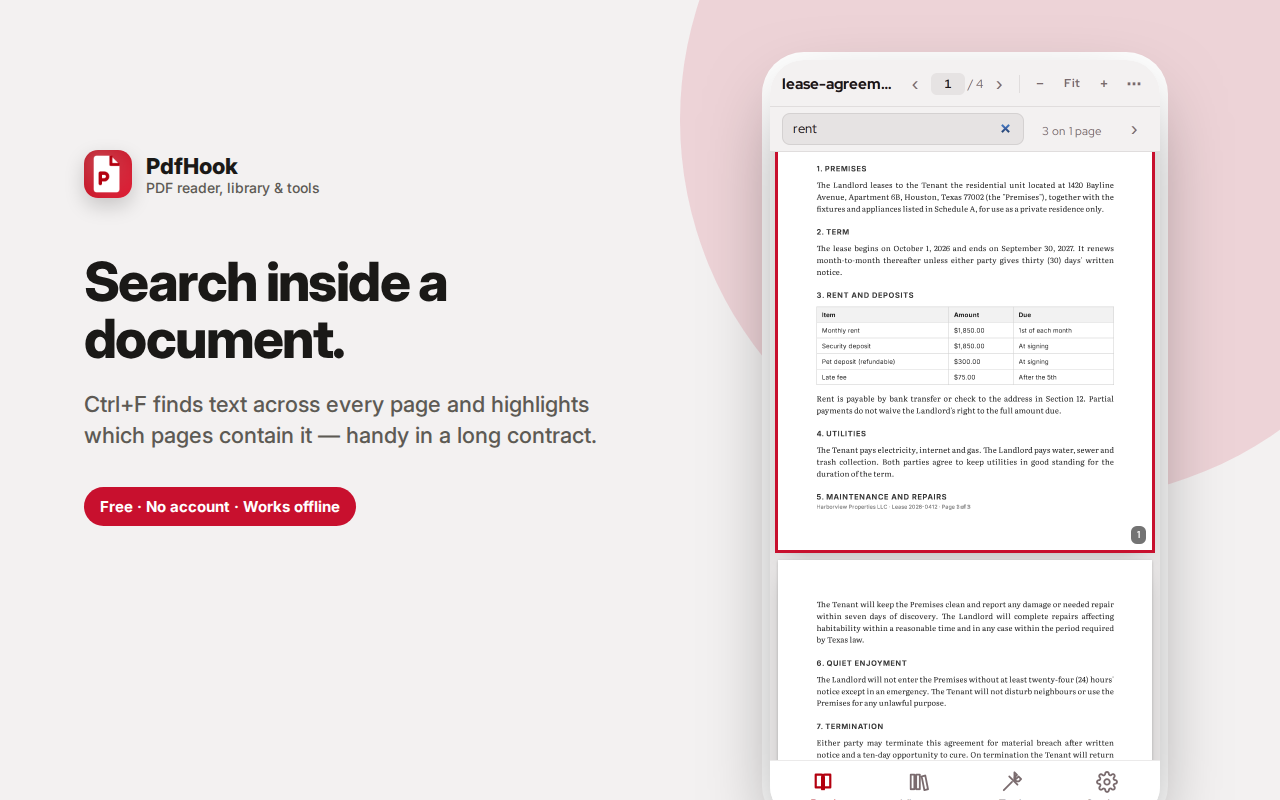
When a PDF is open in your current tab, one tap opens it beside your work. Or drop any PDF in. Pages scroll continuously with zoom, fit-width, a page counter you can type into, and Ctrl+F search across the whole document.
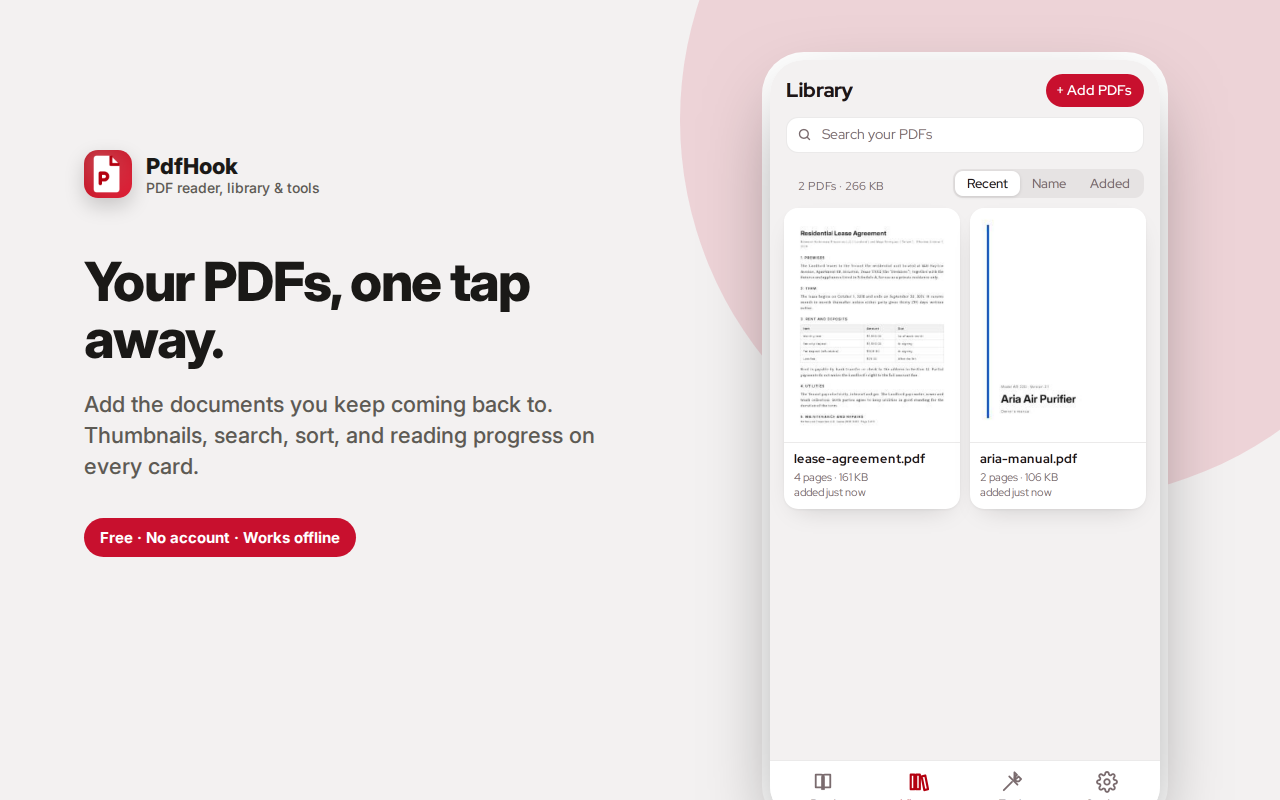
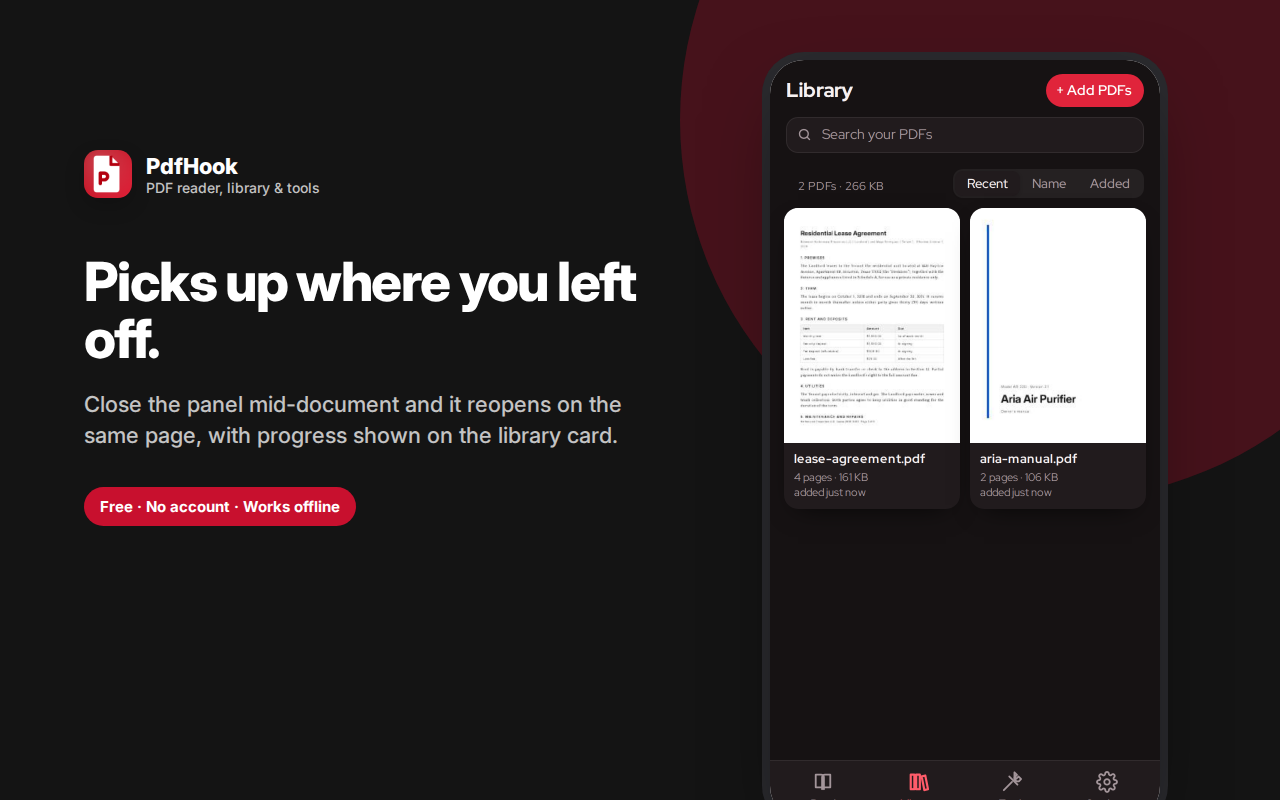
The Library stores the PDFs you keep coming back to — contracts, manuals, papers — each with a thumbnail, page count and your reading position saved, so you resume exactly where you left off.
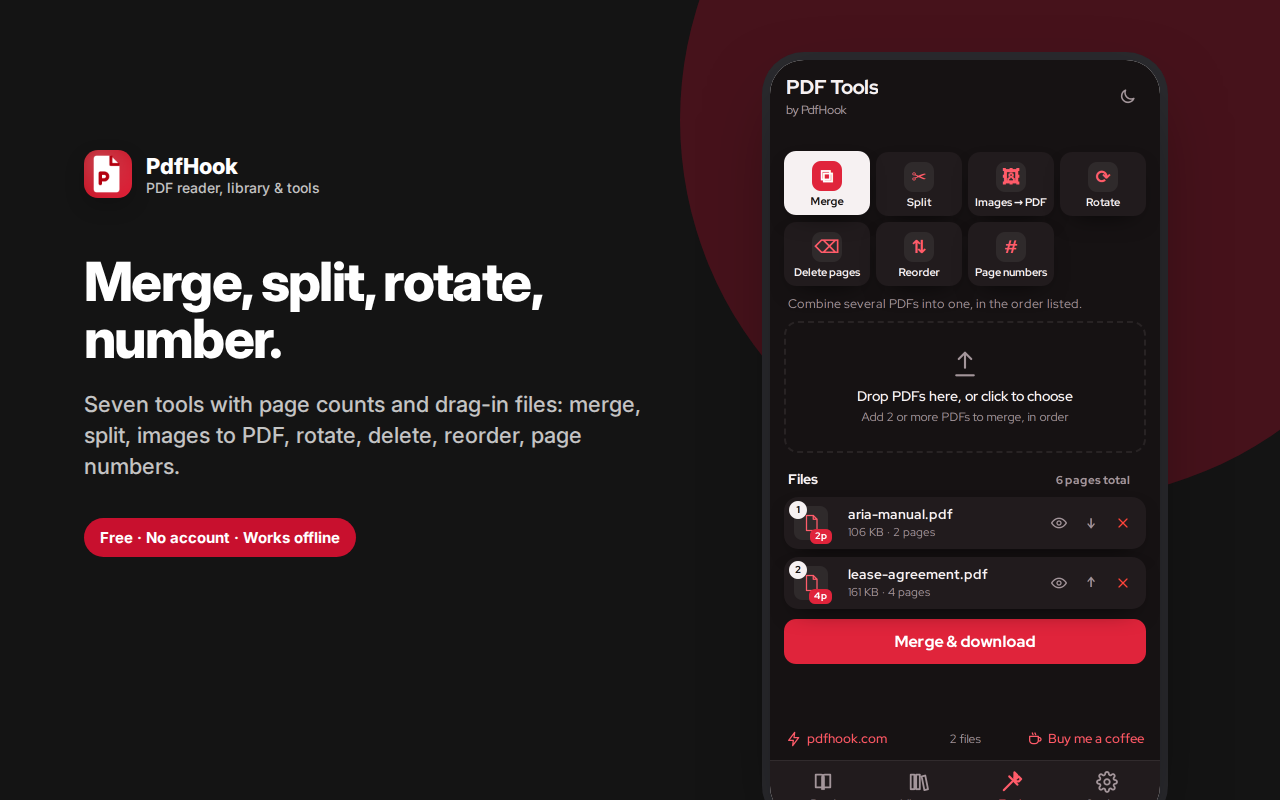
Seven tools handle the rest: PDF merge, split by range or into single pages, images to PDF, rotate, delete pages, reorder and add page numbers. Any document can be sent from the reader or library straight into the tools.
Built on the same engine Firefox uses to render PDFs. Everything runs on your device — no uploads, no account.
PdfHook is a PDF reader, a personal PDF library, and a full set of PDF tools — all inside your browser's sidebar, and all running on your own device. Read a contract beside the email about it, keep the manuals you reference constantly one tap away, then merge, split, rotate or reorder pages without uploading a single file to anyone's server.
Read PDFs beside your work, not on top of it
Opening a PDF normally means a new tab that covers everything else, or a download you then have to find. PdfHook opens it in the side panel instead, so the document sits next to the page, spreadsheet or email you're comparing it against.
- When a PDF is already open in your current tab, PdfHook notices and offers to open it in the reader with a single tap
- Or drag any PDF straight in from your desktop
- Pages scroll continuously, the way a document should
- Zoom in and out, or fit to width with one button
- Type a page number to jump straight there
- Ctrl+F searches the whole document and highlights which pages contain your term — genuinely useful in a fifty-page contract
- Arrow keys and Page Up/Down work as you'd expect
Rendering uses the same open-source engine Firefox itself uses to display PDFs, so text is sharp and pages load fast, even on long documents.
A library for the PDFs you keep coming back to
Most people have a handful of documents they open again and again — a lease, an insurance policy, a product manual, a course reader, a recipe collection, a tax form. Re-finding those in a downloads folder is a small daily tax.
The Library tab keeps them one tap away:
- Add as many PDFs as you like — drag them in or use the file picker
- Each document gets a thumbnail of its first page, its page count and file size
- Search by name and sort by recent, name or date added
- Reading progress on every card — see at a glance that you're 60% through
- Tap any document and it opens at the page you left off
- Rename, download, or remove any document
- Send any document straight into the tools
Documents are stored inside the extension's own local database on your device, which means they stay available offline and across sessions — and they never go anywhere near a server.
Seven PDF tools, no upload required
Most "free PDF tools" online work by uploading your file to a stranger's server, processing it there, and asking you to trust that it's deleted afterwards. For a lease, a payslip, a medical form or a signed contract, that's a genuinely bad trade. PdfHook does all of it locally in your browser:
- Merge PDF — combine several PDFs into one, in the order you arrange them
- Split PDF — extract a page range, or explode a document into single pages
- Images to PDF — turn photos and screenshots into one PDF, one image per page
- Rotate pages — fix documents scanned sideways or upside down
- Delete pages — drop the pages you don't need
- Reorder pages — rearrange into the order you actually want
- Add page numbers — stamp numbering onto every page
Files show their page count before you run anything, so you know what you're working with. Anything you're reading can be pushed straight into the tools, and anything in your library can too.
Genuinely private, and not just as a slogan
There is no account, no sign-in, no upload, and no analytics. PDFs you read, store and edit are processed entirely by code running in your own browser. The only network request PdfHook ever makes is fetching the specific PDF you asked it to open from the site you're already viewing it on — and it asks permission for that site, at that moment, rather than demanding access to everything up front.
For anyone handling documents with real information in them — legal, medical, financial, HR, client work — this is the difference between a convenient tool and one you're allowed to use.
Who this is for
- Students and researchers reading papers, textbooks and course PDFs while taking notes in another tab
- Legal, finance and HR professionals who cannot upload client documents to a random web service
- Freelancers and small businesses merging invoices, splitting statements, assembling proposals
- Anyone assembling scanned documents — passports, receipts, forms — into a single tidy PDF
- Anyone who just wants a fast PDF viewer that doesn't hijack a whole tab
Small things done properly
Light and dark themes. Keyboard shortcuts throughout. A find bar that tells you how many matches are on how many pages. A reader that remembers where you stopped. Page counts everywhere so nothing is a surprise. And a tools screen that explains what each tool does in one line, so you never have to guess which one you want.
Frequently asked questions
Is this a full PDF reader?
Yes for reading — continuous scrolling pages, zoom, fit-width, a page counter you can type into, and full-text search across the document. It's built on the same rendering engine Firefox uses for its own PDF reader, so page fidelity is high.
How do I merge PDF files?
Open the Tools tab, choose Merge, add two or more PDFs in the order you want them, and download. PDF merge happens entirely in your browser — the files are never uploaded, which matters when you're combining contracts, invoices or medical documents.
Can I split a PDF into separate pages?
Yes. Split by a page range to extract a section, or explode the document into one file per page.
What else is in the PDF tools?
Rotate pages, delete pages, reorder pages, add page numbers, and convert images into a PDF with one image per page.
Does it work on a PDF I'm already viewing?
If the PDF is open in your current tab, the reader offers to open it directly. You can then read it in the sidebar or send it straight to the tools.
Can I keep documents in it?
Yes — the Library tab stores PDFs you add, with thumbnails, search, and your reading position saved so you resume where you left off.
Are my documents uploaded anywhere?
No. Reading, merging, splitting and every other operation runs locally in your browser. There's no server involved at any point.